EN
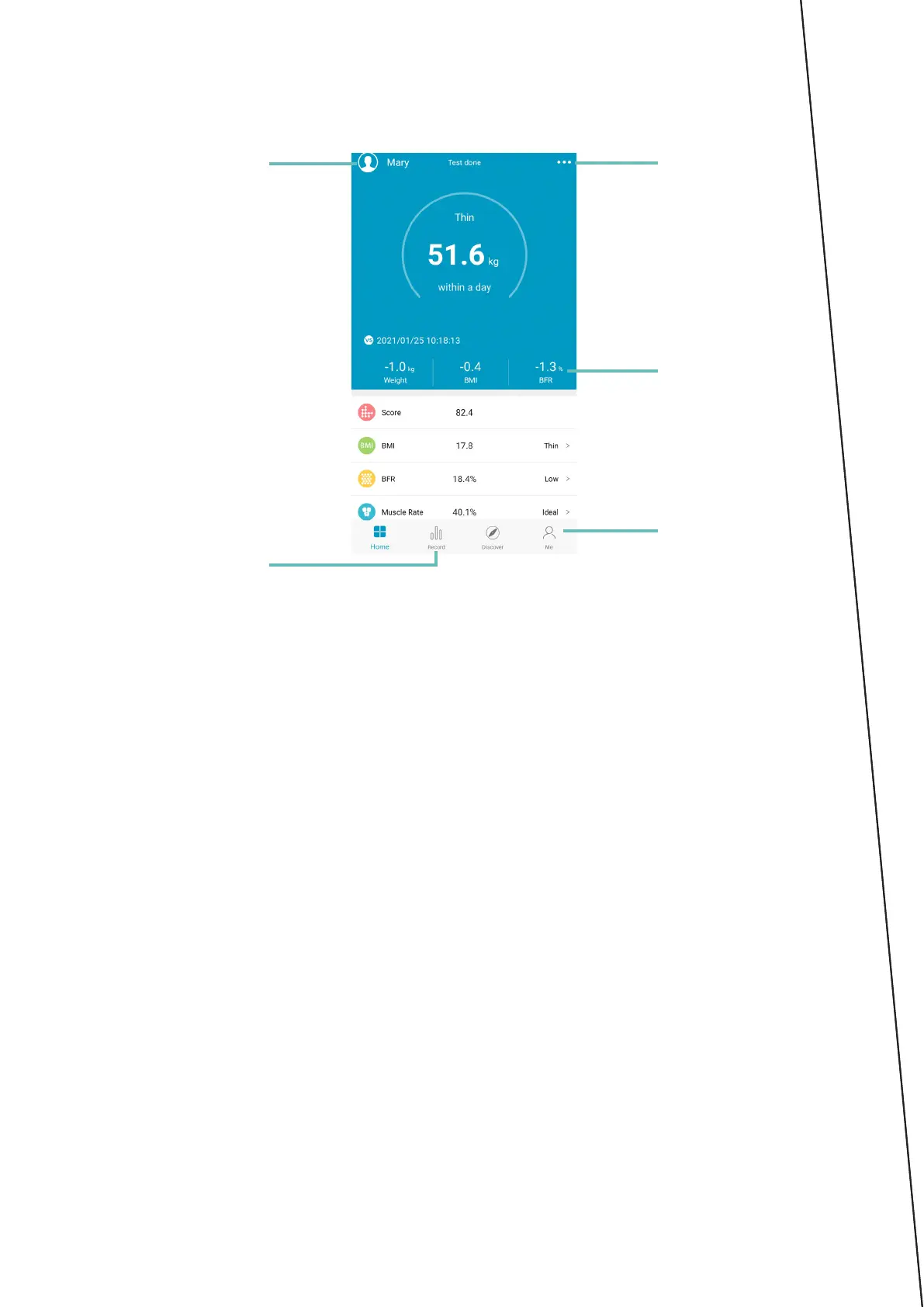
Interface
User options
History
of measurements
Settings
Sharing
Results
1. User options
Inuseroptionsyoucanaddprolesandeditthem.Everyprolehasits
own history of measurements.
2. History of measurements
In history of measurements you can read all previous measurements
savedintheprole.Atthesametimeyoucanreadaveragesfromeach
parameter.
3. Settings
Application settings let you adapt the application to own needs: units,
reminders, scale connections, etc.
4. Measurement results
The following results are displayed along with the analysis and information
on proper range of values:
• Weight
• BMI
• Fat in percents
• Muscle mass in percents
• Water in percents
• Bone weight
• BMR
• Visceral fatty tissue degree
• Protein in percents
• Body age
• Standard weight
• Weight control
• Fat mass
• Weight without fat
• Muscle mass
• Protein mass
• Obesity degree



 To Next Page