Need help?
Do you have a question about the ZeeVee ZvPro 800 and is the answer not in the manual?
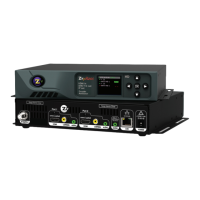
The ZeeVee ZvPro 800 series modulators are designed to convert video and audio sources into digital cable channels, broadcasting them over coaxial cable to HDTVs. This configuration guide provides a comprehensive overview of the device's setup, operation, and maintenance, catering to both basic and advanced users.
At its core, the ZvPro 800 acts as an encoder and modulator, taking up to two unencrypted HDMI video sources and converting them into frequency-agile QAM RF CATV output channels. This allows for the distribution of high-definition content across an existing coaxial network, making it accessible on multiple HDTVs without the need for additional set-top boxes at each display. The device supports various input types, including unencrypted HDMI for digital audio/video, composite video for closed captioning, and 3.5mm analog audio. The output power of the RF signal can be adjusted, offering flexibility for different network requirements and ensuring optimal signal strength to prevent video breakup.
The ZvPro 800's primary function is to create a private cable TV network, ideal for commercial installations, educational institutions, or any environment requiring the distribution of multiple video sources to numerous displays. By converting HDMI inputs into standard cable channels, it integrates seamlessly with existing coaxial infrastructure, simplifying installation and reducing cabling complexity.
The ZvPro 800 offers multiple avenues for configuration and control, including a front panel display and a web-based interface called Maestro.
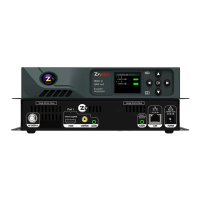
The front panel features a color display and a 5-way control button, allowing users to navigate options and view system status. Key configurations accessible from the front panel include:
The front panel automatically locks after a few seconds of inactivity, requiring users to press and hold the left and right arrow buttons to re-enter the setup screen for further adjustments.
For more advanced and comprehensive configuration, the Maestro web interface provides a graphical user interface accessible via a web browser (Chrome or Firefox recommended). After connecting the ZvPro 800 to a network or directly to a computer and logging in, users can access various tabs:
After configuring the ZvPro 800, HDTVs connected to the coaxial network need to be tuned to receive the new channels. This involves:
The ZvPro 800 is designed with ease of maintenance in mind, focusing on ensuring continuous operation and providing tools for troubleshooting.
Regular firmware updates are crucial for maintaining optimal performance, introducing new features, and addressing potential bugs. The ZvPro 800 supports firmware updates through both the front panel and the Maestro web interface. This allows users to keep their device up-to-date with the latest software enhancements, ensuring compatibility and stability.
The device includes several features to aid in troubleshooting common issues:
The ZvPro 800 can display error messages, such as "Encrypted video detected – unsupported," on the idle screen if it encounters issues like encrypted HDMI input (HDCP), which it does not support. This immediate feedback helps users identify the root cause of problems without extensive investigation.
The ability to adjust RF power from both the front panel and Maestro is a key maintenance feature. If video breakup is observed, it could be due to an RF power balance issue or the signal strength being too high for the HDTV tuner. Users can lower the RF power to ensure the unit is not overdriving the tuner, thus improving video quality.
For audio/video synchronization issues, the guide suggests solutions like using an audio delay device or routing audio through the ZeeVee unit and then out from the HDTV, ensuring that both audio and video undergo similar processing delays. This proactive guidance helps users maintain a high-quality viewing experience.
In summary, the ZvPro 800 is a robust and versatile modulator designed for efficient content distribution over coaxial networks. Its intuitive configuration options, both on the device and through the Maestro interface, coupled with comprehensive troubleshooting and maintenance features, make it a reliable solution for various professional and commercial applications.
 General
| Model | ZvPro 800 |
|---|---|
| Category | Media Converter |
| Video Inputs | 1 x HDMI |
| Audio Inputs | 1 x HDMI |
| Video Outputs | 1x RF (coaxial) |
| Output Frequency Range | 54-864 MHz |
| MER | 38 dB |
| Network Interface | Ethernet |
| Resolution Support | Up to 1080p |
| Power Supply | 100-240V AC |

 To Next Page