www.zeiss.de/stemi 2 B 46-0008 e 12/06
HI P controls
The HI P (Human Interface Panel) allows operation without
SY C OP . The first HI P is used for motorised focussing, the
second HIP for zoom operation. If a SYC OP is connected, the
HI P is not necessary and is only of limited function.
There is a basic mode and a setting mode.
Zoom control unit HI P in basic mode
The display shows the magnification (Mag) and the field diameter
(Field). Briefly press the Mode button repeatedly to display
successively field diameter, resolution and depth of focus.
Zoom value is set by the thumb wheel.
Focussing control unit HI P in basic mode
The header line of the display shows the focus position Z. Briefly
press the Mode button to reset the focus value to zero.
Set the focus position by moving the thumb wheel. Press the
thumb wheel to switch between FocusSpeed and FineFocus.
Parameters in the Setting mode (selected by Mode button)
applies to Zoom control unit only:
Set Lens to change objective variables
Set Eyepiece to change eyepiece variables
Confirmation to switch starting enquiries on / off
applies to both control units:
Zoom / Focus Speed to set the speed of movement
Backlight to adjust background illumination
Beep Level to switch acknowledgement beep on / off
Reset Param? to set on default variable
Thumb wheel ©ª
• © moves to higher position
• ª moves to lower position
• In setting mode: select list entry
Buttons Mem1 / Mem2
• Briefly press the buttons to call up saved values
• Press for two seconds duration to save the current value
Mode button
• Press for two seconds duration to switch between the modes
• In setting mode: briefly press to select Parameters
NOTE: Changes to the parameter variables are only saved when
you switch back into basic mode.
Button
• HI P switch on / switch off
SYCOP controls
Joystick:
• Shift to left: reduce zoom value
• Shift to right: increase zoom value
• Shift upwards: move the focus plane upwards
• Move downwards: move the focus plane downwards;
CAUTION: crush hazard! Avoid risk of damaging the specimen by
using the specimen protection function or limit switches.
4 buttons for illumination intensity;
the two left hand buttons are for transmitted-light (TL)
the two right hand buttons are for reflected-light (RL)
• – Reduce brightness / double click switches the illumination off
• + Increase brightness or switch on again
See also section
SY COP Touch screen controls.
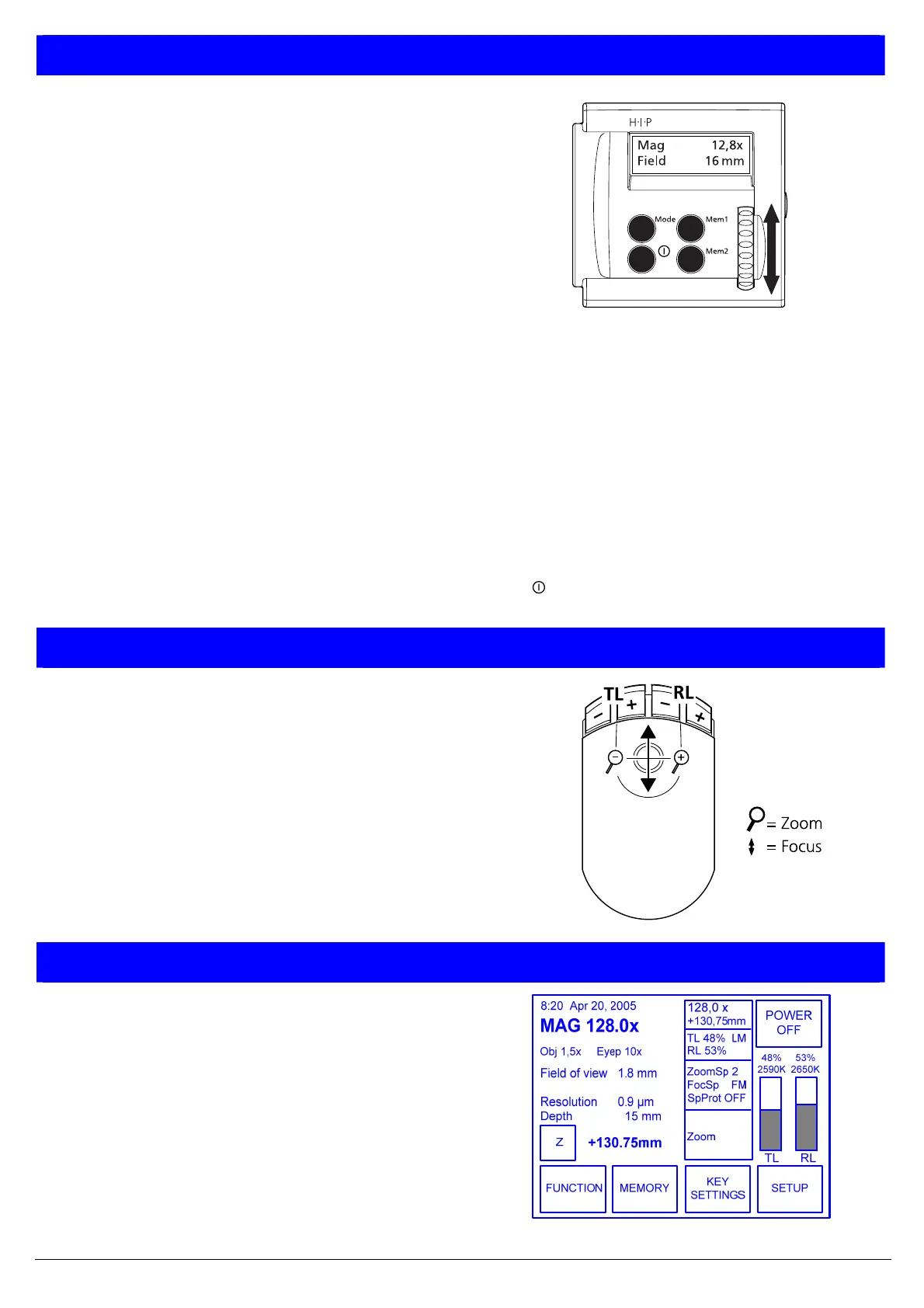
SY COP Touch screen controls
The touch screen is a touch-sensitive screen. Press with the finger on
the relevant button to call up the function.
After switching on, the main menu shows the following values:
− Date and time; four short status display windows
− Visual overall magnification (Mag), objective (Obj), eyepiece (Eyep)
− Field diameter (Field), resolution (Resol), depth of focus (Depth)
− Illumination intensity, colour temperature for reflected-light (RL)
and transmitted-light (TL)
• Press button Z to reset the current focus position to zero
• Press button POWER OFF to switch the system into standby mode
• Use the menu buttons to call up the FUNCTION, MEMORY, KEY
SETTINGS or SETUP submenus



 To Next Page
 Loading...