24
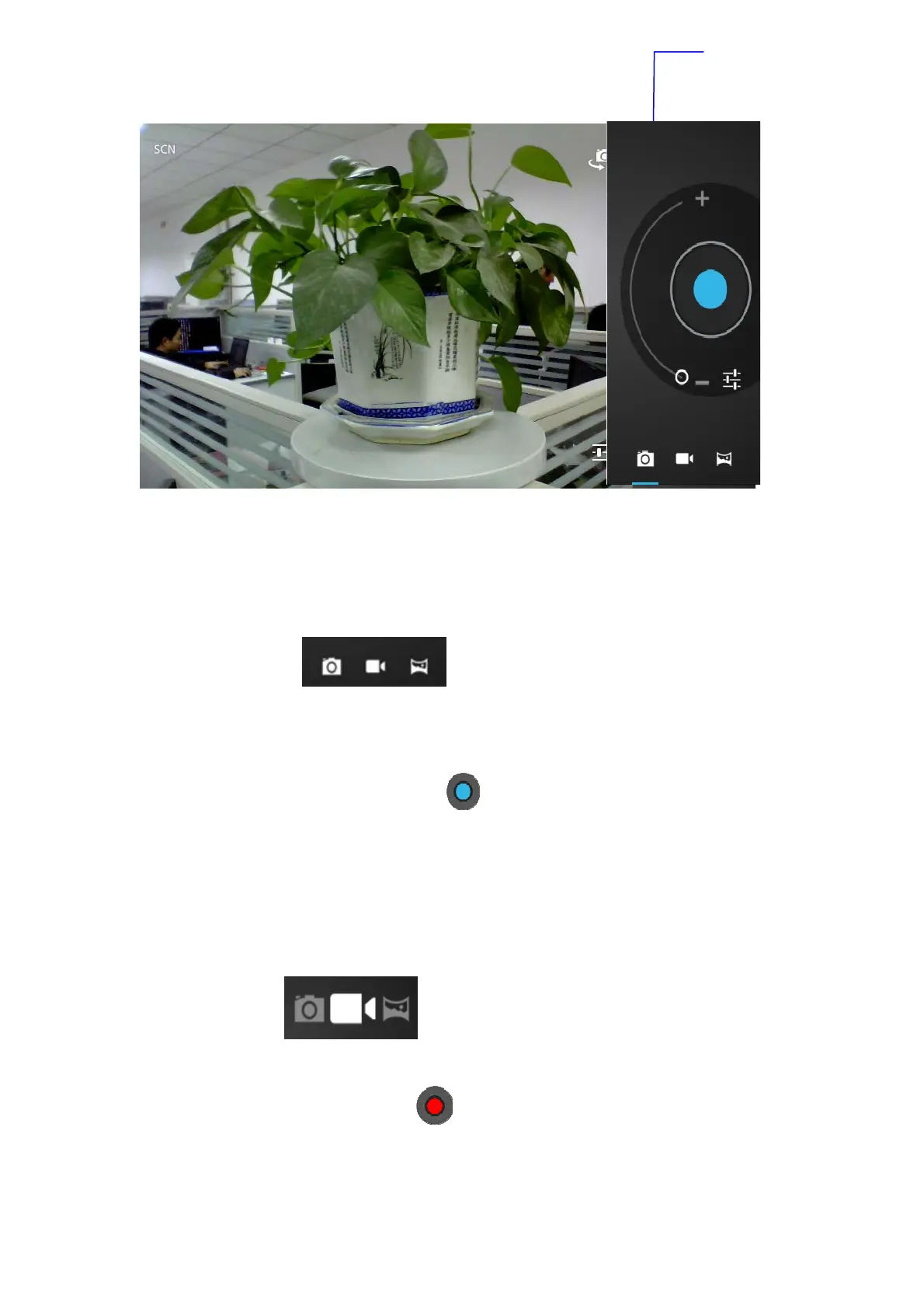
Picture 5-2
Take photos
1. open camera, make sure your device is in camera mode, screen
will display camera icon, as below picture shown:
2. Aim at the target you want take photos.
3. Touch blue button
to take photos.
Note: To avoid the unclear photo, please catch the MID tightly and stably,
you‘d better touch the blue button as soft as possible.
Record video
1. Enusure your device is in video mode:
2. Move the camera lens to the target you want to shoot.
3. Touch red button
, the system starts to record video. During the
record, the red button will display a white diamond.
4. Touch the red button when finish record.
switch front and rear
camera


 To Next Page