26
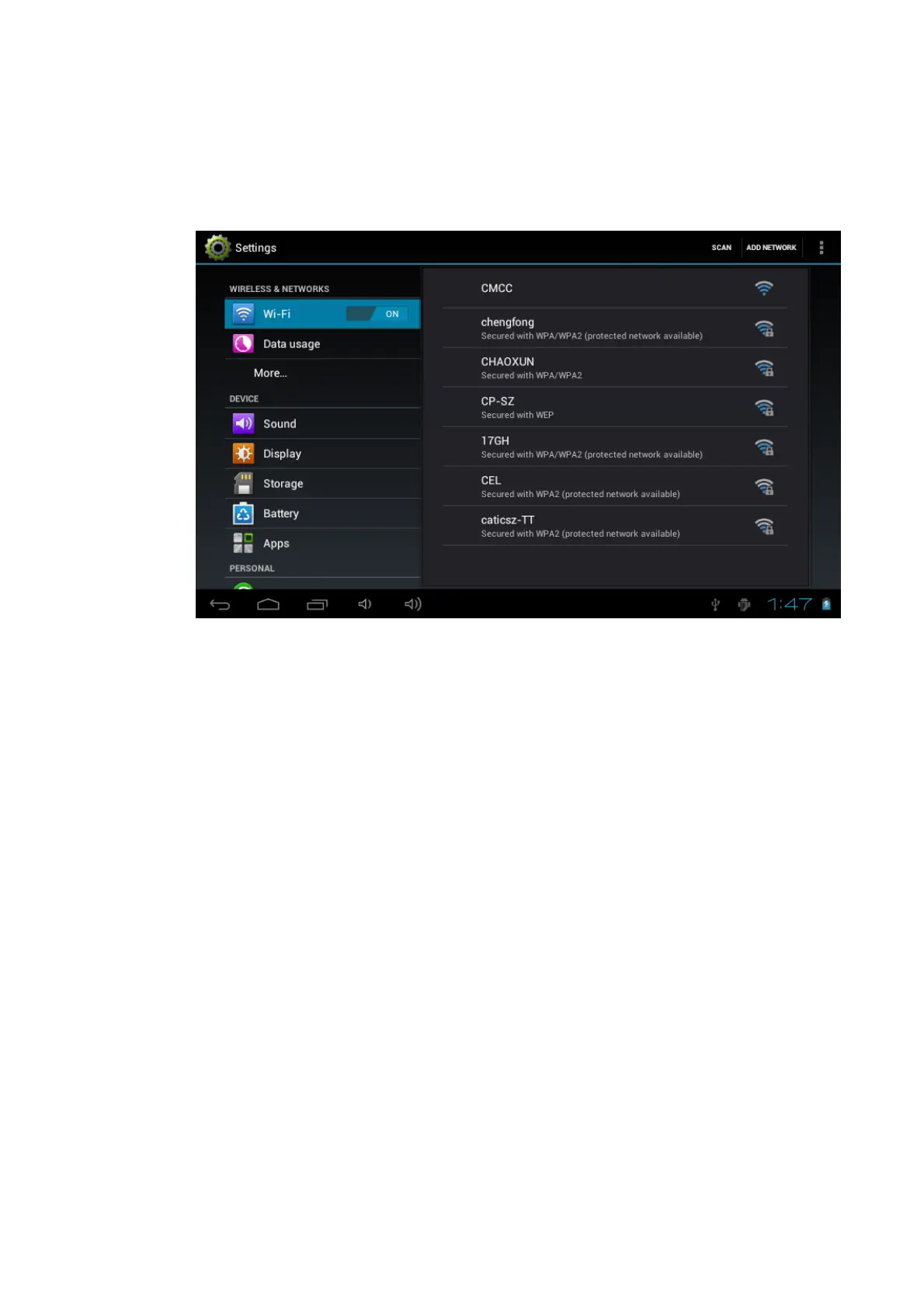
6. Enter into WI-FI interdface, click WI-FI button.
7. MID will auto scan available WI-FI internet. As Picture 6-1.
8. Select the WI-FI you want to connect, if there is any password window,
enter into the password, click Connect to finish.
Picture 6-1
6.2 Email
Email setting
Email application attaches email setting guide, you can add ordinary web email
service to the external POP3 or IMAP email account of provider (such as Yahoo,
Gmail and 163)


 To Next Page