71GW29-016_v05
EXAMPLE: In order to set the cooking time for 20 minutes at 80% microwave power do
the following:
1
Press the Micro./Grill/ Combi. button. The display will show
P100 and the symbols and .
5
In order to set the required microwave power P80 keep turning
the knob towards or , until the display shows P80 and the
symbols and .
6
Press the Micro./Grill/Combi. button and turn the knob
towards or , to set the time for 20 min. The set time will
appear on the display.
7
Press the QuickStart/Start button to start cooking.
Microwave power table
Power
Very high High Medium Low Very low
Display
P100 P80 P50 P30 P10
Notice:
The number of seconds/ minutes
by which the time setting can be
changed with the given time value is
indicated in the table on the right.
0 – 1 minute every 5 seconds
1 – 5 minutes every 10 seconds
5 – 10 minutes every 30 seconds
10 – 30 minutes every minute
30 – 95 minutes every 5 minutes
Grill
1
Press the Micro./Grill/Combi. button. The display will show
P100.
2
In order to select the required grill mode G, keep turning
the knob towards or until the display will show G and the
symbol .
3
Press the Micro./Grill/Combi. button and turn the knob towards or to set
the grilling time. The grilling time can be set from 0:05. It can be increased towards
, or decreased towards . The grilling time can be decreased from the value 95:00.
The maximum grilling time is 95 minutes.
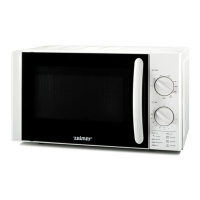
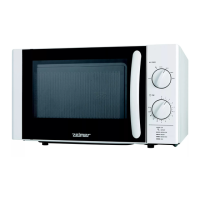
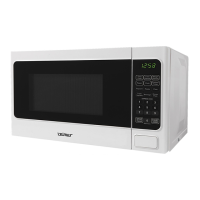
MICROWAVE OVEN Type 29Z013
Rated voltage: 230-240 V~ 50 Hz
Energy consumption: 1200-1250 W (Microwaves); 950-1000 W (Grill)
Rated output power (microwaves): 800 W
Microwave frequency: 2450 MHz
Capacity: 23 l
Turntable: Ø 270 mm
External dimensions. (H x W xD.) 292,5 mm x 485 mm x 390 mm
Internal dimensions. (H x W x D.) 221 mm x 314 mm x 348 mm
Net weight : about 13.7 kg
Display: indicators – signalling
Microwaves Very high and high power Defrosting Child lock Weight in grams
Grill Very low and low power Clock Automatic cooking Capacity in ml
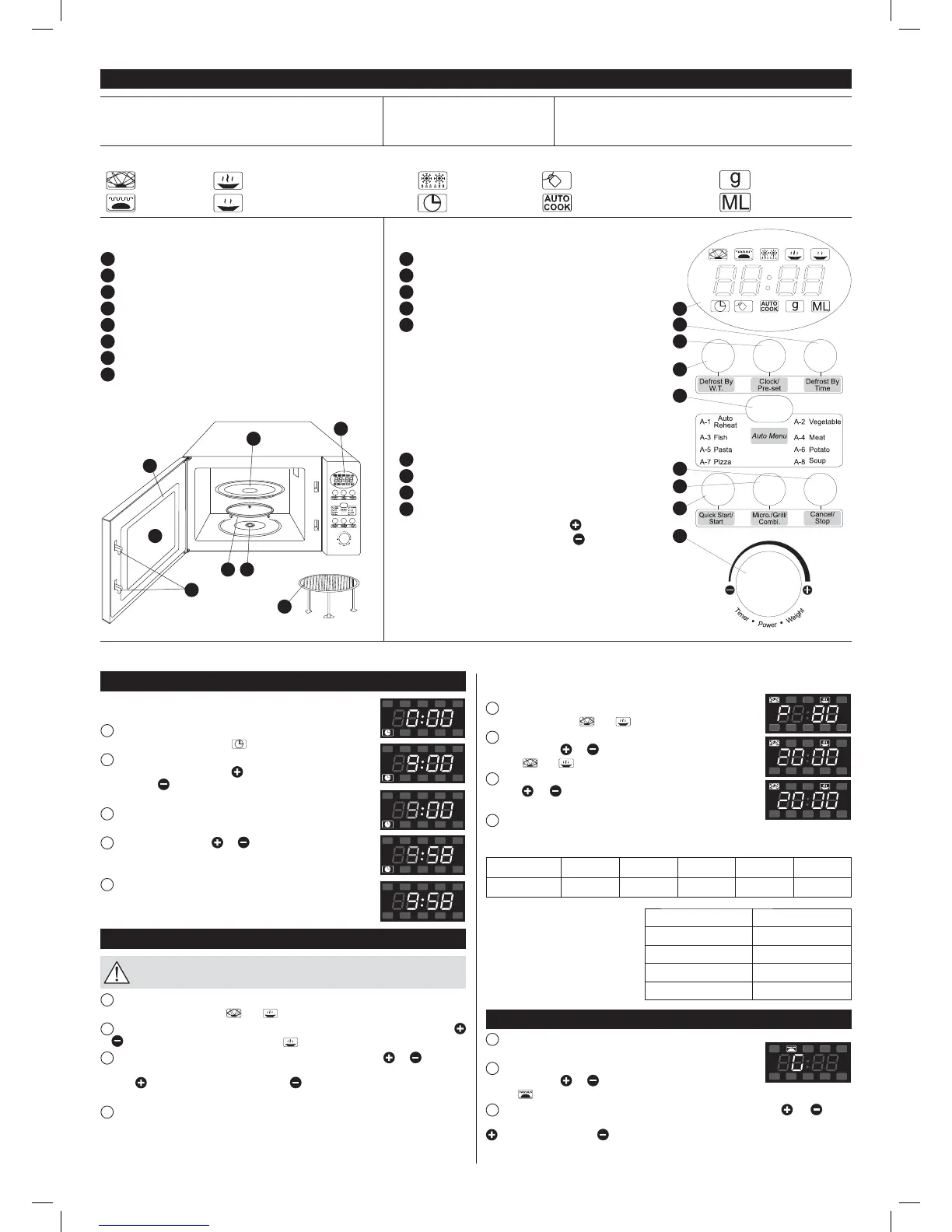
MICROWAVE OVEN FEATURES
1
Control panel
2
Turntable shaft
3
Turntable ring assembly
4
Glass tray
5
Window
6
Door
7
Safety block – cuts off power if door is opened during operation
8
Metal gridiron (only be used In grill function and placed on the
glass tray)
CONTROL PANEL
1
Display: clock + indicators
2
Defrost By Time
3
Clock/Pre-Set
4
Defrost By W.T. (Defrost by weight)
5
Auto Menu
A-1: Auto Reheat
A-2: Vegetable
A-3: Fish
A-4: Meat
A-5: Pasta
A-6: Potato
A-7: Pizza
A-8: Soup
6
Cancel/Stop
7
Micro./Grill/Combi.
8
Quick Start/Start
9
Knob:
– value increase towards the symbol
, clockwise
– value decrease towards the symbol
, clockwise
1
2
3
4
5
6
7
8
9
6
7
5
4
1
23
8
Setting the clock
After plugging the microwave oven you will see “0:00” on the
display and you will hear a single beep.
1
Press the Clock/Pre-Set button, the hour digits will start to
fl ash and the clock control lamp will light on the display.
2
Turn the knob to set the hour. You can set the digits from 0 to
23 by turning the knob towards or from 23 to 0 by turning the
knob towards . The display will show digits from 0 to 23 or from
23 to 0.
3
Press the Clock/Pre-Set button, the minute digits will begin to
fl ash.
4
Turn the knob towards or , to set the minutes. You can
set the digits from 0-59 and from 59-0. The display will show digits
from 0 to 59 or from 59 to 0.
5
Press the Clock/Pre-Set button to fi nish setting the time. The
clock control lamp will light out. The “:” symbol will light and the
time will appear on the display.
Microwave cooking
Do not use the gridiron for microwave cooking! Always take out the
gridiron from the inside of the oven before microwave cooking.
1
Press the Micro./Grill/Combi. Button to select the required microwave power. “P100”
will appear on the display. The and control lamps will light.
2
To select other required microwave power e.g. P80 keep turning the knob towards
or until the display will show P80 and the symbol.
3
Press the Micro./Grill/Combi. button and turn the knob towards or , to set the
cooking time. The cooking time can be set from 0:05 and increased by turning the knob
towards or decreased by turning it towards . Start to decrease the cooking time from
the value 95:00. The maximum cooking time is 95 minutes.
4
Press the QuickStart/Start button to start cooking.
instrukcja 29Z012 i 013.indb 71instrukcja 29Z012 i 013.indb 71 2015-05-28 13:56:252015-05-28 13:56:25



 To Next Page
 Loading...