82 GW34-026_v03
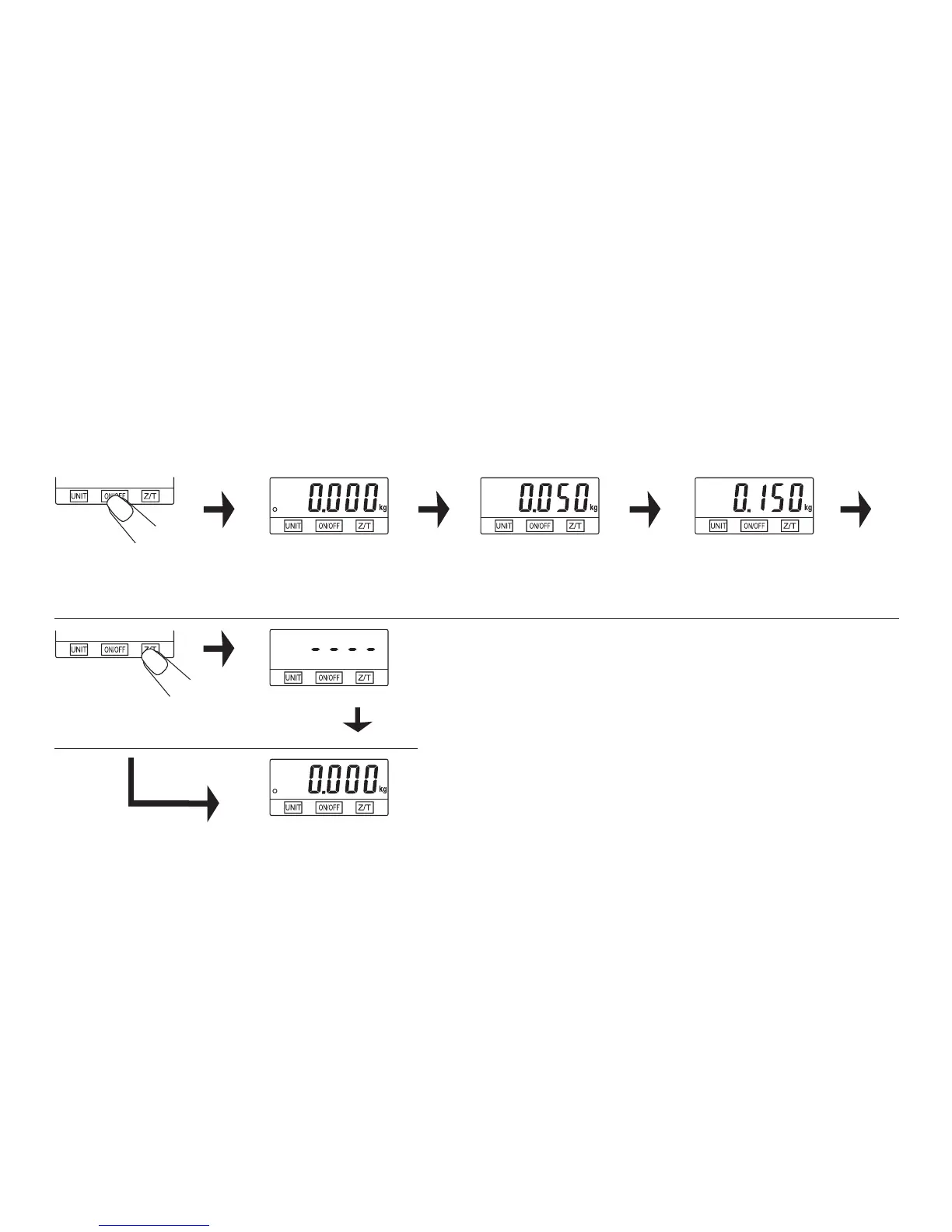
Switch on the
scales
Readiness status The weight of the rst
product
„ZERO” function
If the sum of weights of all products is ≤ 4% of maximum scales load (200 g with maximum load 5 kg) the display shall show „----” or
„0g” every time, when you press Z/T (4) button.
symbol „-----”means, that the scales is unstable and you should wait a bit, –
symbol „0g” on the left bottom corner of the display means, that „ZERO” is active. –
Maximum load remains unchanged. After applying „ZERO” function, the scales come back to weighting.
The sum of two Product
weight
Restart Unstable
scales
„ZERO” function
active
Place the
rst product
on the
scales
Place the
second product
(without
removing the
former)


 To Next Page