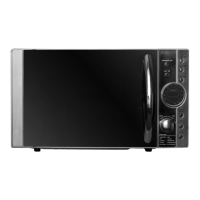
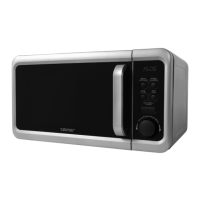
Starting the microwave oven
Havingconnectedtheappliancetoanappropriatemainssocket,placethefoodinsidethe
ovenchamberandlockthedoorbeforeyoustartprogrammingthemicrowaveoven.
Microwave cooking
1
Pressthe Micro./Grill/Combi..buttontoselecttherequiredmicrowavepowerlevel.
Thedisplaywillshow“ ”.
2
In order to select a differentpower level, e.g. P80, press the Micro./Grill/Combi..
buttonorturntheknobinthe or ,directionuntilthedisplayshows“ ”.
3
PresstheStart/+30Sec./Conrmbuttontoconrmtheselectedpowerlevelandturn
theknobinthe or directiontosetthecookingtime.Byturningtheknobyoucan
setthecookingtimefrom0:05(5seconds)to95:00(95minutes).
4
PresstheStart/+30Sec./Conrmbuttontostartthecooking.
EXAMPLE
Inordertosetthecookingtimefor20minutesatthe80%microwavepower,performthe
followingsteps:
1
PresstheMicro./Grill/Combi..button.Thedisplaywillshow“ ”.
2
InordertoselecttherequiredpowerlevelP80,presstheMicro./Grill/Combi..button
againorturntheknobinthe or directionuntilthedisplayshows“ ”.
3
Press the Start/+30Sec./Conrm button to conrm the selected power level, the
displaywillshow“ ”.
4
Turntheknob inthe or direction toset therequired cookingtime 20:00
(20minutes).Therequiredtimewillappearonthedisplay.
5
PresstheStart/+30Sec./Conrmbuttontostartthecooking.
MICROWAVE POWER TABLE
Display
P100 P80 P50 P30 P10 G C-1 C-2
Microwave
power
100%
Very
high
80%
High
50%
Medium
30%
Low
10%
Very low
0% 55% 36%
Grill power
- - - - - 100% 45% 64%
Note:
The table on the right shows how time
settingscanbechangedfordifferenttime
values.
0 – 1 minute every5seconds
1–5minutes every 10 seconds
5–10minutes every 30 seconds
10 – 30 minutes every 1 minute
30–95minutes every5minutes
Grilling
1
PresstheMicro./Grill/Combi.button.Thedisplaywillshow“ ”.
2
InordertoselecttherequiredgrillfunctionG,presstheMicro./Grill/Combi. button or
turntheknobinthe or directionuntilthedisplayshows“ ”.
3
PresstheStart/+30Sec./Conrmbuttontoconrmthefunctionandturntheknobin
the or directiontosetthegrilling time.By turningtheknob youcan setthe
grillingtimefrom0:05(5seconds)to95:00(95minutes).
4
Press the Start/+30Sec./Conrm button to startthegrilling.A soundsignalwillbe
heardandthegrillingprogrammewillstart.Theremaininggrillingtimewillbevisibleonthe
display.
5
InthecaseofextendingthetimeofovenoperationbymeansoftheStart/+30Sec./
Conrmbutton,adoublesoundsignalwillbeheardhalfwaythroughthepreviouslyset
timeratherthanhalfwaythroughthetimeextended,forexample,by30seconds.
Combination cooking (microwave + grill)
1
PresstheMicro./Grill/Combi.button.Thedisplaywillshow“ ”.
2
Inordertoselecttherequiredfunction,presstheMicro./Grill/Combi.buttonuntilthe
displayshows“ ” or “ ”,orturntheknobinthe or directionuntilthe
displayshows“ ” or “ ”.
“ ”=55%ofthetime–microwavecooking45%ofthetime–grilling
“ ”=36%ofthetime–microwavecooking64%ofthetime–grilling
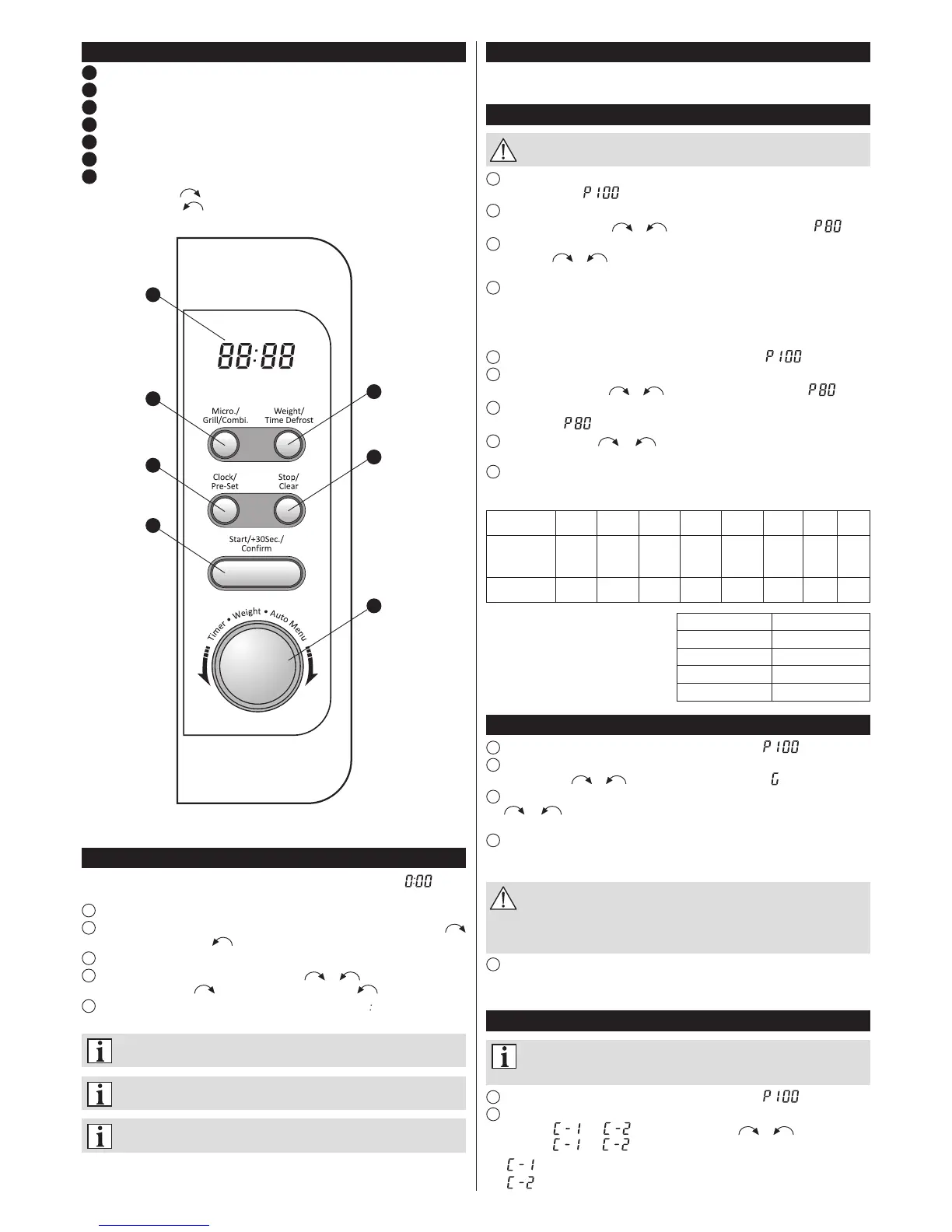
Control panel
1
Display
2
Micro./Grill/Combi.(Microwave/Grill/Combinationcooking)
3
Weight/Time Defrost(Defrostingbyweight/Defrostingbytime)
4
Clock/Pre-Set(Clocksetting)
5
Stop/Clear(Stop/Cancel)
6
Start/+30Sec./Conrm(Start/+30s/Conrm)
7
Knob(Quickstart,Automenu):
valueincrease – intheclockwisedirection,
valuedecrease – intheanticlockwisedirection.
1
2
4
6
3
5
7
Setting the clock
Afterconnectingthemicrowaveoventothemainsthedisplaywillshow“ ”anda
singlesoundwillbeheard.
1
PresstheClock/Pre-Setbutton.
2
Inordertosetthehour,turntheknob.Thedigitscanbesetfrom0to23inthe
directionorfrom23to0inthe direction.
3
Pressthe Clock/Pre-Setbutton.Theminutedigitswillstartashing.
4
Inordertosettheminutes,turntheknobinthe or direction.Thedigitscan
besetfrom0to59(inthe )direction)orfrom59to0(inthe )direction).
5
PresstheClock/Pre-Setbuttontonishsettingthetime.The“ ”symbolwilllightand
thesettimewillappearonthedisplay.


 To Next Page
 Loading...