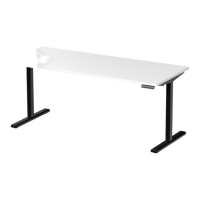
Zen One Height Adjustable Standing Desk
Programming Guide
Operation Instructions
1. Power on
When the system is powered on, you will hear a beep and the existing desktop height will be displayed on the
controller.
2. Upward and downward movement
Press the “ “ or “ “ and do not release until the desk reaches the desired height. If the motor continuously
operates for a relatively long period of time the overheat protection will activate. The control panel will work
normally again after approximately 20 minutes.
3. Memory Mode
To store your preferred heights in the controller’s memory, rst press “M”. The letter “S-” will be displayed. Now
press 1, 2 or 3 within 5 seconds to store the current height in memory. The 1, 2 or 3 buttons can each store a
dierent height. Once the height has been stored in the memory, you can select any of the 3 height settings by
pressing the corresponding button. Pressing any other button (except for “T”) will stop the automatic adjustment.
4. Reset Mode
While the unit is powered on, press the ” ” button until the desk moves into a fully lowered position, “62.0”
or “63.0” or “73.0” is displayed on the controller. Again, press the “ ” button until “RST” is displayed on the
controller. Once the display shows “61.0” or “62.0” or “72.5”, release the “ ” button, the desk will move upward
for approximately 10mm or 5mm and automatically come to a stop. After nishing the reset, the controller should
display “62.0” or “63.0” or “73.0” which is the current height. You may need to complete this process when you rst
set up your desk to ensure proper function
5. Time Reminder
To set the time reminder, press” T “found on the controller. The display will ash “0.5h” which means 0.5 hour. Press
the” T “ repetitively to increase 0.5 hours at a lime. The maximum timer setting is two hours. The timer is set when
the digit stops ashing and the light in the top right corner of the controller is on. When the timer has reached the
set time, the buzzer beeps, reminding the user to adjust his/her working position. Once a timer setting has expired,
the unit’s timer is cancelled. To de-activate the timer, press the “T” ve times until the current height is displayed
and the light found in the upper right side of the controller is o.
6. Switch measurement unit
The preset measurement shown on the display is cm. If you would like to change cm to inch, please restart the
system and press the button “ T “ for 8 seconds. After the buzzer beeps twice, the measurement is successfully
reset. If you would like to switch inch back to cm, please restart the system and press the button “ T” for 8 seconds.
After the buzzer beeps once, the system is successfully switched to cm measurement again.
Upward movement
Downward movement
Memory 1 / 2 / 3
Memory
Timer
Display


 To Next Page
 General