EasyManua.ls Logo

ZENEC ZEM-560U - User Manual

ZENEC ZEM-560U
12 pages
Print Icon
To Next Page IconTo Next Page
Loading...
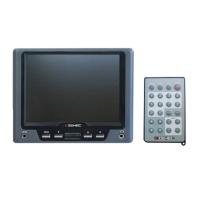
INSTRUCTION MANUAL
5.6" UNIVERSAL
LCD MONITOR
MODEL NO:
ZEM-560U
ZEM-560U Manual 12.09.2003 10:00 Uhr Seite 1
Question and Answer IconNeed help?

Do you have a question about the ZENEC ZEM-560U and is the answer not in the manual?

Summary

Technical and Special Features

4:3 High Density Display

High-quality LCD screen with 74,520 dots and 334x230 pixels for excellent detail.

Large Viewing Angle

Offers an improved viewing angle of more than 65° to all sides, with low reflectivity.

Applications

Monitor works with any common video source featuring RCA composite video output.

Compatibility

Compatible with PAL and NTSC video streams, auto-switching.

Safety Recommendations

Operating Temperature

Avoid extreme heat, direct sunlight, and very cold environments (below 0°C).

Exposure to Liquids

Do not expose to water or spilled fluids to prevent short circuits and fire hazards.

Solid Mounting

Mount to solid surfaces using supplied hardware for safety during accidents.

Cleaning

Use glass cleaning agent with a soft towel; avoid organic detergents or solvents.

Drivers Safety Regulations

Observe traffic regulations regarding monitor use while driving.

Service & Warranty

2-year manufacturer's warranty; warranty void if device is opened or repaired.

Connections and Inputs;Outputs

AV Interface (Black Box)

Features a 6-pin connector for monitor, power wires, and RCA output plugs.

Monitor Controls and On-Screen Menu

On-Screen Menu Options

Adjust CONTRAST, COLOR, BRIGHTNESS, TINT (0-15), VOLUME, and RESET settings.

Remote Control Functions

Remote Control Key Functions

Details functions for MUTE, POWER, Mode, Volume, and picture adjustment keys.

Summary

Technical and Special Features

4:3 High Density Display

High-quality LCD screen with 74,520 dots and 334x230 pixels for excellent detail.

Large Viewing Angle

Offers an improved viewing angle of more than 65° to all sides, with low reflectivity.

Applications

Monitor works with any common video source featuring RCA composite video output.

Compatibility

Compatible with PAL and NTSC video streams, auto-switching.

Safety Recommendations

Operating Temperature

Avoid extreme heat, direct sunlight, and very cold environments (below 0°C).

Exposure to Liquids

Do not expose to water or spilled fluids to prevent short circuits and fire hazards.

Solid Mounting

Mount to solid surfaces using supplied hardware for safety during accidents.

Cleaning

Use glass cleaning agent with a soft towel; avoid organic detergents or solvents.

Drivers Safety Regulations

Observe traffic regulations regarding monitor use while driving.

Service & Warranty

2-year manufacturer's warranty; warranty void if device is opened or repaired.

Connections and Inputs;Outputs

AV Interface (Black Box)

Features a 6-pin connector for monitor, power wires, and RCA output plugs.

Monitor Controls and On-Screen Menu

On-Screen Menu Options

Adjust CONTRAST, COLOR, BRIGHTNESS, TINT (0-15), VOLUME, and RESET settings.

Remote Control Functions

Remote Control Key Functions

Details functions for MUTE, POWER, Mode, Volume, and picture adjustment keys.

ZENEC ZEM-560U Specifications

General IconGeneral
Resolution800 x 480 pixels
Aspect Ratio16:9
Brightness400 cd/m²
Contrast Ratio500:1
Power Supply12V DC
TouchscreenNo
Screen Size5.6 inches
Input Voltage12V
Storage Temperature-20°C to +60°C

Related product manuals