EasyManua.ls Logo

Zenit EM - Unloading and Special Features; Unloading the Camera

Zenit EM
23 pages
Print Icon
To Next Page IconTo Next Page
To Previous Page IconTo Previous Page
Loading...
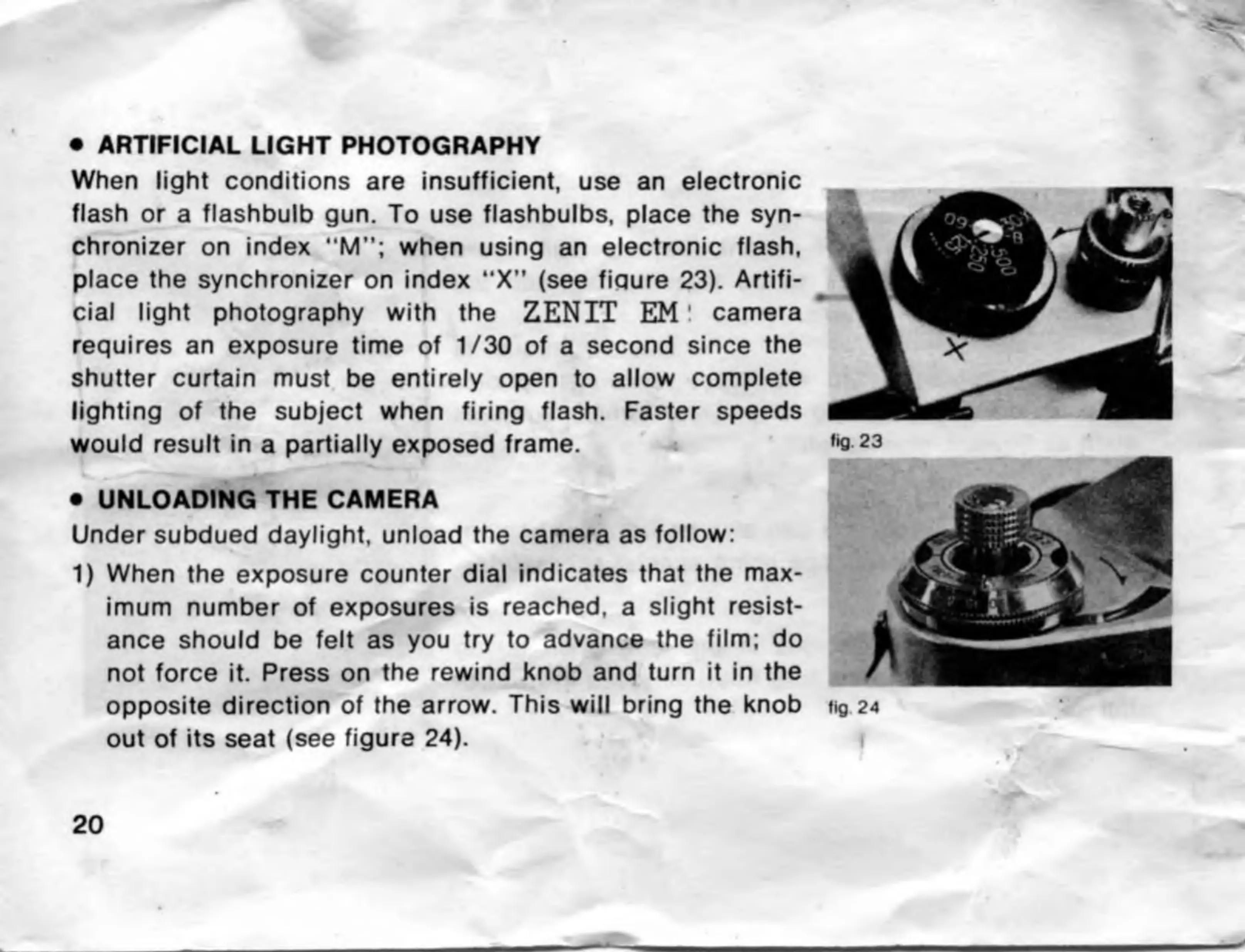
ARTIFICIAL
LIGHT
PHOTOGRAPHY
When
light
conditions
are
insufficient,
use
an
electronic
flash
or
a
flashbulb
gun.
To
use
flashbulbs,
place
the
syn¬
chronizer
on
index
“M”;
when
using
an
electronic
flash,
place
the
synchronizer
on
index
“X”
(see
fiqure
23).
Artifi¬
cial
light
photography
with
the
ZENIT
EM!
camera
requires
an
exposure
time
of
1/30
of
a
second
since
the
shutter
curtain
must
be
entirely
open
to
allow
complete
lighting
of
the
subject
when
firing
flash.
Faster
speeds
would
result
in
a
partially
exposed
frame.
UNLOADING
THE
CAMERA
jjjT
Under
subdued
daylight,
unload
the
camera
as
follow:
1)
When
the
exposure
counter
dial
indicates
that
the
max¬
imum
number
of
exposures
is
reached,
a
slight
resist¬
ance
should
be
felt
as
you
try
to
advance
the
film;
do
not
force
it.
Press
on
the
rewind
knob
and
turn
it
in
the
opposite
direction
of
the
arrow.
This
will
bring
the
knob
out
of
its
seat
(see
figure
24).

Related product manuals