
 Need help?
Do you have a question about the Zenitel ICX 500 and is the answer not in the manual?
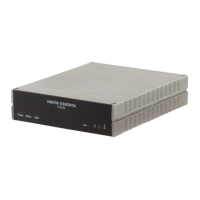
Details the physical connections and ports available on the ICX-500 Gateway.
Guides users through the initial power-up and basic configuration steps for the device.
Explains the function of each status LED indicator on the ICX-500 Gateway.
Describes how to configure users and system settings using the AlphaPro application.
Provides information on the physical dimensions and mounting options for the ICX-500 Gateway.
Details how to establish the first connection to the ICX-500 Gateway via its web interface.
Explains the process of logging into the ICX Web interface, including default credentials.
Provides instructions on how to modify default user credentials for enhanced security.
Covers methods for monitoring the system's status, performance, and operational data.
Outlines the various system configuration parameters and settings available for the ICX-500.
Configures network interface settings, including IP addresses and subnet masks using CIDR notation.
Explains how to define routing tables for network communication with external devices.
Details the firewall filter settings to control network access for various services and ports.
Guides the installation and management of licenses required for ICX-500 features.
Step-by-step instructions for installing the AlphaPro configuration software on a PC.
Covers the initial setup of networks and exchanges within the AlphaPro software.
Details the initial programming steps required when setting up AlphaPro for the first time.
Explains how to establish communication between AlphaPro and the ICX-500 server.
Describes the function of various buttons used for transferring configuration data between AlphaPro and the server.
Details how to configure stations and users using the AlphaPro software's Users & Stations section.
Covers the minimum configuration requirements for IP Stations to operate with an ICX-AlphaCom server.
Guides the process of creating nodes and defining their properties within the AlphaNet database.
Describes how to specify routing rules for traffic between nodes in an AlphaNet.
Details the AlphaNet license requirements for controlling simultaneous calls.
Covers the initial AlphaWeb configuration steps for setting up SIP trunk connectivity.
Details assigning a valid IP address to the ICX Ethernet ports for SIP communication.
Outlines the configuration steps within AlphaPro for managing SIP trunk nodes and routing.
Explains how to create a new SIP Trunk Node in AlphaPro, defining its parameters.
Describes methods for creating dialling access numbers for outgoing SIP trunk calls.
Details configuring failover to a secondary SIP server in case of primary server failure.
 General
| Category | Gateway |
|---|---|
| Technology | IP |
| Redundancy | Yes |
| Audio Codec | G.711, G.722, G.729 |
| Dimensions | 1U rack mountable |
| Weight | Approx. 2 kg |
| Model | ICX 500 |
| Ports | Ethernet |
| Protocols | SIP, RTP |
| Network Interface | 10/100/1000 Mbps Ethernet |
| Operating Temperature | 0 to +50°C (32 to +122°F) |
| Humidity | 10 to 90% non-condensing |

 To Next Page