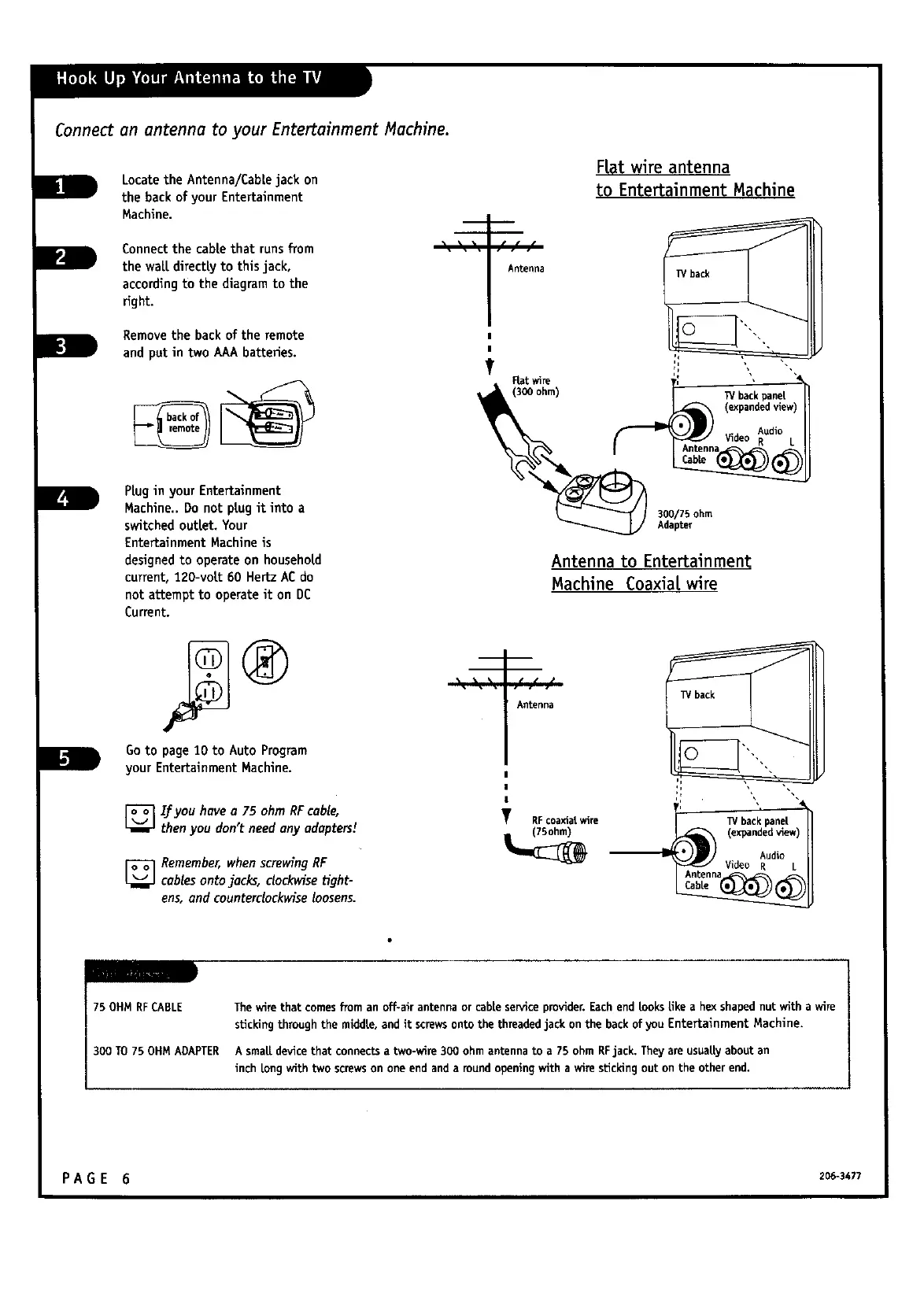
Locate the Antenna/Cablejack on
the back of your Entertainment
Machine.
Connect the cable that runsfrom
the wait directly to this jack,
according to the diagram to the
fight.
__r
Removethe backof the remote
and put in two AAAbatteries.
Plug in your Entertainment
Machine.. Do not plug it into a
switchedoutlet. Your
Entertainment Machine is
designedto operate on household
current,120-vott 60 Hertz ACdo
not attempt to operate it on DC
Current.
Goto page10 to Auto Program
your EntertainmentMachine.
[_ IJ:you havea 75 ohm RFcable,
t I
thenyou don t needany adopters.
[-_ Remember,whenscrewing RF
L_ cables onto jacks, clockwisetight-
ens,and counterclockwiseloosens.
Flat wire antenna
to Entertainment Machine
Antenna
300/75ohm
Adapter
Antenna to Entertainment
Machine Coaxial wire
Antenna
Y RFcoaxialwire
75OHMRFCABLE
Thewire that comesfroman off-air antenna or cable serviceprovider.Eachend lookslike a hex shapednut with a wire
stickingthrough the middle, and it screwsonto the threadedjack on the backof you Entertainment Machine.
300 TO75 OHMADAPTER A small device that connectsa two-wire 300 ohm antenna to a 75 ohm RFjack, Theyare usuallyabout an
inch long with two screwson one end and a round openingwith a wire stickingout on the other end.
PA G E 6 206-3477



 To Next Page