Connectan antenna and a VCR toyour
EntertainmentMachine.
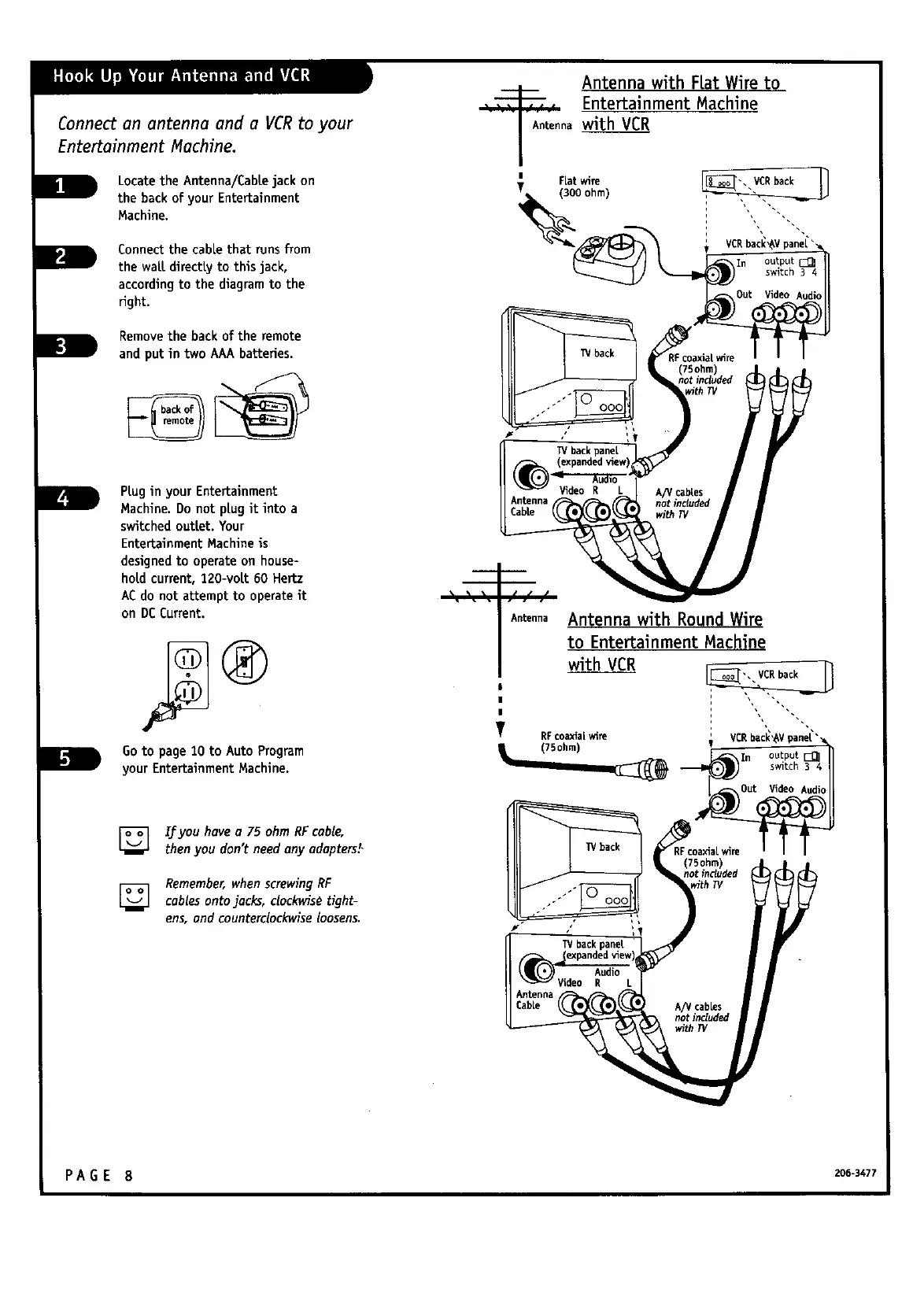
LocatetheAntenna/Cabtejackon
the backofyourEntertainment
Machine.
Connectthecablethatrunsfrom
thewaLtdirecttyto thisjack,
accordingto thediagramtothe
right.
Removethebackoftheremote
and putin two AAA batteries.
Antenna with Fiat Wire to
_ Entertainment Machine
n_ withVCR
VCRbacl_,_Vpane[''
W back
PtuginyourEntertainment
Machine.Do not ptugitintoa
switchedouttet.Your
EntertainmentMachineis
designedto operateon house-
holdcurrent,120-volt60 Hertz
AC do notattemptto operateit
on DC Current.
Go to page10 to Auto Program
yourEntertainmentMachine.
F
[]
[]
Ifyou havea 75 ohm RFcable,
thenyou don'tneedany adapters!,
Remember,when screwingRF
cablesontojacks, clockwis_tight-
ens,and counterclockwiseloosens.
Antenna
(75ohm)
not included
Antenna withRound Wire
to EntertainmentMachine
withVCR
RFcoaxial wire(75ohm)
TV back
F coaxia[wire
(75ohm)
not included
ithTV
Audio
Video R L
Antenna
Cab[e A/V cables
not included
with P/
PA GE 8 206-347_



 To Next Page