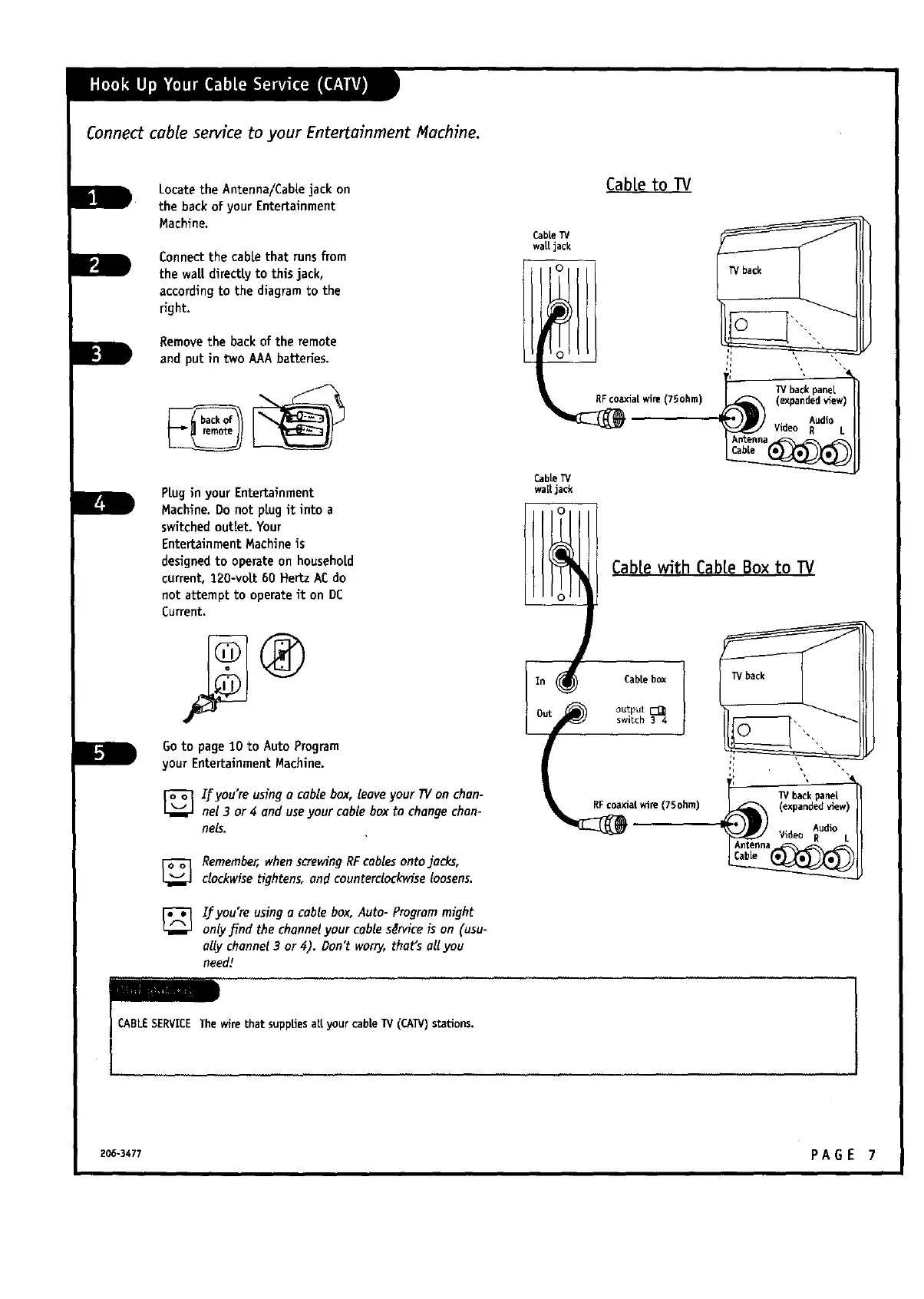
Connect cable service to your Entertainment Machine.
Locate the Antenna/Cablejack on
the backof your Entertainment
Machine.
Connectthe cable that runs from
the waLtdirectly to this jack,
accordingto the diagramto the
right.
Removethe back of the remote
and put in two AAAbatteries.
PLugin your Entertainment
Hachine. Do not plug it into a
switchedoutlet. Your
EntertainmentMachine is
designed to operateon househoLd
current, 120-voLt60 Hertz ACdo
not attempt to operateit on DC
Current.
Goto page10 to Auto Program
your EntertainmentMachine.
[]Ifyou're using a cable box, leave your TVon chan-
nel 3 or 4 and useyour cable box to changechan-
nel.
Remember,when serewing RFcables onto jacks,
clockwise tightens,and counterclockwise loosens.
If you're using a cable box, Auto- Program might
only find the channel your cable s$rvice is on (usu-
ally channel 3 or 4). Don't worry, that's aU you
need/
CableTV
walt jack
CabLeto TV
oaxial wire (75ohm)
CabLeTV
warjack
CabLewith CabLeBox to TV
Cable box
outputEI_
switch 3 4
TV back
RFcoaxialwife(75ohm)
CABLESERVICEThe Are that suppliesart your cableTV (CAW) stations.
206-3477 PAG E 7



 To Next Page