Connect cable service and a VCR to your
Entertainment Machine.
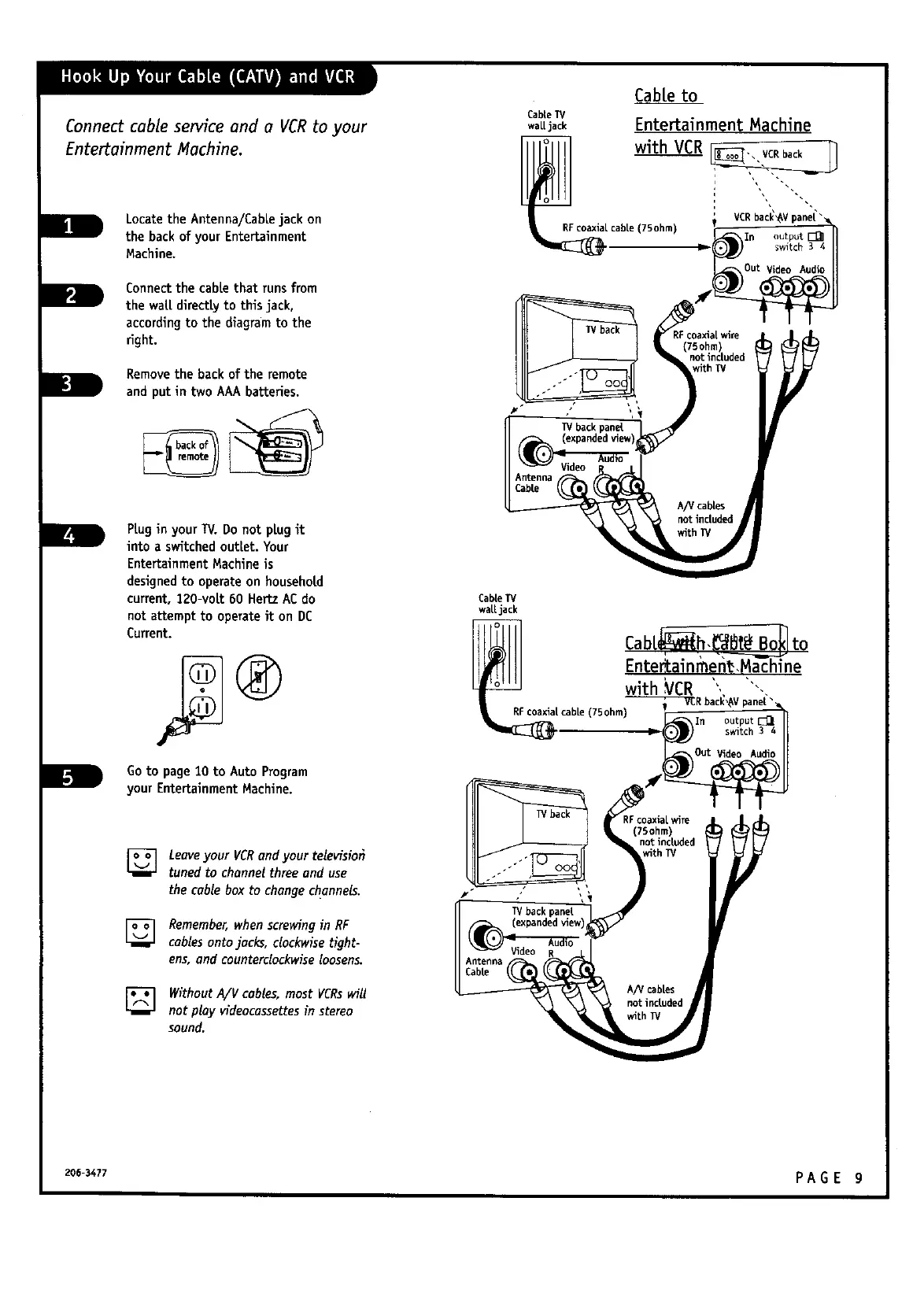
Locatethe Antenna/Cablejack on
the back of your Entertainment
Machine.
Connectthe cable that runs from
the wall directly to thisjack,
according to the diagramto the
right.
Removethe back of the remote
and put in two AAA batteries.
PLugin yourTV. Do not plugit
into a switched outlet. Your
EntertainmentMachine is
designedto operateon household
current,120-volt 60 HertzACdo
not attempt to operateit on DC
Current.
Goto page10 to Auto Program
your EntertainmentMachine.
[]
[]
Leave your VCRand your televisiot}
tuned to channel three and use
the cable box to changechannels.
Remember,whenscrewing in RF
cablesonto jacks, clockwise tight-
ens, and counterclockwise loosens.
Without A/V cables, most VCRs will
not play videocassettes in stereo
sound.
Cableto
CableIV
walljack Entertainment Machine
with VCR
VCRback'I
_ cable (7Sohm) In output [_
75ohm
notincuded
Cab[eIV
walljack
Entertain men_,Machine
with VCR ', ""-,
- _R bac_,_Vpane["_
cable (75ohm) _n
switch 3 4
I TV back pane[
A/V cables
not included
206-3477 PA G E g



 To Next Page