EasyManua.ls Logo

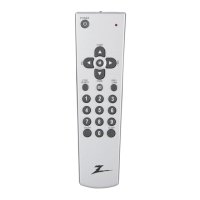
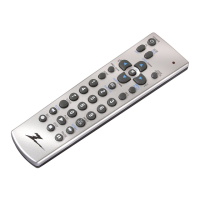
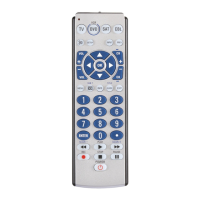
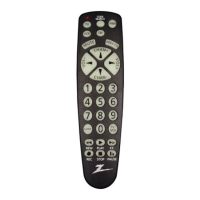
Zenith ZC800 - User Manual

Zenith ZC800
29 pages
Print Icon
To Next Page IconTo Next Page
Loading...
ZC800
Owners Manual

Questions and Answers

  • N
    Nina RossJul 30, 2025
    What to do if red indicator blinks after I program Zenith ZC800 Remote Control?
    • S
      Susan SmithJul 30, 2025
      If the red indicator blinks after you program a product code into your Zenith Remote Control, it means the remote didn't accept the code. Try programming the code again or try a different code.
  • A
    Amber HendersonAug 15, 2025
    What to do if Zenith Remote Control does not operate some features of my product?
    • B
      Bradley MathisAug 15, 2025
      If your Zenith Remote Control doesn't operate some features of your product, it might be because the remote can't operate all the features, or the button names might be different. Try programming the remote with a new code.

Summary

Introduction

Button Functions

Setup

Battery Installation

Instructions for installing batteries into the remote.

Battery Saver

Automatic power-off feature to conserve battery life.

Code Saver

Information on how codes are stored permanently.

Direct Code Entry

Method for manually entering device codes.

Code Search

Procedure to find device codes by searching.

Code Search by Brand

Search for device codes specific to a manufacturer brand.

Code Identification Feature

How to identify the 4-digit code stored for a device.

Programming Combo Device Codes

Setup for combo devices like TV/DVD.

VCR;DVD;DVR Punch-Through Feature

Control transport buttons across different modes.

Volume;Mute Control and Punch-Through Feature

Managing volume and mute across device modes.

Sleep Timer

Setting the remote to turn off the TV after a set period.

Code Learning

Tips on Learning

Advice and best practices for learning commands.

IR Transmitter Finder Feature

Feature to locate the IR transmitter for learning.

Learning Commands

Step-by-step instructions for learning remote commands.

Clearing Commands

Procedures to clear learned commands.

Troubleshooting

Remote does not operate your product.

Solutions for when the remote doesn't control the device.

Remote does not operate some features of your product.

Solutions for partial functionality issues.

Red Indicator blinks after you program a product code.

Reasons for the red indicator blinking after code entry.

Limited Lifetime Warranty

Zenith ZC800 Specifications

General IconGeneral
BrandZenith
ModelZC800
CategoryRemote Control
LanguageEnglish

Related product manuals