
EasyManua.ls Logo

Zennox D5254 - User Manual

Zennox D5254
9 pages
Print Icon
To Next Page IconTo Next Page
Loading...
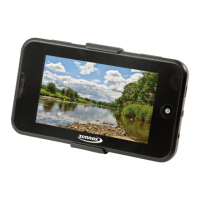
4.3 TV with DVBT
D5254
Instruction Manual
Note: For correct usage, please read these instructions carefully and keep in a safe place
for future reference.

Questions and Answers

Summary

Introduction

Features

Specifications

Safety Precautions

End of Battery Life Disposal

Button Guide and Usage

How to Use the Device

Step-by-step instructions for operating the device, including setup and file transfer.

Recharging Procedures

Procedures for recharging the device using USB or AC adapter.

DVB-T and Radio Functions

Radio and Other Channels

Accessing and displaying available radio channels.

EPG Information Display

Displays the program schedule for received channels.

Automatic Channel Scan

Automatically scans for available TV channels.

Manual Channel Scan

Manually searches for available TV channels.

Region and Time Zone Settings

Sets the correct regional and time zone settings for TV reception.

Media Playback Features

Music Playback Options

Details music playback features, organization, and playback modes.

Video Playback Guide

Guide to watching video files and adjusting screen viewing.

Picture Browsing and Editing

How to browse, edit, and set automatic browsing for photos.

eBook Reading and Navigation

Instructions for reading eBooks, navigating pages, and customizing display.

Utility and Recording Functions

eBook Page Navigation

Navigates to a specific page number within an eBook.

eBook Bookmarking

Saves, loads, and deletes bookmarks within eBooks.

eBook Display Customization

Adjusts font, color, browse mode, and background for eBooks.

Stopwatch and Calendar

Utilizes the built-in stopwatch and calendar features.

Radio Station Management

Manual and auto search, saving, deleting, and stereo switch for radio.

FM Radio Recording

Records the currently playing FM radio station.

Voice Recording Feature

Uses the voice record feature to start, pause, save, and listen.

Device Settings

Display Settings

Adjusts backlighting, brightness, and status bar options.

System and Desktop Settings

Restores settings, sets auto key lock, and chooses backgrounds.

Language and System Information

Changes device language and views hardware/memory details.

Auto Shut Down and TV Output

Configures auto shut down and enables/disables TV output.

TV Format Selection

Selects the video output format (PAL 50, PAL 60, NTSC).

Reset and Troubleshooting

Device Reset Procedure

Restarts the device using the reset button if it freezes.

Power and Sound Issues

Troubleshoots power-on problems and lack of headphone sound.

Interference and FM Quality

Addresses interference noise and poor FM reception.

File Transfer and TV Quality

Solves issues with file transfer and poor TV channel quality.

Monochrome TV Output

Adjusts the signal system for monochrome images on TV output.

Guarantee and Support Information

Important Guarantee Notice

Crucial instruction to call customer service before returning the product.

After Sales Customer Service

Provides contact details for customer support and service.

Zennox D5254 Specifications

General IconGeneral
BrandZennox
ModelD5254
CategoryTV
LanguageEnglish