Meter Mist 3000
Select
Actual day setting (unit can be turned off up to 2 days a
week)
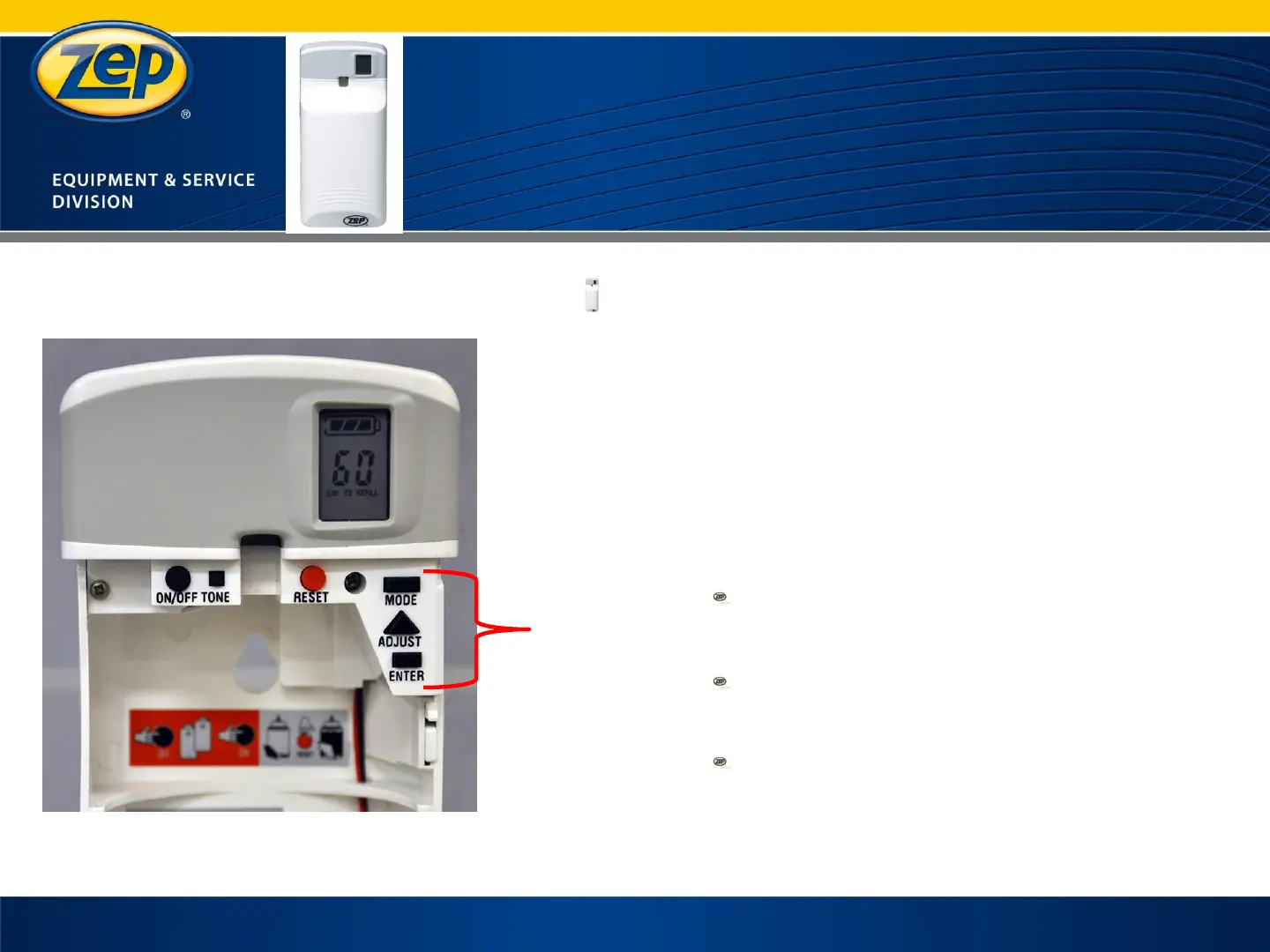
Press the “MODE” button a fourth time
Press the “ADJUST” button until current day is
displayed
Press the “ENTER” button to save
SA (Saturday) will be displayed in the screen
Press the “ENTER” button until desired day you
want to turn the unit off is displayed
Press the “ADJUST” button to turn the day on or off
ON / OFF will be shown on LCD screen
Press the “ENTER” button if second day off is
desired
If second day isn’t wanted continue to press
“ENTER” to exit programming mode
Press the “ADJUST button to turn the day on or off
ON / OFF will be shown on LCD screen
Press the “ENTER” button to exit the programming
mode
27


 To Next Page