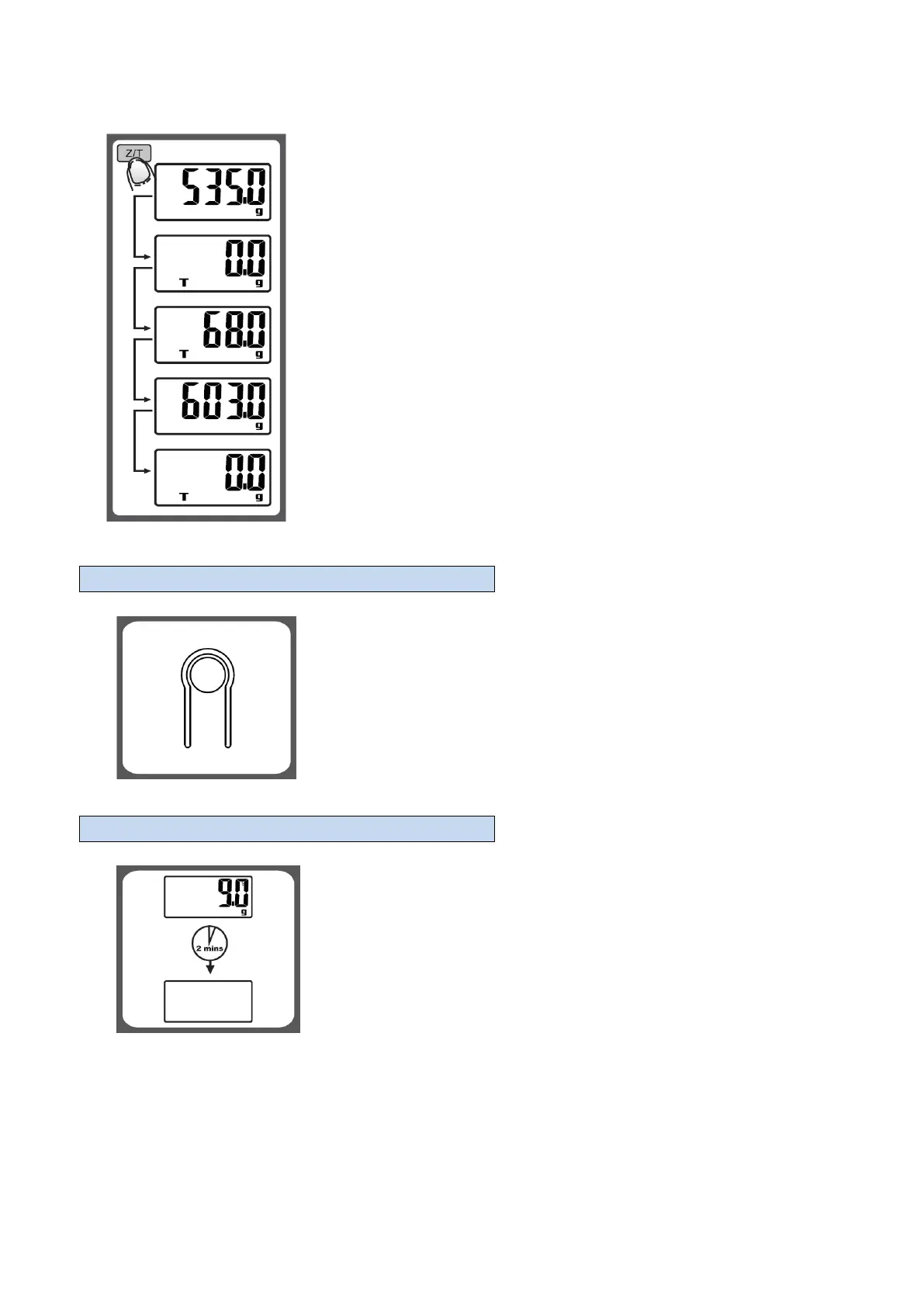
Condition 2: “TARE” function
When total sum of all loads on scale <= 4% of scale’s max weight capacity.
(4%=80g when capacity is 2000g; 200g when capacity is 5000g)
LCD will show “---“ or “0.0g” each time “Z/T” button is touched. “---“ means that the
process about waiting for zero and stable. LCD will show “0.0g” after scale is stable.
Meanwhile, an icon “T” on lower left corner of LCD means “TARE” function is active.
The capacity of scale = Max capacity total weight of loads.
Under condition 2:
You can check the total weight of loads once “Z/T” is pressed. If you are proceed to
weight, LCD will show “0.0” once “Z/T” is pressed again.
In the rear side of the scale, you can find a unit conversion button as shown in
picture.
If the scale is with both unit system of Metric (g) or Imperial (lb:oz), press this button
at the bottom of the scale, or “UNIT” button to convert between two systems.


 To Next Page