AUTOMATIK Kal. 8205, Kal. 8217 AUTOMATIC Cal. 8205, Cal. 8217
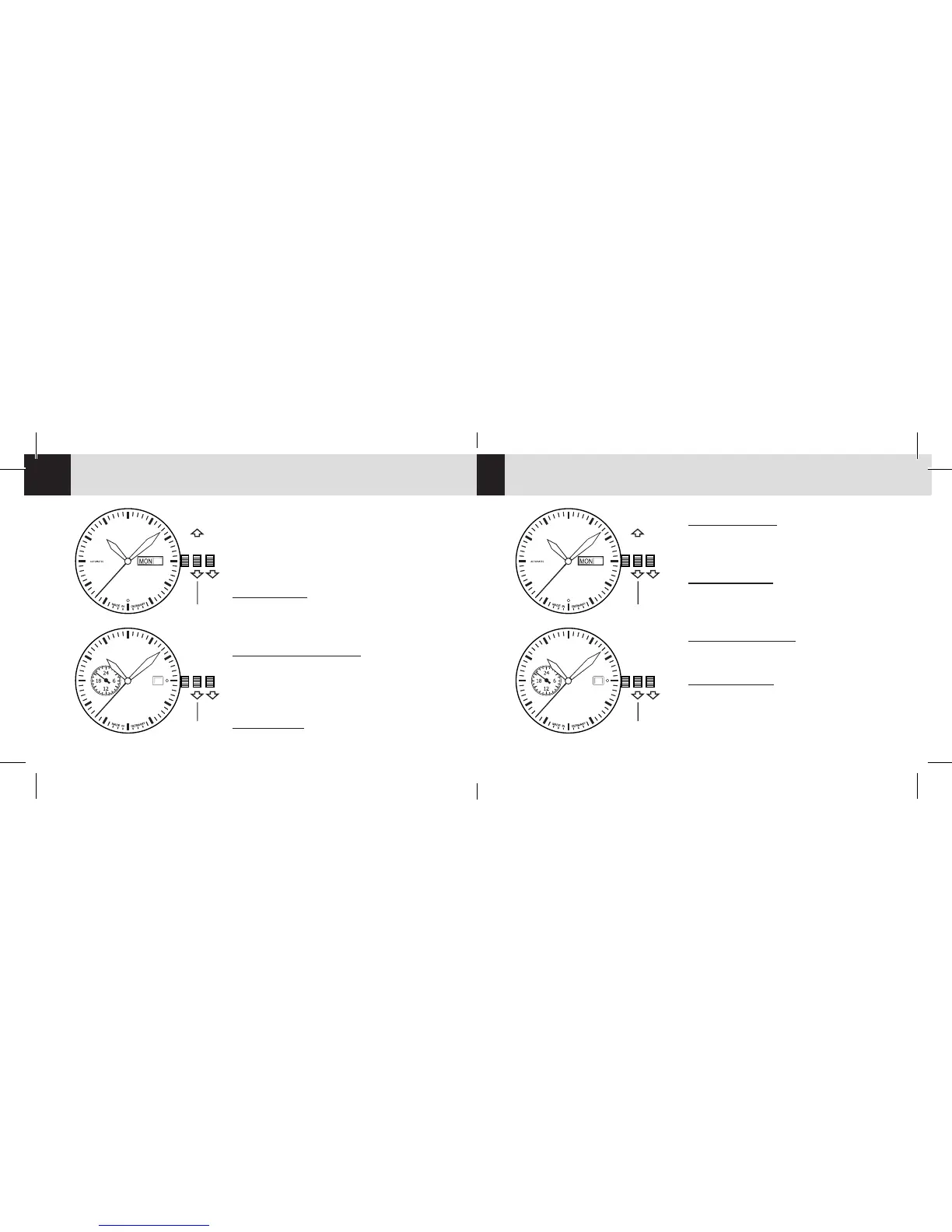
: Krone bis zum 1. Einrast-
punkt herausziehen und durch Drehen der
Krone gegen den Uhrzeigersinn das Datum
einstellen, dann die Krone wieder in Nullstel-
lung [ N ] drücken.
Krone auf Posion 2 heraus-
ziehen und durch der Krone Drehen gegen
den Uhrzeigersinn die Zeit einstellen, dann
die Krone wieder in Nullstellung [ N ] drücken.
Krone bis zum 1.
Einrastpunkt herausziehen und durch Drehen
im Uhrzeigersinn das Wochentag einstellen,
dann die Krone wieder in Nullstellung [ N ]
drücken.
Zeigt die Uhrzeit in 24-Std. an.
31
I IIN
Datum
Zeit
31
I IIN
Datum
Zeit
Wochentag
31
I IIN
Date indicator
Time
31
I IIN
Date indicator
Time
Day indicator
DE EN
Kal. 8205
Cal. 8205
Kal. 8217
Cal. 8217
Pull out the crown at
posion 2 and adjust the me by turning
it counter-clockwise, then push the crown
back into its neutral posion [ N ].
Pull out the crown ll
posion 1 and adjust the date by turning
it counter-clockwise, then push the crown
back into its neutral posion [ N ].
Adjust the day by
rotang the crown clockwise in 1 posion.
shows me in 24 hour
steps.


 To Next Page
 Loading...