13 14
b
a
1
2
3
1
2
3
4
4
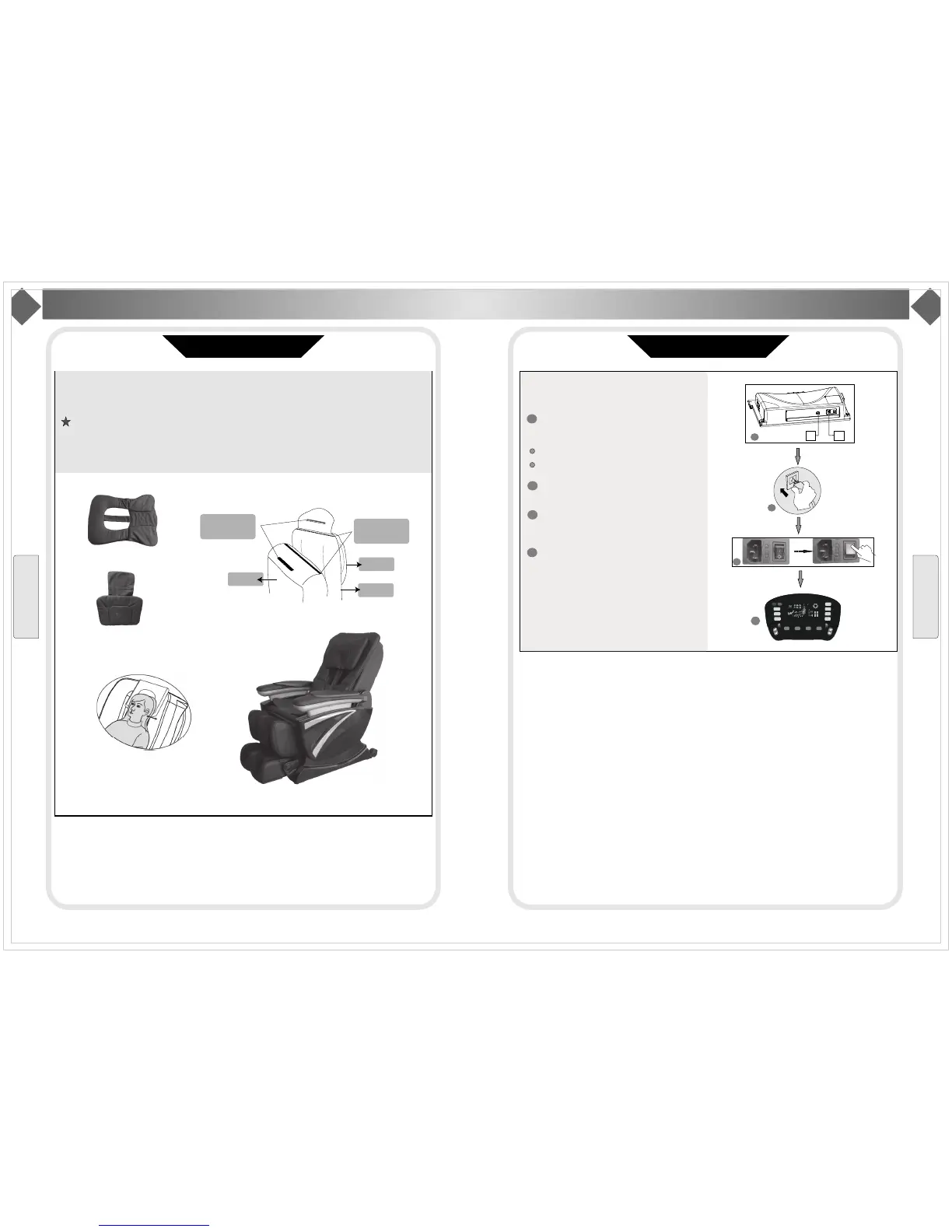
Backcushion
Pillow
Finishing the installation of massage chair.
Step 6. Sorting out the zipper and snap fastener
Connectthebackcushion,pillowwithback.
Kind suggestion
When you sit on the chair, make the bottom of pillow and ear in same line, then connect it with back
in this position. It will make body detection function more correct to get better massage.
Installation Illustration
Installation(5)
Installation
Connect pillow
and back with
snap fastener
Back
Connectback
and back cushion
withzipper
Pillow
Back
cushion
Back cushion
Installation Illustration
Installation(6)
Step 7. Work after installation
Afterinstallation,pleaseworkasbelow:
Insert the plug of remote control and power
intothepowerboxinbottom(aspicture)
aholeisforremotecontrol
bholeisforpowerplug
Inserttheotherendofpowerpluginto
theoutlet.
Turnonthepowerswitch.
(Powerswitch “ 0/1”,1meanson.)
Using remoter control to choose massage
programtoenjoythemassage.
Installation
O
n/off
T
iming
M
echanical
Massage
P
ressure
Massage
Z
ERO-G
Stop
S
houlder
W
a st
I
ntensity
F
atigue
recovery
Pain
relieving
C
omfortable
mood
Demo
A
uto
Custom
Returning...Bodydetecting...
Overall
Shoulder
B
ack
Waist
Point
Width
Speed
3D
S
trength
V
olume


 To Next Page
 Loading...