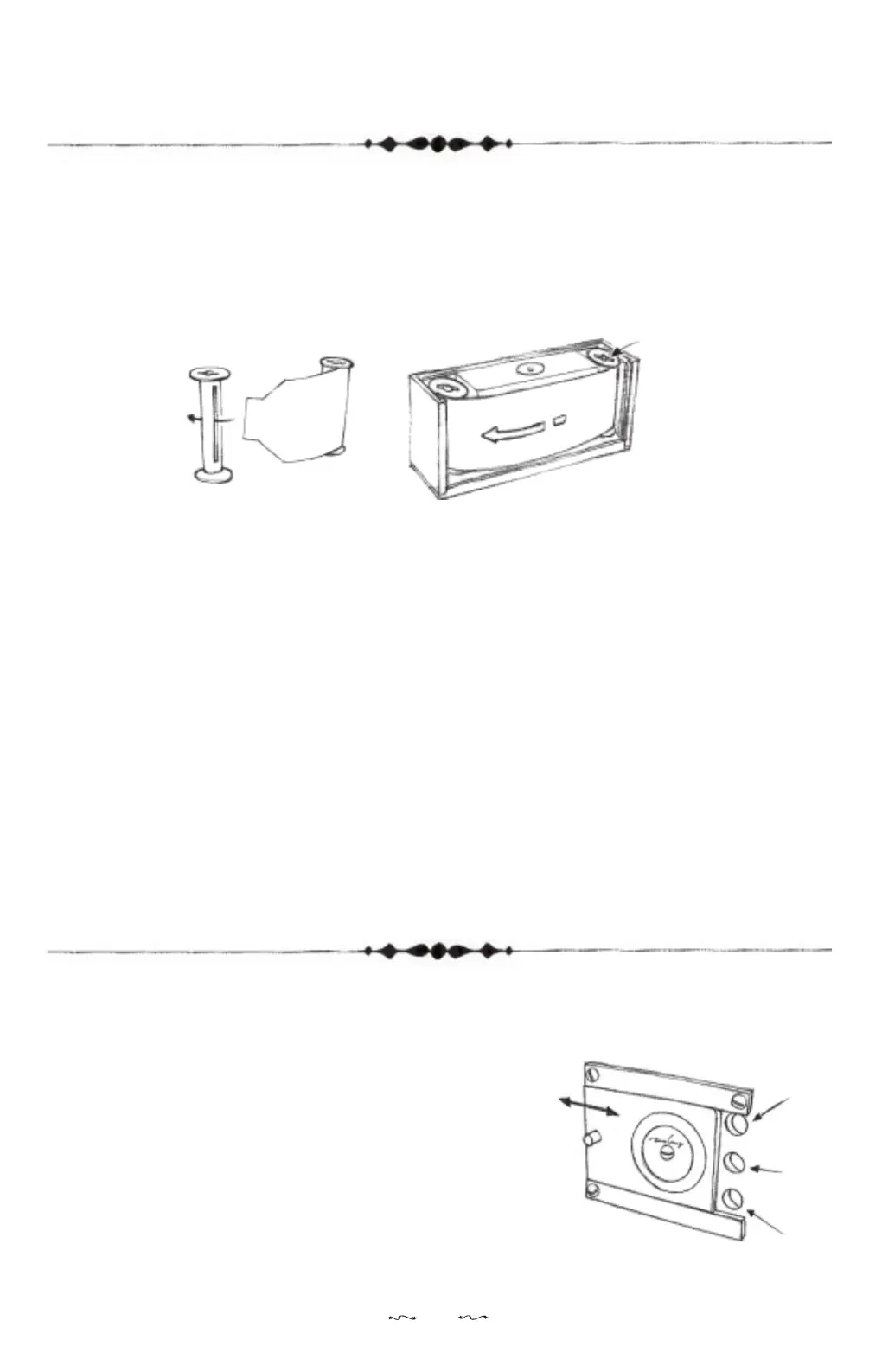
LOADING THE FILM
This camera accepts only 120 roll film.
1. Insert the tongue of the backing paper of a fresh roll film into the
slot of the take-up spool.
2. Insert the fresh film and take-up spool into the camera with the
fresh film at the right-hand side of the camera.
3. Slide back the back cover (I).
4. Cover the top cover (C), adjust the film advance knob (B) so as it can
insert into the slot (on top of the take-up spool), then turn the top
cover lock (A) clockwise to lock the top cover (C). It is no need to
tighten it too much or you may damage the camera.
5. Turn the film advance knob (B) clockwise to advance the film until
number “1” appears under the film counter window (H).
Note:The mechanism prevent you from turning the film advance knob
(B) counter-clockwise so as to prevent the film from curling back.
If you force to do that you may damage the camera.
USING THE FILM COUNTER WINDOW
1. Slide the film counter window cover (G)
to open it. You will see three round red
film counter windows (H).
2. Use the upper window if your camera
is set to 6 x 4.5 format. The middle one
is for 6 x 6 format and the lower one is
for 6 x 7 and 6 x 9 format.
3. Advance the film with the film advance
knob (B) until you see the number “1”
appear on the film counter window (H).
6x4.5
6x6
6x7
6x9
3
close
open
fresh film


 To Next Page