Need help?
Do you have a question about the Zeta Premier EXPRO and is the answer not in the manual?
Procedure for safely handling printed circuit boards to prevent static damage.
Overview of the Premier EXPRO's features, zones, and compliance standards.
Guidance on how to follow the step-by-step installation procedures outlined in the manual.
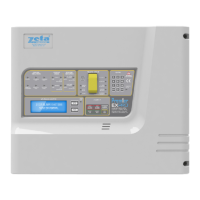
Diagram and explanation of the Premier EXPRO panel's fascia layout and indicators.
Description of the panel's control buttons, their functions, and usage notes.
Guidance on locating and preparing cable entry points on the enclosure.
Instructions for securely mounting the panel enclosure to a wall surface.
Procedure for safely connecting the panel to the mains power supply.
Diagram and instructions for wiring the two 12V sealed lead acid batteries in series.
Details on connecting detectors to the panel's co-incidence zones, including resistor requirements.
Instructions for wiring first and second stage sounders, including end-of-line resistors.
Description of available inputs for external devices like manual release and abort.
Details on 1st/2nd stage and fault relay outputs for external signaling.
Wiring diagram and function of the output used to drive a gas release solenoid.
Information on the relay output for external equipment, such as a ventilation fan.
Accessing zone status and event log menus on the panel.
Using the disablement and test menus for system configuration and diagnostics.
Procedure for setting the system clock via the panel's menu interface.
Accessing the advanced engineering menu using the engineer's password.
Setting up various timers like Countdown, Release, and Fan timers via the engineering menu.
Configuring the normal condition (NO/NC) of the panel's output relays.
Procedure for clearing the event log, including options for normal or factory reset.
Restoring all panel timers to their default factory settings.
Restoring the entire panel configuration to its original factory default state.
Details on the available Standard and Brazilian sounder sequences and their activation conditions.
Viewing panel software version and changing user/engineer passwords.
Configuration option to determine if silenced sounders will resound on a second alarm.
Description of the panel's status and modes during normal, quiescent conditions.
How the panel signals and responds to a fire alarm condition.
Guidance on what actions to take during a fire event and resetting after an alarm.
Initiating manual evacuation procedures using panel controls.
Understanding and managing first stage, second stage alarms, and abort functions.
Operating the panel in manual mode and its implications for extinguishing agent release.
Procedures for resetting the panel from alarms and understanding fault indications.
Description of different access levels, their users, methods, and functions accessed.
Table detailing current draw of the panel and expansion boards in various states.
Formula and methodology for calculating the required battery backup capacity.
A practical worked example demonstrating the battery size calculation process.
Detailed mapping of terminal numbers to their labels, descriptions, and compatible equipment.
Physical dimensions and cable entry details of the panel enclosure.
Technical electrical parameters including voltage, current, frequency, and ripple.
Information on the ratings and types of fuses used within the panel.
Details on how the fire alarm section meets EN54 standards and related clauses.
Details on how the extinguishing control section meets BSEN12094 standards and related clauses.
Record of changes and updates made to the installation manual across different issues.
 General
| Brand | Zeta |
|---|---|
| Model | Premier EXPRO |
| Category | Control Panel |
| Language | English |

 To Next Page