Instructions:
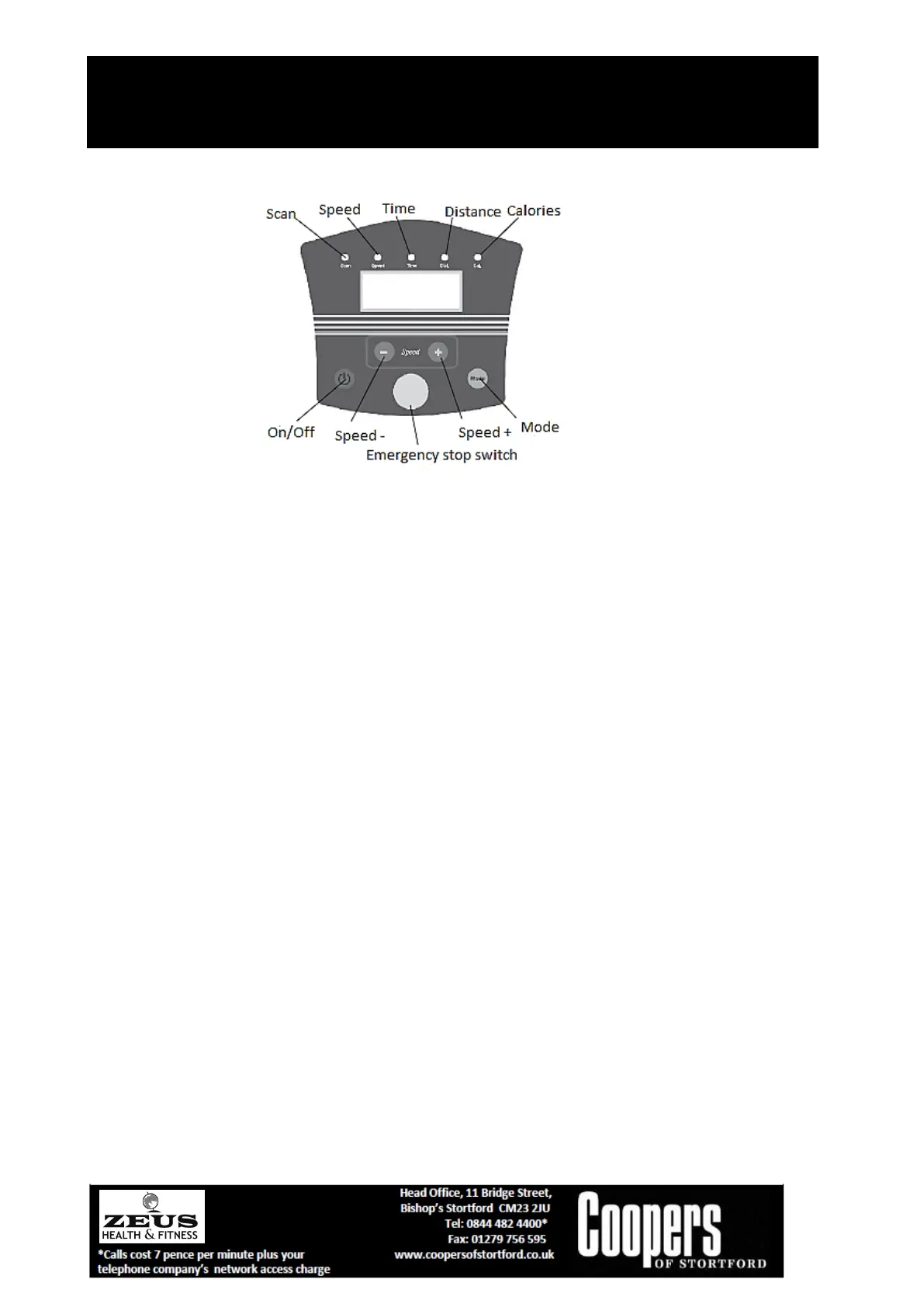
1. Plug into the power supply to enter Standby. The buzzer will sound and display will show
“===”. Click the “On/Off” button (run/stop) to switch machine on or off.
2. In Standby mode, click the Mode button “----“, the speed can be adjusted by the Speed+ key
as follows:
=== for conventional mode
P1 for auto mode1
P2 for auto mode2
P3 for auto mode3
When the current mode shows P1, P2, P3, click the MODE button to enter the automatic
mode to set the time between 5 and 30 minutes. Default time is 10 minutes.
3. In standby mode, if automatic mode (P1, P2, P3) is selected, or running time, the time shown
will be counting down the minutes.
In conventional mode (====) running time is 30 minutes with clock counting forward.
4. In either conventional mode (====) or automatic mode (P1, P2, P3), after 3 seconds for
initial stage of preparation speed display mode is entered. This can be switched to display
“speed time-calories scan” with the mode button.
5. In conventional mode (===) the initial speed rate is 1. You can speed this up with Speed-
/Speed+ button from 1 to 10 (1km/h to 10km/h). In automatic mode the Speed buttons
cannot be used.
6. In automatic mode, the buzzer will sound for 3 seconds before speed is switched.
7. In working state click On/Off button to slow motor down to stop. LED display will flash.
8. Emergency Stop Switch. When taking off the Emergency stop switch the display will show
“Safe” and machine will stop working quickly.
the machine. Once used to the functions, you can stand on the running belt and start



 To Next Page
 Loading...