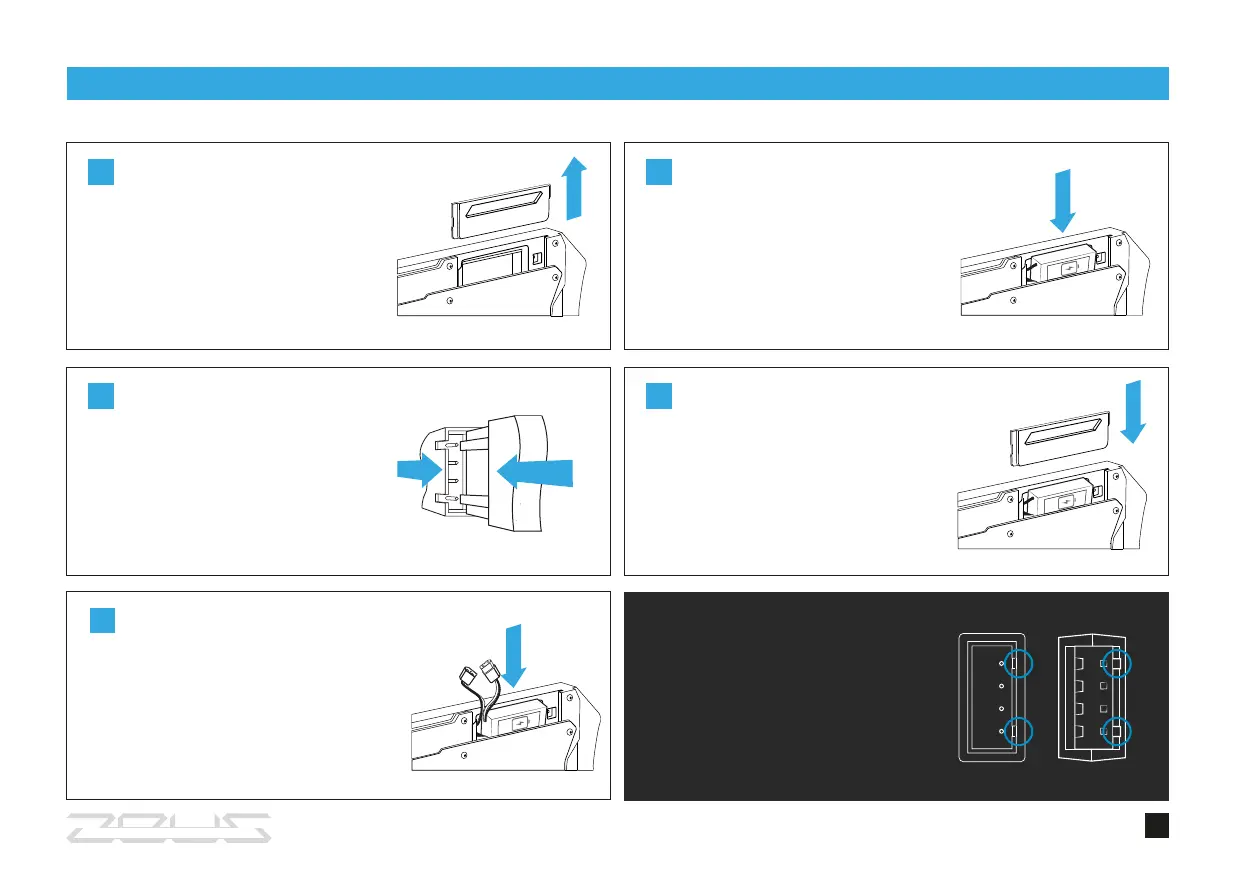
ATTENTION!
Do not use force while connecting
the plugs. Pay attention to position
the plugs correctly.
1
2
Open the cover of the battery
compartment.
BATTERY SETTING
9
Carefully put the battery into the
compartment. Leave the yellow wire
outside to connect it later.
Connect the white plug to the
white socket located inside the
battery compartment.
3
Connect the yellow plug to the
yellow socket. Put the wire into the
compartment to close the cover.
4
Close the cover until you hear the
click.
5



 To Next Page