15 zhiyun-tech.com
APP Operations
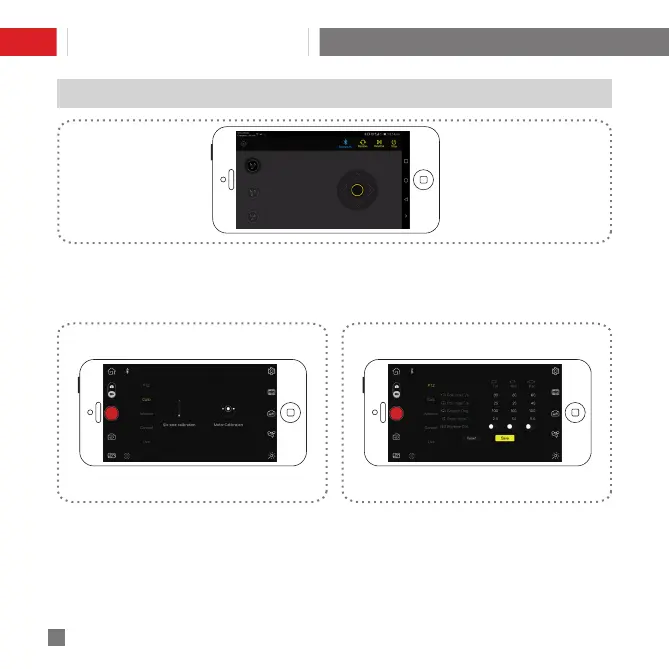
Gimbal Control
Activate remote control of the stabilizer by taping the “Power” icon on the top left. This section
allows various controls to the stabilizer, including change of Gimbal Control Mode and corresponding axis
movement control, etc.
Gimbal Calibration
Calibration is required when deviations are found in
the 3 axes and the leveling of the camera. Tap "Start
Calibration", and complete the 6-side calibration
procedure following onscreen illustrations.
Gimbal Settings
Allows adjustment of various parameter settings of
the stabilizer (Refer to APP instructions for specific
operations.)
APP Download and Installation


 To Next Page
 Loading...