A SAFETY
• After having finished using the Zibro Clima Dehumidifier, the user should
switch the unit off by pressing the button (1) to ‘off’ position.
• Avoid using the AC/DC switching mode power supply in wet or damp place,
and position it in areas where the air ventilation is good.
• Keep the front inlet grill and the top outlet free from air blocking materials
such as clothing, plastic bag or papers.
• If the unit has been properly connected and no power is flowing, have the
AC/DC switching mode power supply checked by a qualified electrician to
ensure that the fuses inside the switching mode power supply are not faulty.
• Always keep the unit at an up-right position to avoid water leakage.
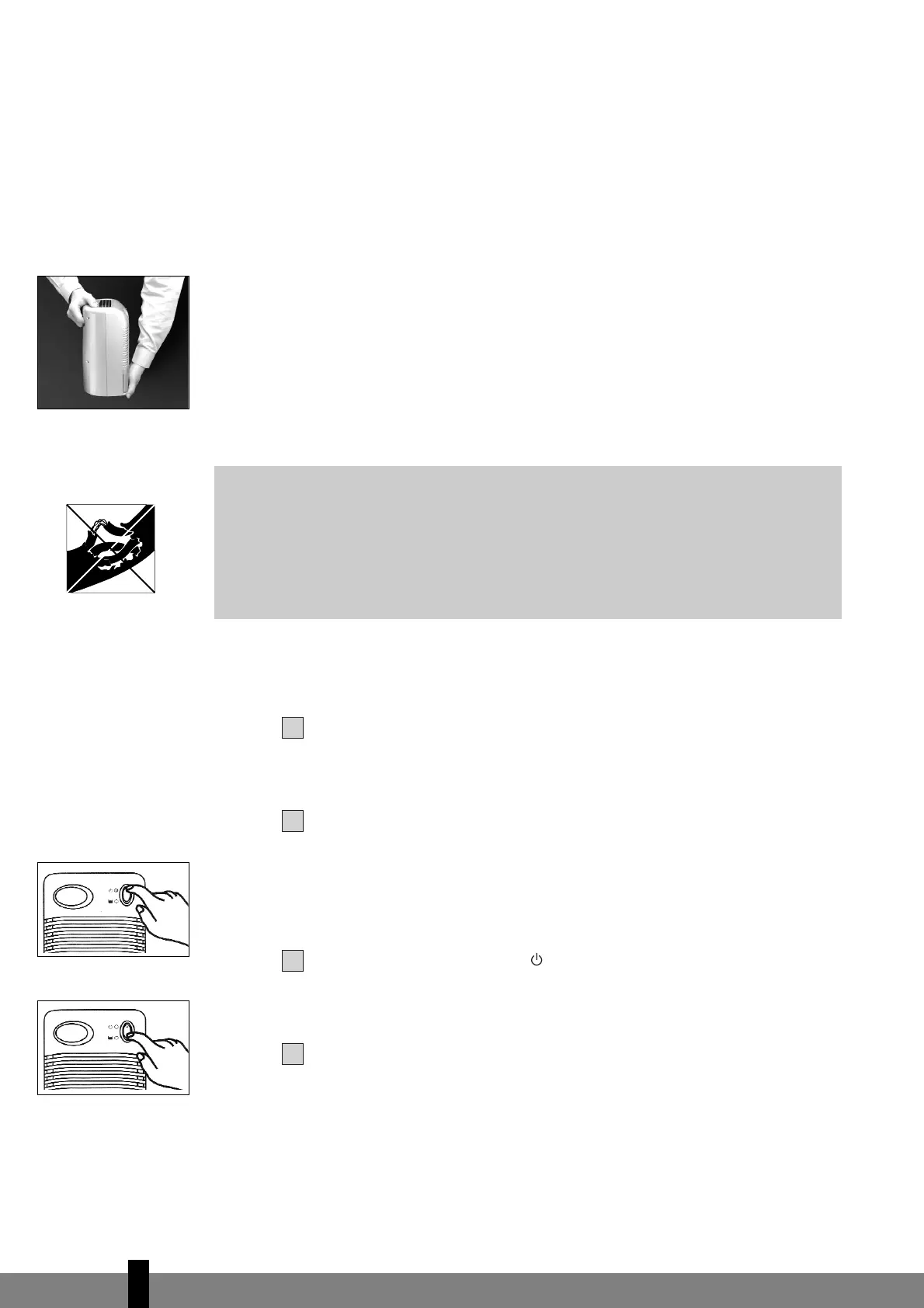
• The thumb should be placed at the top centre of the unit while lifting by the
lift-slot (7), to avoid tilting. At the same time, the other hand should be
holding the base to secure the unit. [as Fig. 1]
B CONNECTION
After removing the packaging materials, there should be 2 items:
a. Zibro Clima Dehumidifier
b. AC/DC switching mode power supply (220/240 V / 13V)
Plug the DC power jack (11) of the switching mode power supply to the DC
power socket (8), then connect the AC plug (12) of the switching mode power
supply to the appropriate main socket.
C CONTROLS
Press the button (1) to position , the Zibro Clima will begin to operate. The
green LED will be turned on. Listen and feel for the air blowing from dry air
outlet. [as Fig.2]
To switch off the unit, press button (1) to ‘off’ position, the Zibro Clima will
be turned off. [as Fig.3]


 To Next Page