CPU Cooling Fan Installation Diagram The recommended
heatsinks for the Pentium II processor are those with three-
pin fans that can be connected to the fan connectors on the
motherboard. J17 provides the +12 Volts D.C. for your CPU
cooling fan.
CAUTION! Be sure that sufficient air circulation is available
across the processor’s heatsink by regularly checking that
your CPU fan is working. Without sufficient circulation. the
processor could overheat and damage both the processor
and the motherboard. You may install an auxiliary fan.
if necessary.
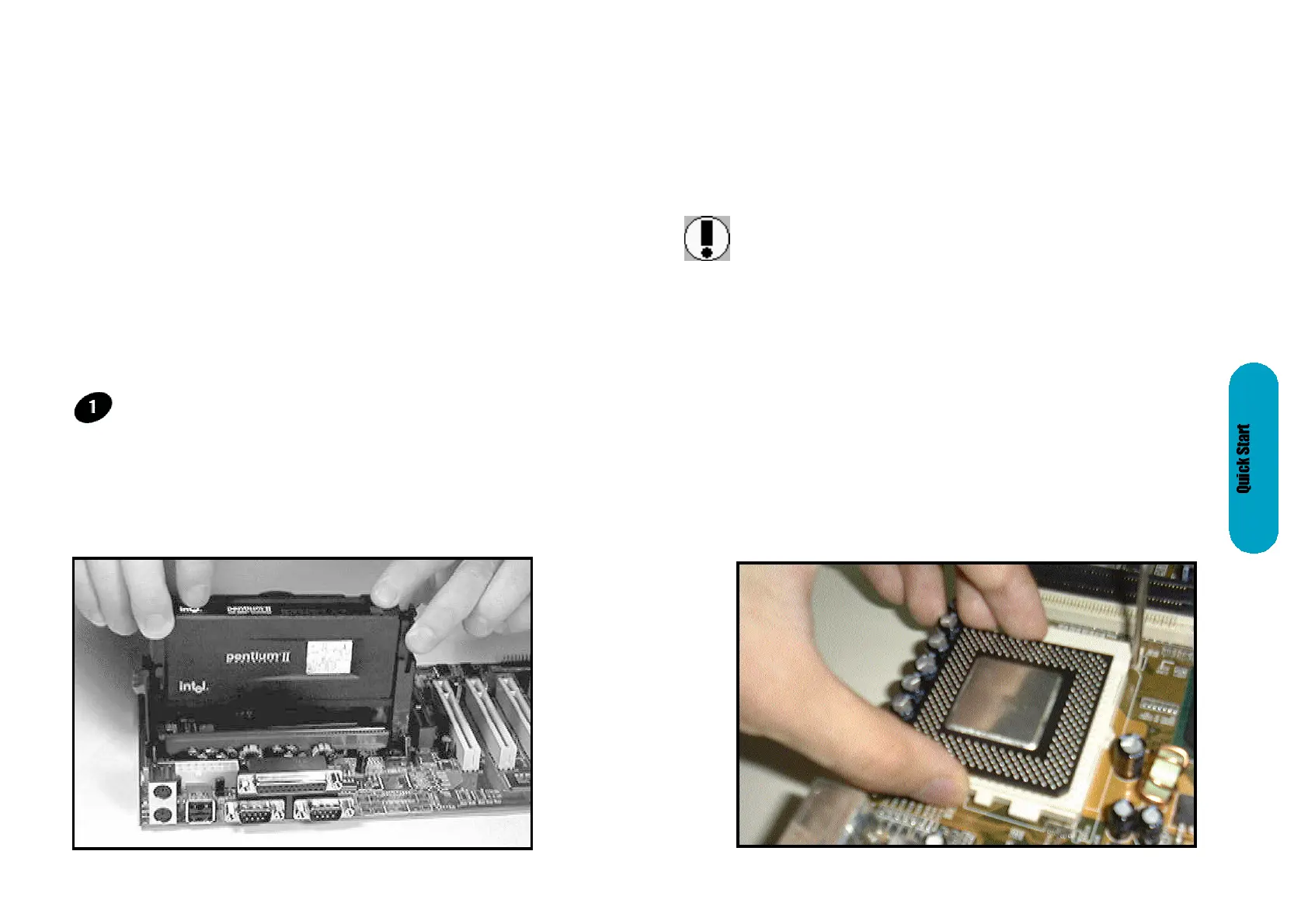
Insert the Cartridge: Push the SEC cartridge's two locks
inward. With the heatsink facing the mainboard's chipset,
press this cartridge gently but firmly until it is fully inserted.
6quick
steps
Please follow these steps in order to assure your series
Mainboard installation is successful. Please refer to the back
chapters for further information regarding boot-up and
configuration. An anti static rist band is recommended when
handling electronic components, be sure your work area is
static free before you begin this section
The Mainboard provides a 242-pin CPU card slot.(S in
diagram). The CPU card should have a fan attached to it
to prevent overheating. If a fan is not present, user should
purchase a fan prior to turning on the system. The J17 fan
power connector should be included.
Installing the Central Processing Unit (CPU)
The motherboard provides a 370 pins, Socket 370. The CPU
should have a fan attached to it to prevent overheating. If a
fan is not present, user should purchase a fan prior to turning
on the system. The recommended heatsinks for the Socket
370 processor are those with three-pin fans that can be
connected to the fan connectors on the motherboard. J17
provides the +12 Volts D.C. for your CPU cooling fan.
Installing the Central Processing Unit (CPU)
Page 16 Mainboard User's Manual Page 17Mainboard User's Manual



 To Next Page