EasyManua.ls Logo

ZIEHL-ABEGG RH31C - User Manual

ZIEHL-ABEGG RH31C
48 pages
Print Icon
To Next Page IconTo Next Page
Loading...
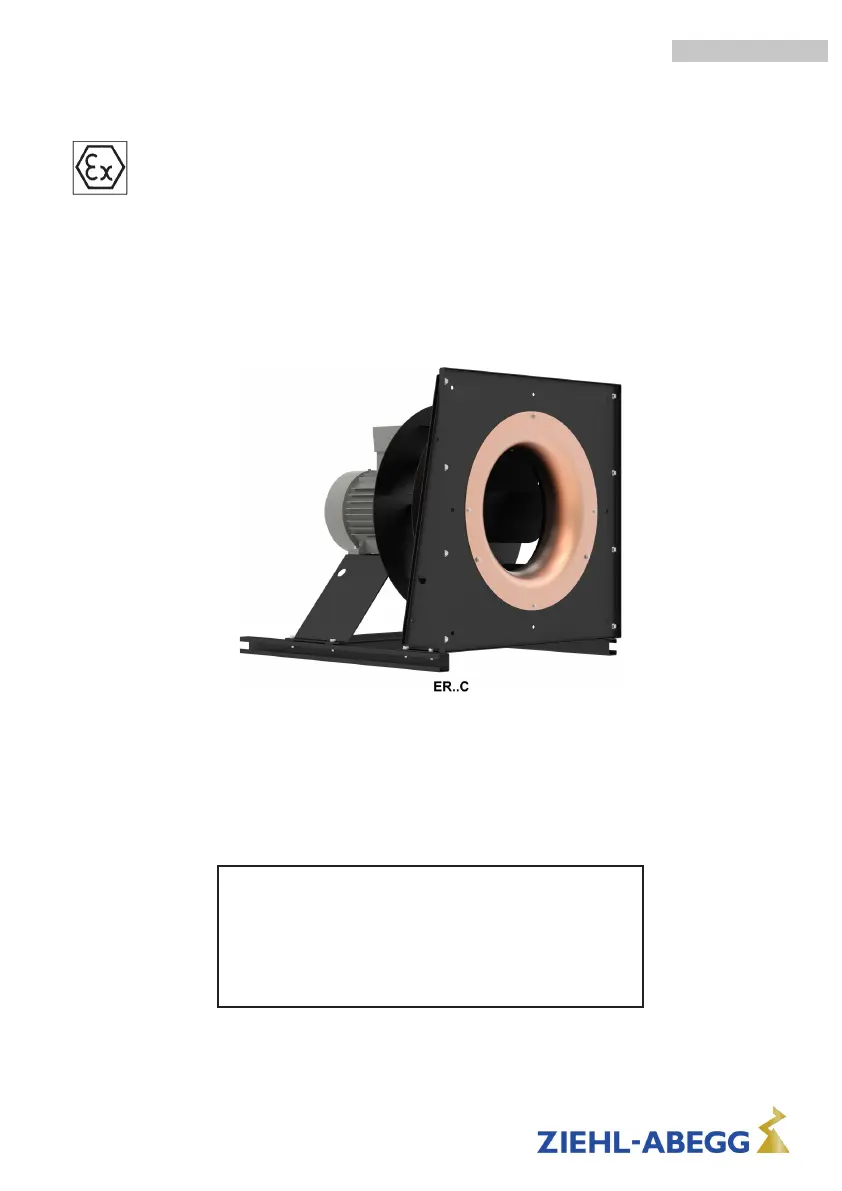
RH..C and ER..C
RH..C radial impellers and ER..C plug fans in explosion proof
design in compliance with Directive 2014/34/EU (ATEX).
Directly powered with IEC standard motor for use in
explosive atmospheres, zone 1 (category 2) and zone 2
(category 3).
Assembly instructions
Keep for reference!
VENTILATOR-Typenschild
einkleben!
L-BAL-F019-GB 2021/12 Index 003 Part.-No. 00282064-GB
english

Table of Contents

Questions and Answers

  • B
    Benjamin MeyerAug 13, 2025
    Why my ZIEHL-ABEGG Fan does not run anymore?
    • L
      Lori LeachAug 14, 2025
      If your ZIEHL-ABEGG Fan isn't running, several issues could be the cause. First, check the line voltage to ensure there's no line failure. An earth fault could also be the culprit, so inspect the motor connection and line voltage. A short circuit in the winding necessitates replacing the motor or fan. If the thermal motor protection has triggered due to overheating, examine air passages for obstructions, remove any foreign objects, check the supply air temperature, and, for single-phase motors, verify the capacitor. Lastly, a blocked or dirty impeller can prevent operation; in this case, switch off the power, ensure safe isolation, remove the safety grille, clear any obstructions, remount the grille, and then proceed with the start-up procedure.
  • M
    Matthew WilliamsAug 17, 2025
    Why is the airflow of my ZIEHL-ABEGG RH31C Fan too low?
    • D
      dmurphyAug 17, 2025
      If the airflow from your ZIEHL-ABEGG Fan is too low, there are several potential causes. The fan might be turning too slowly or in the wrong direction, so check that first. Airways could be blocked; inspect for free air passages, supply/exhaust air vents, and filters. Also, compare the actual pressure loss against the planned pressure loss to ensure correct fan selection.
  • A
    Amber MaloneAug 21, 2025
    What to do if ZIEHL-ABEGG RH31C turns in wrong direction?
    • A
      Anthony CarterAug 21, 2025
      If your ZIEHL-ABEGG Fan is turning in the wrong direction, the solution depends on the type of motor. For three-phase motors, switch any two of the mains phases. For single-phase motors, ensure the capacitor is connected according to the circuit diagram.
  • C
    Christina MercerAug 25, 2025
    What to do if thermal motor protection has triggered on ZIEHL-ABEGG RH31C Fan?
    • X
      xmosleyAug 26, 2025
      If the thermal motor protection has triggered on your ZIEHL-ABEGG Fan, it means the motor is overheated. You should check for free air passages and remove any foreign bodies if necessary. Also, check the temperature of the supply air and, if it's a single-phase motor, check the capacitor.
  • C
    Christopher FlowersAug 28, 2025
    Why ZIEHL-ABEGG RH31C will not start?
    • M
      michelle29Aug 29, 2025
      If your ZIEHL-ABEGG Fan won't start, consider these possibilities. For single-phase motors, ensure the capacitor capacity matches the rating plate specifications. Also, if the temperature is too low for the bearing grease, insert a bearing with cold greasing.
  • A
    Adam WolfSep 1, 2025
    How to fix unusual noises in ZIEHL-ABEGG Fan?
    • G
      gperezSep 2, 2025
      If your ZIEHL-ABEGG Fan is making unusual noises, it could be due to a damaged or worn ball bearing, requiring replacement by ZIEHL-ABEGG. Alternatively, the impeller or blade might be scraping or brushing against something; if indicated, remove any foreign objects or dirt from the fan.
  • J
    jarvisjamesSep 5, 2025
    Why ZIEHL-ABEGG Fan turns too slowly?
    • G
      Gina MorganSep 5, 2025
      If your ZIEHL-ABEGG Fan is turning too slowly, it might be due to a line failure causing undervoltage. Check the line voltage to ensure it's within the correct range.
  • C
    carmstrongSep 8, 2025
    What causes vibrations in ZIEHL-ABEGG Fan?
    • T
      Tiffany MillerSep 8, 2025
      If your ZIEHL-ABEGG Fan is vibrating, it could be due to an imbalance. Inspect the wings or blades for damage, soiling, or ice.

Summary

Safety

Safety instructions

Provides critical safety information and warnings to prevent injury and property damage.

Intended use

Specifies the correct and permissible applications for the fans, especially in explosive atmospheres.

Hazards and intended use

Details potential hazards associated with fan operation, particularly in explosive environments.

Special hazards when operating in explosive atmospheres

Highlights specific risks like sparks, hot surfaces, and vibrations in explosive zones.

Improper use; reasonably foreseeable misuse

Lists incorrect operational practices and scenarios that can lead to hazards or damage.

Mounting

Particularities when mounting explosion protected fans

Highlights specific considerations for mounting explosion-protected fans according to standards.

Installation, protection from external influences

Covers proper installation to prevent distortion, vibration, and foreign body ingress.

Protect from the penetration of foreign bodies

Mandates the use of guard grilles to prevent foreign objects from entering the fan.

Protection against contact with rotating and stationary parts

Explains the importance of maintaining correct gap dimensions to prevent sparks and damage.

Electrical installation

Safety precautions

Lists essential safety rules and precautions for qualified electricians performing installation.

Frequency inverter and EMC

Covers cable installation, EMC compliance, and measures to reduce bearing currents when using frequency inverters.

Electrical connection, grounding and protection

Outlines requirements for qualified professionals to ensure safe electrical connections, grounding, and protection.

Mains connection

Details the mains connection requirements, including voltage and rotation direction.

Start-up

During start-up check the following

Provides a detailed checklist of items to verify before and during the initial startup of the fan.

ER..C resonant frequencies

Lists specific speed ranges to be avoided due to resonance to prevent damage or injury.

Trouble shooting

Possible causes and remedial measures

Offers a table correlating common fan errors with their potential causes and solutions.

Service work

Repairs; maintenance

Details safety precautions and general procedures for performing maintenance and repairs on explosion-protected fans.

Particularities when using in explosive atmospheres

Highlights specific maintenance requirements for fans operating in flammable or explosive environments.

ZIEHL-ABEGG RH31C Specifications

General IconGeneral
BrandZIEHL-ABEGG
ModelRH31C
CategoryFan
LanguageEnglish

Related product manuals