EasyManua.ls Logo

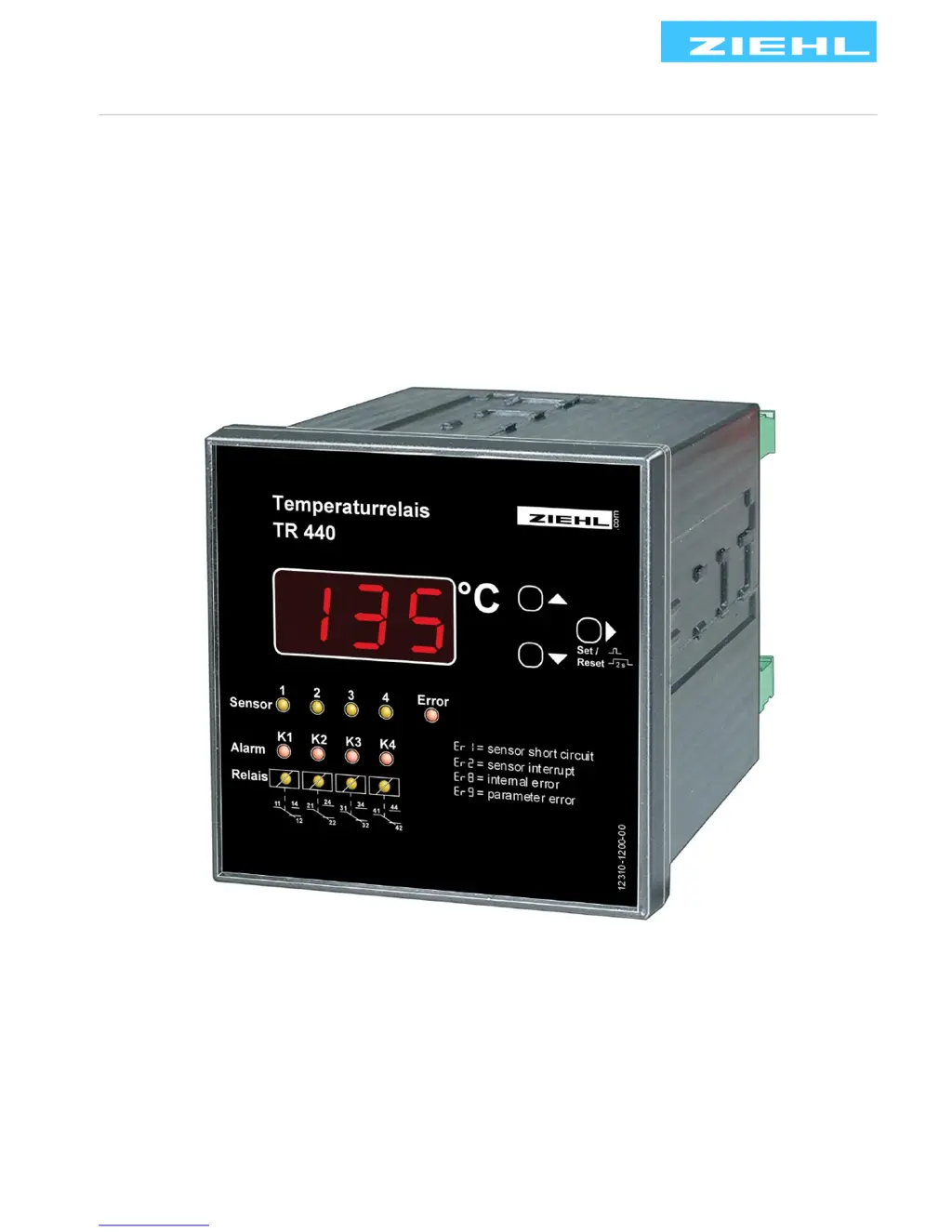
ZIEHL TR440 - User Manual

ZIEHL TR440
24 pages
Print Icon
To Next Page IconTo Next Page
Loading...
ZIEHL industrie elektronik GmbH + Co KG
Daimlerstraße 13, D 74523 Schwäbisch Hall
+ 49 791 504-0, info@ziehl.de, www.ziehl.de
Temperature Relays and MINIKA® Mains Monitoring Digital Panelmeters MINIPAN® Switching Relays and Controls Measuring Transducers Grid- and Plant Protection
Operating Manual TR440
updated: 140407 Sc
TR440 12310-0702-04 Seite
1
/ 24 www.ziehl.de
- Transformer protection temperature relay

Questions and Answers

  • W
    Whitney BrownJul 31, 2025
    What to do if the ZIEHL Transformer device cannot be programmed?
    • C
      Christina BarnettJul 31, 2025
      If the ZIEHL Transformer cannot be programmed, it may be due to the code block being active, which prevents unauthorized parameter changes. To disable it, power on the device while pressing the 'Set' key for 2 seconds until the display shows '88888 – 8Cod8 – 8off8 – 88888'. Release the 'Set' key to switch off the code block. The default PIN code is 504.
  • G
    gfriedmanAug 5, 2025
    Why does the temperature repeatedly darken briefly on my ZIEHL TR440 Transformer?
    • E
      eileen94Aug 5, 2025
      If the temperature displayed on your ZIEHL TR440 Transformer repeatedly darkens briefly, the device is likely in simulation mode. To resolve this, exit the simulation mode.
  • E
    Eric JohnsonAug 10, 2025
    How to fix a ZIEHL Transformer when the displayed temperature does not match the sensor temperature?
    • J
      Joseph WiseAug 10, 2025
      If the temperature displayed on your ZIEHL Transformer does not match the actual sensor temperature, it could be due to several reasons. First, check the Pt 100 sensor connection according to the connection diagram. Next, verify the sensor settings, ensuring they are correct for either a 3-wire or 2-wire configuration, and specify the line resistance if using a 2-wire setup. Lastly, confirm that the correct measurand (°C / °F) is set in the programs.
  • Y
    ywellsAug 15, 2025
    What does 8Er98 mean on my ZIEHL Transformer and how to fix it?
    • T
      talvarezAug 15, 2025
      If '8Er98' appears on the display of your ZIEHL TR440 Transformer, it indicates a parameter error due to an illogical configuration. You should check the alarm configuration.
  • B
    brittney46Aug 20, 2025
    What to do if 8Er88 appears on the display of ZIEHL TR440 Transformer?
    • D
      Daniel SmithAug 20, 2025
      If '8Er88' appears on the display of your ZIEHL TR440 Transformer, this indicates an internal device fault. Try switching the device off and then back on. If the error persists, send the device to the factory for inspection.
  • C
    Chelsea OrtizAug 26, 2025
    What does 8Er18 or 8Er28 mean on my ZIEHL TR440 Transformer?
    • P
      Paul WheelerAug 26, 2025
      If '8Er18' or '8Er28' appears on the display of your ZIEHL TR440 Transformer, it indicates a sensor short-circuit or sensor interruption in the Pt 100 temperature sensor. Check the Pt 100 temperature sensor to ensure it is electrically sound and correctly connected.

Summary

Display and Controls Overview

Digital Display Functionality

The 3-digit display shows sensor value, error codes, and operational mode.

Decimal Point Mode Indicator

Indicates device mode: off for display, illuminated for menu, flashing for configuration.

Up;Down Key Navigation

Used to enter menu mode, view min/max values, or activate simulation.

Set;Reset Key Operations

Resets alarms, displays program number, measurand, and software version.

Error LED Status

Indicates sensor error or internal device fault.

Sensor Status LEDs

Show sensor value or indicate sensor circuit errors.

Alarm Status LEDs

Indicate alarm status, delay times, or readiness for reset.

Relay State LEDs

Indicate if the relay is operating or released.

Important Safety and Operational Information

Electrical Hazard Warning

Warning about electric shock and burns; advises switching off voltage before work.

Reclosing Interlock Caution

Devices with reclosing interlock do not meet safety circuit conditions per EN 60204.

Monitoring Device Operation Caution

Ensures error detection through periodic tests; recommends closed-circuit current for relays.

RS 485 Interface Potential Issues

Notes on potential shifts and transmission disturbances with long cable lengths.

Device Programs and Selection

Program Selection Procedure

Step-by-step guide to selecting and setting a program for the application.

Querying Current Program Number

Method to check the currently selected program number.

Installation and Mounting

Temperature and Clearance Guidelines

Ensuring sufficient clearance and adhering to maximum permissible temperature during installation.

Power Supply Compatibility Warning

Warning about matching mains voltage to the device's permissible voltage range.

Mounting and Sealing Procedures

Instructions for fitting the device into cut-outs and achieving IP 54 protection.

Start-up and Commissioning Procedures

General Operating Mode Identification

How to identify the device operating mode via the decimal point.

Display Mode Functionality

Explanation of LED indicators and button functions in display mode.

Menu Mode Navigation Guide

How to enter and navigate menu items with decimal point illuminated.

Configuration Mode Operations

How to enter and change parameters with decimal point flashing.

Program-Specific Operating Diagrams

Visual guides for operating and configuring programs 1-4.

Commissioning Step Summary

Summary of commissioning steps including program selection and sensor configuration.

Alarm Configuration Settings

Setting alarm values, hysteresis, and delay times for device alarms.

Relay K1 Test Configuration

Programming Relay K1 for periodic tests to prevent bearing damage.

Modbus RS 485 Interface Setup

Setting up device address, baud rate, parity, and stop bits for communication.

Sensor Simulation for Testing

Simulating temperature readings to test device functions without actual measurement.

Parameter Security with Code Block

Activating a code block to protect parameters from unauthorized changes.

Operational Tips and Tricks

Guidance on navigation, value changes, and resetting the device.

Interpreting Display Messages

Table of possible display messages and their meanings in various modes.

Troubleshooting Common Issues

Sensor Fault Indications (Er1;Er2)

Troubleshooting sensor short-circuit or interruption errors.

Internal Device Fault Handling (Er8)

Procedure for handling internal device faults, including factory inspection.

Parameter Error Diagnosis (Er9)

Diagnosing parameter errors by checking alarm configuration.

Unprogrammable Device Solutions

Resolving issues where the device cannot be programmed due to code block or unknown PIN.

Temperature Reading Discrepancies

Addressing discrepancies between displayed temperature and actual sensor temperature.

Exiting Simulation Mode

Recognizing and exiting the device simulation mode.

Accessing Device Information Display

Accessing device information like program number, measured value, and software version.

ZIEHL TR440 Specifications

General IconGeneral
BrandZIEHL
ModelTR440
CategoryTransformer
LanguageEnglish