
 Need help?
Do you have a question about the ZIGBEE 4257050-ZHAC and is the answer not in the manual?
Alerts about the total current limit of 300W and consequences of exceeding it.
Warning that a direct short circuit on the output will damage the Appliance Module.
Guidelines on electrical codes, consulting electricians, and unplugging during servicing.
Advice to save the instruction sheet for technical and troubleshooting data.
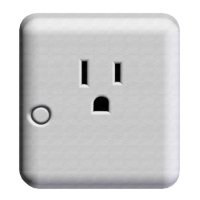
Connect the lamp's plug to the Lamp Module's receptacle.
Plug the Lamp Module into a powered wall receptacle, ensuring the wall switch is ON.
Initiate pairing with a Zigbee HA controller by pressing the module button.
Configure the Lamp Module settings via the certified HA controller after joining.
Reset the Lamp Module to factory defaults by a specific button press sequence.
Verify power supply, lamp status, and that the controlled load is within limits.
If local control works but network commands fail, repeat installation steps.
 General
| Protocol | Zigbee |
|---|---|
| Model Number | 4257050-ZHAC |
| Category | Adapter |
| Frequency | 2.4 GHz |
| Power Supply | 5V DC |

 To Next Page