27
GB
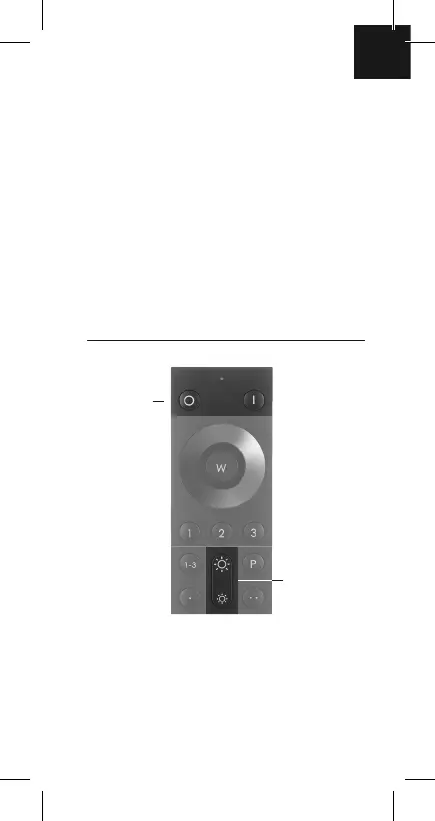
Dimmer key –
press briefl y: light
brightness changes
in 10% steps,
press for longer: light
brightness changes
smoothly
Off/On keys
for switching Q
products and
devices with
ZigBee Touchlink
functions on/off.
Off/On keys
All paired lights/devices in the groups selected in each
instance can be switched on/off via these keys.
Dimmer keys
You use these keys to make the Q lights brighter or
dimmer. A brief press of the key gradually changes
the brightness by 10% per press; pressing for longer
changes it smoothly up or down. When you have the
brightness you want, let go.


 To Next Page