EasyManua.ls Logo

ZIGBEE SR-ZG9001K8-DIM - User Manual

ZIGBEE SR-ZG9001K8-DIM
4 pages
To Next Page IconTo Next Page
Loading...
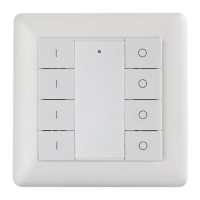
Single Color Wall Mounted ZigBee Remote Controller
70100005
55.57 mm
71.20 mm
11 mm
Function introduction
Important: Read All Instructions Prior to Installation
Front side
Back side
Battery: CR2450
Before the first use, please remove the protective film
55.57 mm
71.20 mm
The remote control can be fixed on
the wall with 3M glue or screw.
71.2x71.2x13.6mm
Press and hold down both keys together to search and
pair to ZigBee network or factory reset the controller.
Group 1
Click to turn on. Press and
hold down to increase
light intensity.
Note: This remote
supports 4 groups for
binding max. 30 lighting
devices.
Transmission Range
(free field)
30m
Operating temperature
0-40°C
Relative humidity
8% to 80%
Dimming Range
0.1%-100%
Power Supply
3VDC (CR2450)
Operation Frequency
2.4GHz
Dimensions
Protection Type
IP20
Group 1
Click to turn off. Press and
hold down to decrease
light intensity.
Group 3 Group 3
Group 2 Group 2
Group 4 Group 4
This device contains a button lithium battery that shall be stored and disposed properly.
DO NOT expose the device to moisture.
Safety & Warnings
Product Data
ZigBee dim remote based on ZigBee 3.0
Enables to control both single color lighting devices
Battery powered remote with low power consumption
Enables to pair ZigBee lighting devices via touchlink
commissioning without coordinator
Supports find and bind mode to pair with ZigBee lighting
devices
Supports 4 groups for binding max. 30 lighting devices
2.4 GHz global operation
Transmission range up to 30m
Compatible with universal ZigBee Gateway products
Compatible with universal single color ZigBee lighting
devices
ZigBee Clusters Supported by This Remote Are As Follows:
Input clusters:
Basic Power Configuration Identify Diagnostics
Output clusters:
Identify • Group On/off Level control Ota
Network pairing mode: click both buttons 3 times to
set the remote into network pairing mode (the remote
should not belong to any gateway network).
Factory reset: click both buttons 3 times to
reset the remote (the remote should already
be paired to a gateway).
Quick Start (Simplified operation compared to standard operations in the part “Operation)
Touchlink + Add Group 1: Press and hold
down both keys for 3 seconds to start
touchlink and light device to group 1.link
Touchlink + Add Group 2: Press and hold
down both keys for 3 seconds to start
touchlink and light device to group 2.link
Touchlink + Add Group 3: Press and hold
down both keys for 3 seconds to start
touchlink and light device to group 3.link
Touchlink + Add Group 4: Press and hold
down both keys for 3 seconds to start
touchlink and light device to group 4.link
Question and Answer IconNeed help?

Do you have a question about the ZIGBEE SR-ZG9001K8-DIM and is the answer not in the manual?

ZIGBEE SR-ZG9001K8-DIM Specifications

General IconGeneral
ProtocolsZigBee
Input Voltage3V
Battery TypeCR2032
Frequency2.4GHz
Power SupplyBattery
FunctionDimmer control
Range30m (open space)
CompatibilityZigbee compatible devices
Operating Temperature-20°C to +60°C
Humidity5% to 85% (non-condensing)

Summary

Product Overview and Functionality

Function Introduction

Explains how to use the remote's buttons for turning lights on/off and adjusting intensity.

Product Specifications

Details the operating frequency, transmission range, power, dimensions, and compatibility.

Supported ZigBee Clusters

Lists the input and output clusters supported by the remote for ZigBee communication.

Safety and Quick Start Guide

Safety & Warnings

Provides critical safety information regarding battery handling and environmental exposure.

Quick Start Operations

Outlines simplified steps for Touchlink pairing with lighting devices and network pairing.

Detailed Operation and Network Management

ZigBee Network Operations

Covers pairing the remote to a ZigBee network via a coordinator or hub and removing it.

TouchLink Device Pairing

Instructions for directly pairing ZigBee lighting devices to the remote using TouchLink.

TouchLink Device Removal

Steps to remove a ZigBee lighting device that was previously paired via TouchLink.

Factory Reset Procedures

Guides for manually resetting the remote and factory resetting a paired lighting device.

Advanced ZigBee Functions and Status

Find and Bind Operations

Details on finding, binding, and unbinding ZigBee lighting devices to the remote.

Network Setup Without Coordinator

Instructions for setting up a ZigBee network and adding devices without a central coordinator.

Firmware Update and Status Check

Information on OTA firmware updates and how to check if the remote is part of a network.

Battery Power Monitoring

Explains the conditions under which the remote reports its battery status to the coordinator.

Installation and Mounting

Battery Installation

Step-by-step guide for removing the battery insulator and installing the battery cover.

Wall Mounting Methods

Provides two methods for attaching the controller bracket to the wall: using glue or screws.

Frame Compatibility

Lists various manufacturers and their compatible switch frames for integrating the controller.