29
GB
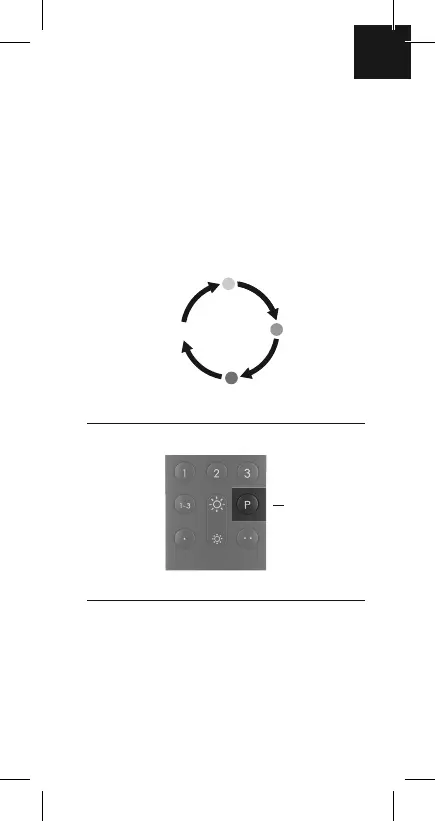
3. Select RGB and colour
blend mode
P key
(for lights with RGB capability only)
By repeated pressing of the P key, you incrementally
set red light, green light, blue light (RGB) or automatic
colour blend mode.
Blend mode
Red
Blue
Green
Using the P key, you are also able to remove lights/
devices from the groups/scenes (see point 6.).
P key:
brief, repeated
pressing activates
RGB light or colour
blend mode


 To Next Page