Need help?
Do you have a question about the zilink DH43S and is the answer not in the manual?
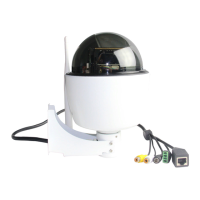
Lists the primary features of the HD Wireless PTZ Dome IP Camera.
Guide on accessing the camera within the local network via browser.
Instructions for remote access using a static WAN IP address.
Steps to change the HTTP port and ensure a static LAN IP address for stability.
Explains and guides through setting up port forwarding on the router.
Instructions on using DDNS for remote camera access after port forwarding.
Details the login screen for accessing the surveillance software interface.
Details the controls for adjusting the camera's pan and tilt movements.
Explains icons for zoom, patrol, guard position, and manual IR control.
Configuration options for video resolution, frame rate, and image adjustments.
Configuration for IP address, subnet mask, gateway, and HTTP port.
Steps to configure the camera to connect to a wireless network.
Guide on configuring Dynamic DNS services for remote camera access.
Instructions for creating a hostname with a third-party DDNS provider.
Guidance on configuring port forwarding on the router for remote access.
Steps to configure port forwarding using the router's virtual server settings.
 General
| Two-Way Audio | Yes |
|---|---|
| Lens | 3.6mm |
| Connectivity | Wi-Fi |
| Night Vision | Yes |
| Night Vision Distance | 10m |
| Operating Temperature | -20°C to 50°C |
| Storage Temperature | -20°C to 60°C |


 To Next Page