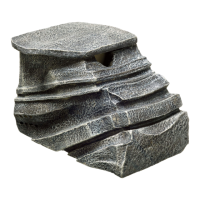
BASKING Platform FIlter
INSTALLATION/OPERATION
Step 1: Check Basking Platform Filter for any signs of shipping damage. If damaged, do not
operate and return to place of purchase.
Step 2: Remove new cartridge from bag and rinse under cold water to remove carbon dust.
Step 3: Remove lid from Basking Platform Filter.
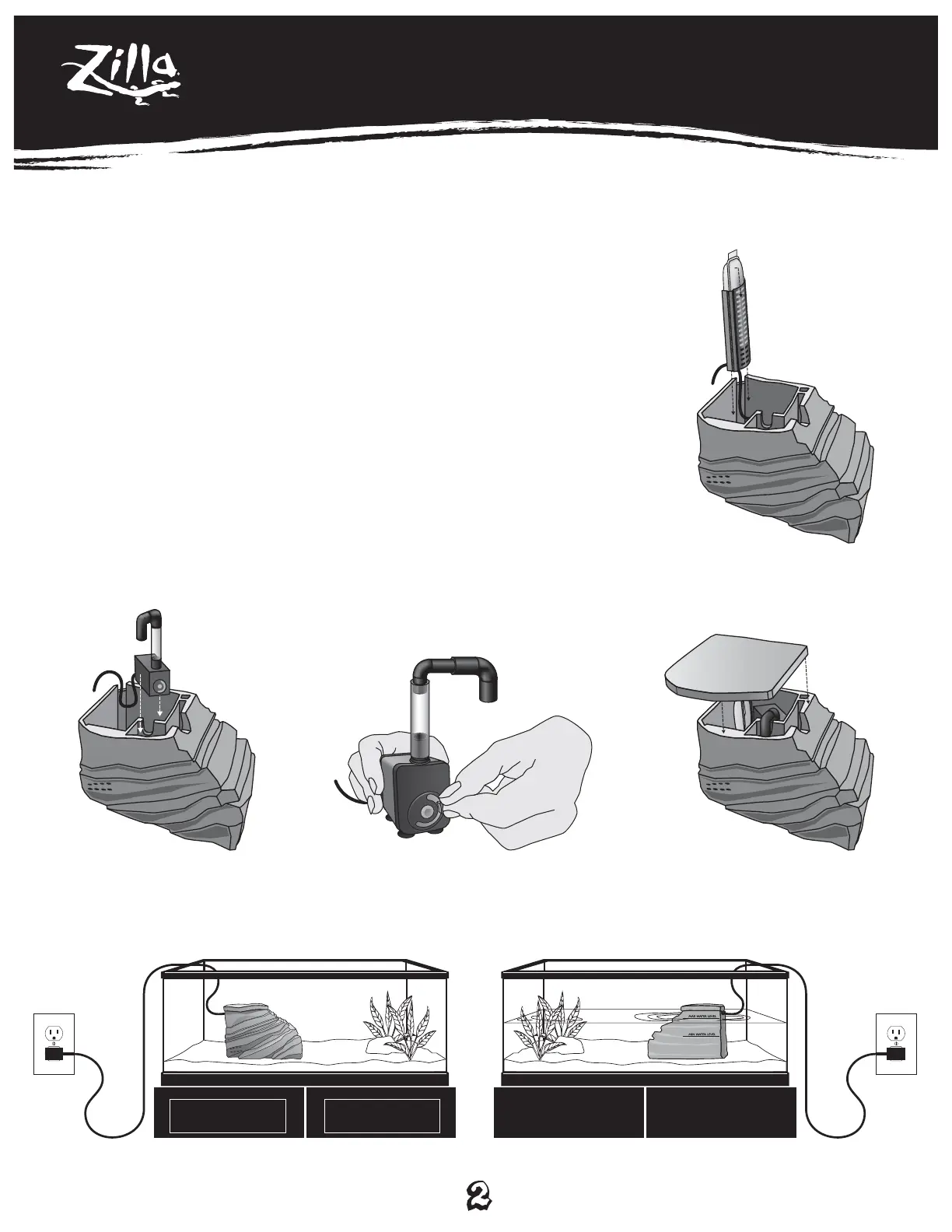
Step 4: Slide blue cartridge holster into Basking Platform Filter; then slide filter cartridge into
blue cartridge holster. (Figure A)
Step 5: Insert assembled water pump (water pump assembly instructions on next page)
into Basking Platform Filter. (Figure B)
(Optional) To adjust the water flow adjust dial as shown. (Figure B.1)
Step 6: Place lid onto filter. (Figure C)
Step 7: Place assembled unit into terrarium. Do not block intake holes with gravel or decor.
Be sure instructions for “drip loop” have been followed. (Figure D)
Step 8: Fill terrarium with water; the water level should rest between the “Minimum Water
Level” and “Maximum Water Level” lines etched into the unit. (Figure E)
DO NOT RUN DRY.
Figure A
Figure C
Figure B.1
(optional)
Figure B
Figure D
Front View
Figure E
Rear View


 To Next Page
 Loading...