
 Need help?
Do you have a question about the Zjiang ZJ-5890T and is the answer not in the manual?
States the purpose and terms of use for the operating manual.
Highlights critical safety warnings and general precautions for safe and proper printer operation.
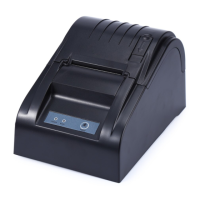
Lists various scenarios where the 58mm thermal receipt printer is used.
Details the technical specifications of the printer, including print method, speed, and interfaces.
Provides step-by-step instructions on how to load the thermal paper roll into the printer.
Explains the function of the printer's buttons (POWER, FEED) and their status indicators.
Guides users through the process of installing the printer driver for USB connectivity.
Instructions on obtaining the printer's IP address and initial LAN port setup.
Wizard steps to add a standard TCP/IP port for network printing.
Instructions for configuring the RS232 (COM) port for printer communication.
Steps to connect the printer using the parallel port (LPT1).
Details on setting serial port parameters (baud rate, data bits) for RS232 connection.
Explains how to adjust print mode for better performance, like using soft fonts.
Guides on activating Bluetooth and using the wizard to add the printer device.
Details on entering the passkey and establishing a Bluetooth connection, including COM port assignment.
Instructions for setting up the printer on Android devices, including driver installation and connection.
Guide to downloading and using the "POS-PrinterV1.0" app for iOS devices.
Instructions for choosing between Bluetooth or WiFi for mobile connectivity.
How to perform a test print using the mobile application after establishing a connection.
Describes various functions within the mobile app, such as sending HEX data and opening the cash drawer.
Provides a step-by-step guide on how to properly clean the printer's print head.
Addresses common problems like messy code printing, driver installation failures, and connectivity errors.
Covers troubleshooting for paper feeding, auto-cutter, indicator lights, and printer reset procedures.
 General
| Print Method | Thermal Line Printing |
|---|---|
| Print Technology | Direct Thermal |
| Print Speed | 90mm/sec |
| Resolution | 203 DPI |
| Paper Width | 58mm |
| Interface | USB, Serial, Ethernet |

 To Next Page
