E KR101E User Manual
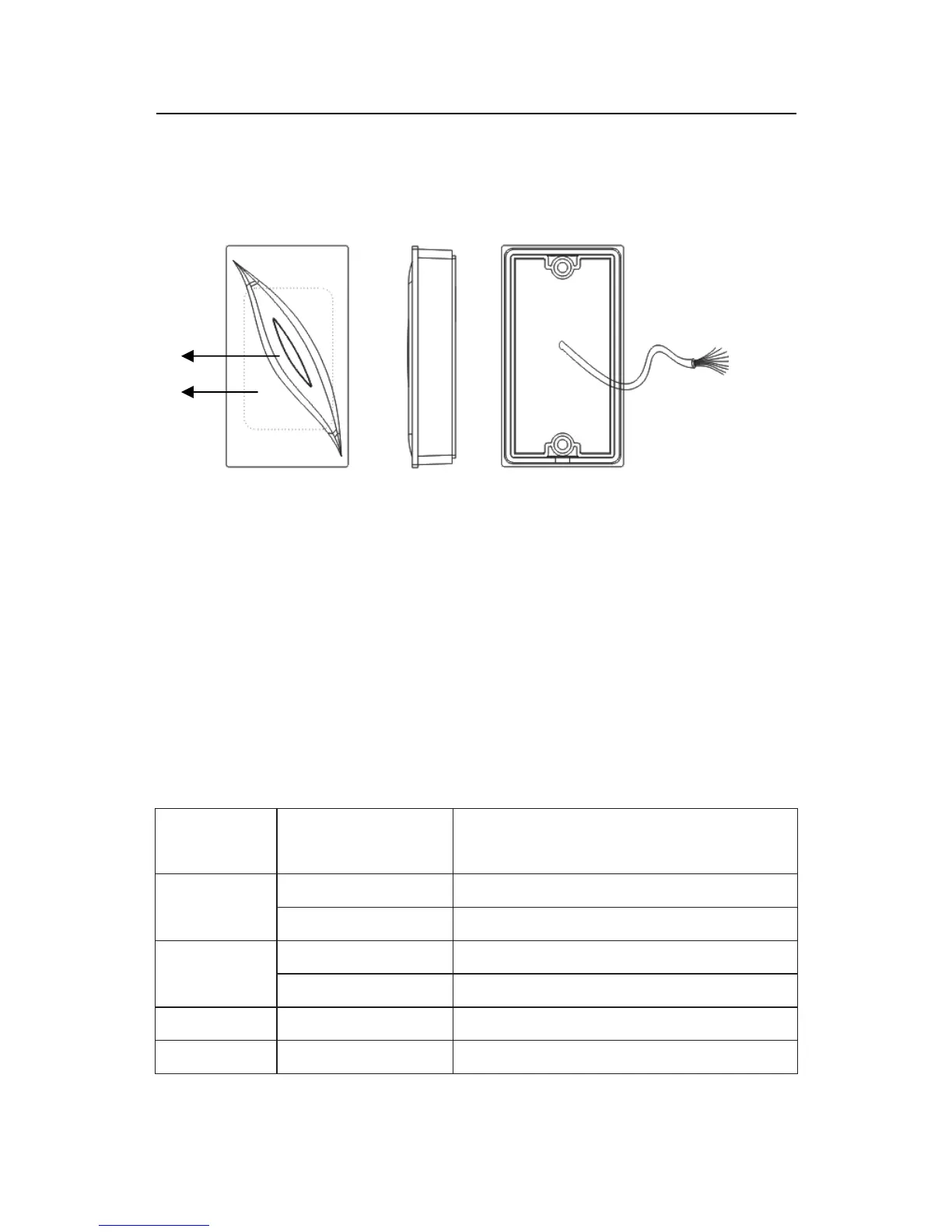
2. Appearance
Indicator
light
Connection
terminal
Sense
area
Front View Side View Back View
Indicator status: when power on, the buzzer will have a prompt sound
of ‘di’, indicating the complete initialization, at the same time the red
light will be lighted up; When brushing the card, the buzzer will have a
prompt sound of ‘di’, at the same time the red light is off, later the green
light will flash once; when in standby, the red light will be constant on.
Sense area: sense area of card.
Connection terminal definitions:
Type
Cable color and
definition
Function
Red(DC+12V) DC+12V
Power
connection
Black(GND) Ground cable
Green(WD0) Output Wiegand data 0 signal
White(WD1) Output Wiegand data 1 signal
Wiegand
Green LED Grey
Beeper Purple
connection
3


 To Next Page