EasyManua.ls Logo

ZK Technology E KR101E - User Manual

ZK Technology E KR101E
4 pages
Print Icon
To Next Page IconTo Next Page
Loading...
E KR101E User Manual
1. E KR101E Profile
Profile:
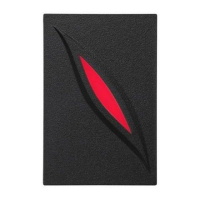
Double frequency product E KR101E card reader (125KHz , introduction of
foreign core technology update and new production processes, comple-
tely independent intellectual property rights, small power consumption,
high sensitivity, far reading distance, high performance, low price, anti-
interference, strong stability, mainly used in smart parking, access chan-
nel management, access control and so on industries, built-in receiving
antenna, standard operate frequency 125KHz , the use of contactless ra-
dio frequency ID cards with EM format cards.
Features:
¾ support EM cards
¾ A variety of communication interfaces, ID card has interfaces of
Wiegand 26, . Wiegand 26 can be set by the control system of
Wiegand reader, and the default setting is Wiegand G26. The Wie-
gand data format of card reader can also be set by the control sys-
tem of Wiegand reader.
¾
1
Question and Answer IconNeed help?

Do you have a question about the ZK Technology E KR101E and is the answer not in the manual?

Summary

E KR101 E Product Profile

E KR101 E Product Profile Overview

Details the E KR101E card reader, including its technology, IP rights, power, sensitivity, and applications.

E KR101 E Key Features List

Enumerates features like EM card support, communication interfaces (Wiegand 26/G26), and data format settings.

E KR101 E Technical Parameters

E KR101 E Technical Operating Specs

Specifies operating frequency (125KHz), read speed (<0.2s), power (+DC12V), current (100MA), size, and card support.

E KR101 E Environmental & Communication Specs

Covers read distance (>3CM), communication distance (Wiegand >50m), and operating temperature (-10°C~+75°C).

E KR101 E Appearance

E KR101 E Indicator and Sense Area Functionality

Explains the status indications from the buzzer and lights, and the function of the card sensing area.

E KR101 E Connection Terminal Definitions

Defines the cable colors and functions for power, Wiegand data (0/1), Green LED, and Beeper connections.

E KR101 E Connection with Access Controller

E KR101 E System Integration Requirement

Explains that the E KR101E requires connection to an access controller to function as a card reader.

ZK Technology E KR101E Specifications

General IconGeneral
BrandZK Technology
ModelE KR101E
CategoryCard Reader
LanguageEnglish