5
3
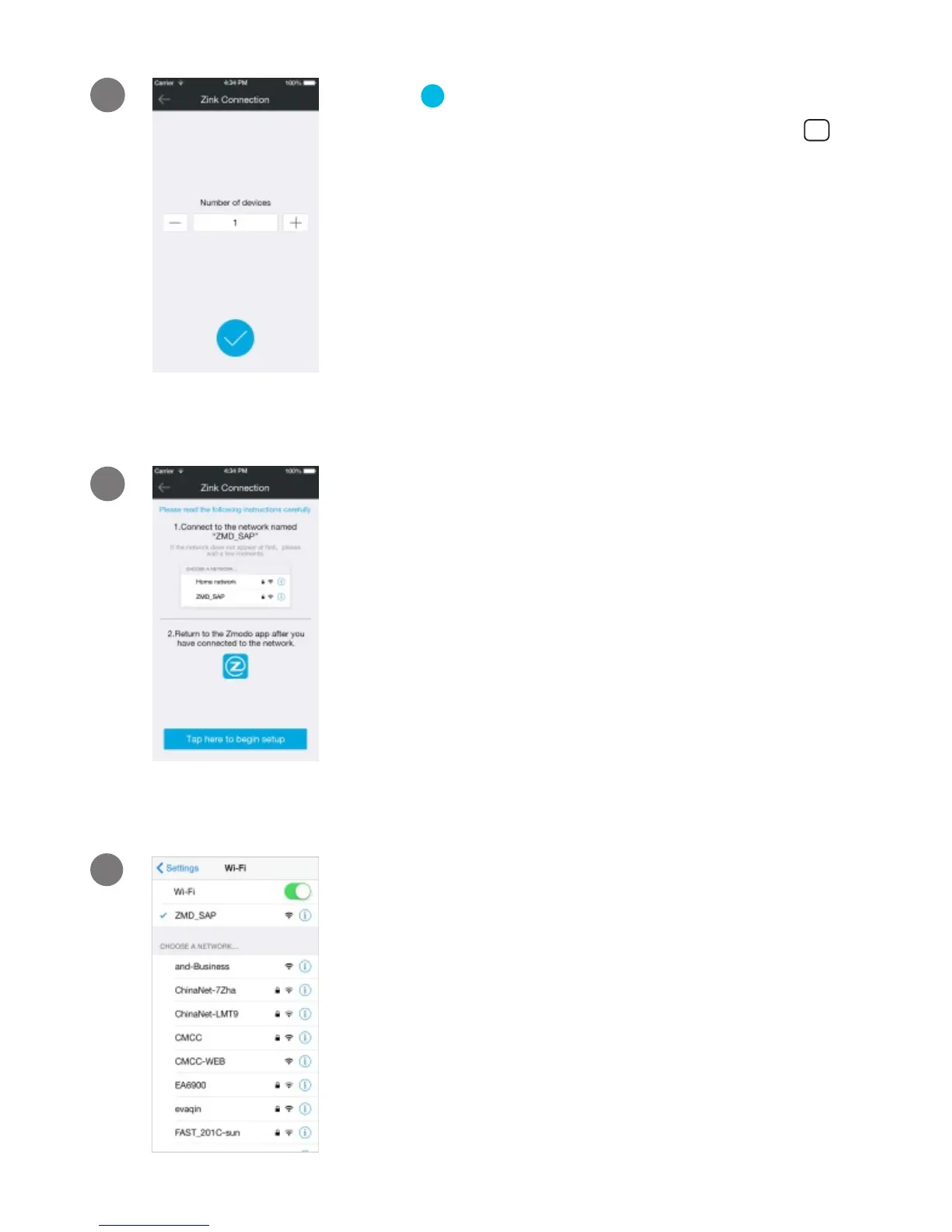
Tap to proceed (If you’re setting up
multiple Zmodo devices at once, tap
to add additional units).
√
+
Follow the on-screen instructions and
select “Tap here to begin setup” to go
to the WiFi settings page on your
smartphone.
4
5
Select the network named “ZMD_SAP”
and connect to it.
Note: If you see a "No Internet Connection" error
method, please ignore it and connect anyway.


 To Next Page