6
7
8
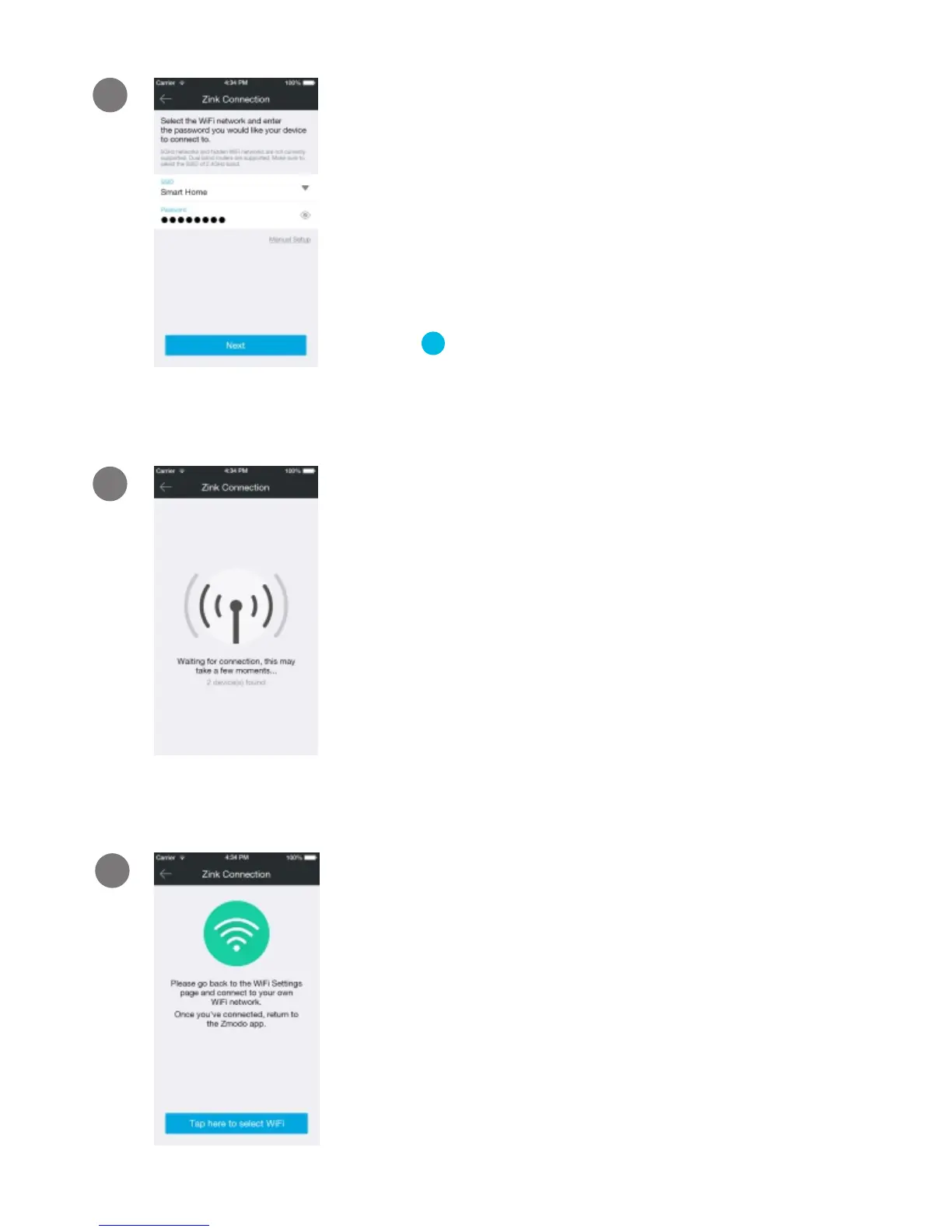
If this app interface appears, please
press “Tap here to select WiFi”.
Return to the Zmodo app page and
select or enter the SSID and password
of the WiFi network that you want your
Snap PT to connect to.
Note: The WiFi name and password are case-
sensitive.
Tap to proceed.
√
6
If you see this screen, the app will
connect Snap PT to your WiFi network.
This may take a few minutes. Once it’s
completed, please skip to step 11.
If you do not see this screen, please
proceed to step 8.
Note: If you are connecting multiple devices, you will
need to wait for the app to find and connect all
devices.



 To Next Page