18 19
EN
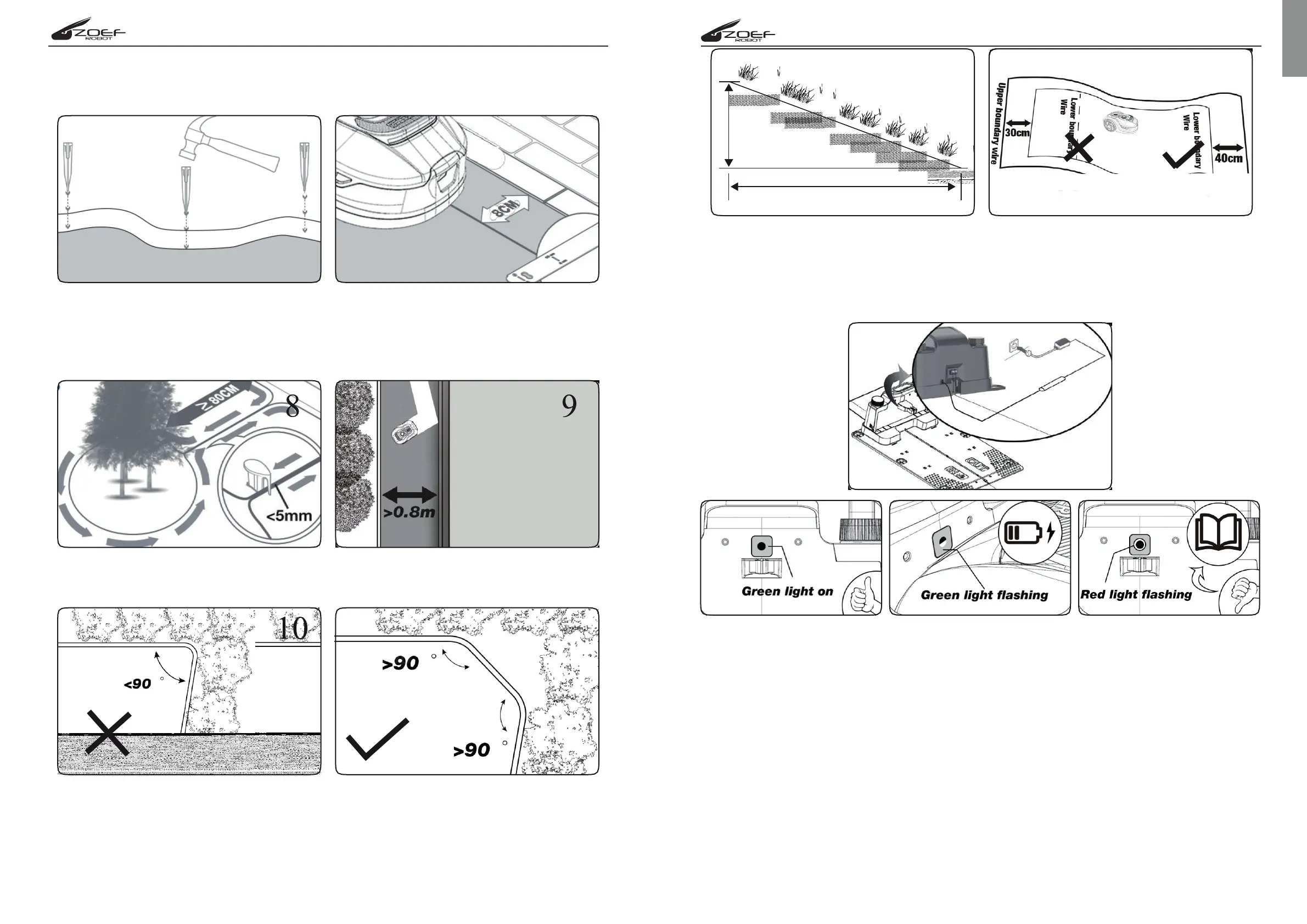
2.2 If the edge next to the lawn is level with the grass and is safe for the robotic lawnmower
to drive over, such as a driveway or sidewalk, only 8 cm of space is needed between
the obstacle and the boundary wire.
2.3 Island setting and narrow channel size requirements
NOTE: if you do not want lawnmower to go your lawn area. such as flowers, shrubs, tree
and so on, you can laying the boundary wire set island. As shown in the figure 8, the
lawnmower can pass through a narrow passage 0.8 m wide.
2.4 Ensure the boundary wire is perfectly straight in each corner, and all
angles formed by the boundary wire are 90°or larger
2.5 Slopes
NOTE: your lawnmower has the ability to safely climb slopes up to 35% (20°) so just
avoid areas steeper than this.
How to calculate the slope of your lawn:
The boundary wire on slopes as shown in the figure 12,13.
3. Connect charging base to the power source
The power supply Plug in the voltage socket, if you laying boundary wire is right
the charging base LED light turn on and it always bright green, LED status in the
grid below to make sure the connection is ok.
LED status Status Actie
Robot doesnt turn on There is no power Check with the network adapter properly
is connected to the charging station and
on the wall socket/socket.
Green LED on Boundry wire is N/A
connected right; mower
is fully charged
Green LED flashing Charging N/A
Red LED flashing The boundary wire Check if the two ends of the boundary wire
is not connected are connected coorectly to the base station.
or is broken/ Check if the boundary wire is not broken or
damaged damaged.


 To Next Page