5
Zon 4MT08
3 Operating the MT08
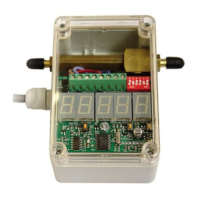
The number of shots in a series and the time interval between consecutive
series are configured on the MT08 with DIPSWITCHES. There are 6 of them,
white in a red block, numbered 1 to 6, like in the next picture. Dipswitches 1
and 2 are used for configuring the number of shots in a series and dipswitch 3
to 6 are used to configure the time interval between consecutive series.
Block with 6 dipswitches
A dipswitch is ON when it is pushed fully to the ON-side of the red block. It
is OFF when it is pushed fully to the side of the red block with the numbers 1
through 6 on it. In above example dipswitches 2 and 5 are ON, the others
are OFF. With this configuration there are 3 shots in a series and 7 minutes
between series. These are our factory settings.
The current time and the periods, during which the control-unit should operate
the propane gas cannon, can be configured with the 5-figure display and the
4 push buttons. All times are in a 24-hour time notation. 00:00 is 12 o’clock
at midnight. The 1-figure display to the right shows the Mode. The 2-figure
display in the middle shows the minutes belonging to the displayed mode. The
2-figure display on the left shows the hours belonging to the displayed mode.


 To Next Page
 Loading...