27
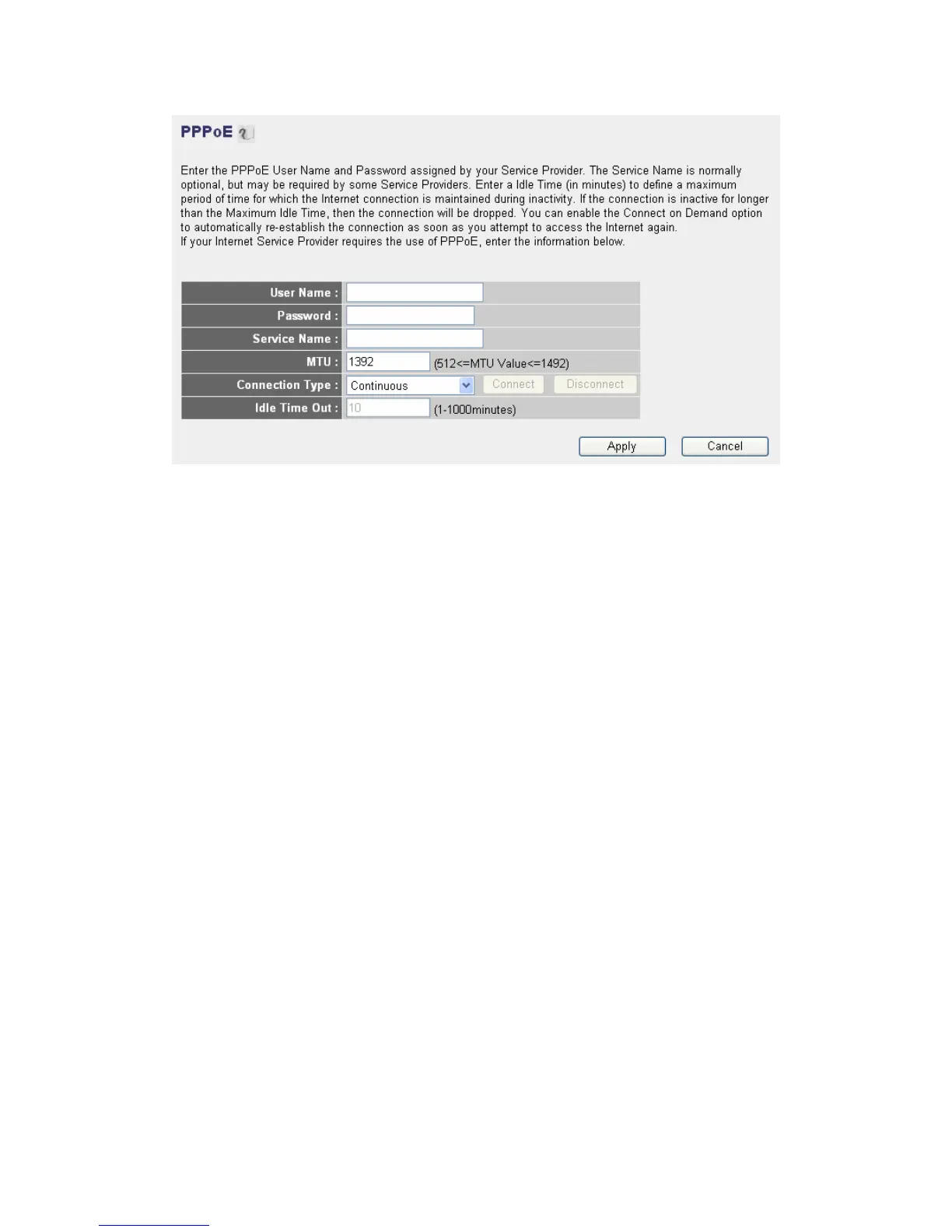
User Name: Please input user name assigned by your Internet service
provider here.
Password: Please input the password assigned by your Internet service
provider here.
Service Name: Please give a name to this Internet service, this is
optional
MTU: Please input the MTU value of your network connection here. If
you don’t know, you can use default value.
Connection Type: Please select the connection type of Internet
connection you wish to use. Continuous – The connection will be kept
always on. If the connection is interrupted, the router will re-connect
automatically. Connect On-Demand – Only connect when you want to
surf the Internet. “Idle Time Out” is set to stop t he connection when the
network traffic is not sending or receiving after an idle time. Manual –
After you have selected this option, you will see the “Connect” button
and “Disconnect” button, click ““Connect” and the router will connect to
the ISP. If you want to stop the connection, please click “Disconnect”
button.
Idle Time Out: If you have selected the connection type to
“Connect-On-Demand”, please input the idle time out.
After you finish with all settings, please click “Apply” button and the
following message will be displayed on your web browser:Please click
“Continue” to back to previous setup menu; to continue on other setup



 To Next Page