31
This setting only works when you’re using Telstra big pond’s network service
in Australia. You need to input:
User Name: Please input the user name assigned by Telstra.
Password: Please input the password assigned by Telstra.
User device login server manually: Check this box to choose login server
by yourself.
Login Server: Please input the IP address of login server here.
When you finish with all settings, click “OK; if you want to go back to
previous menu, click “Back”.
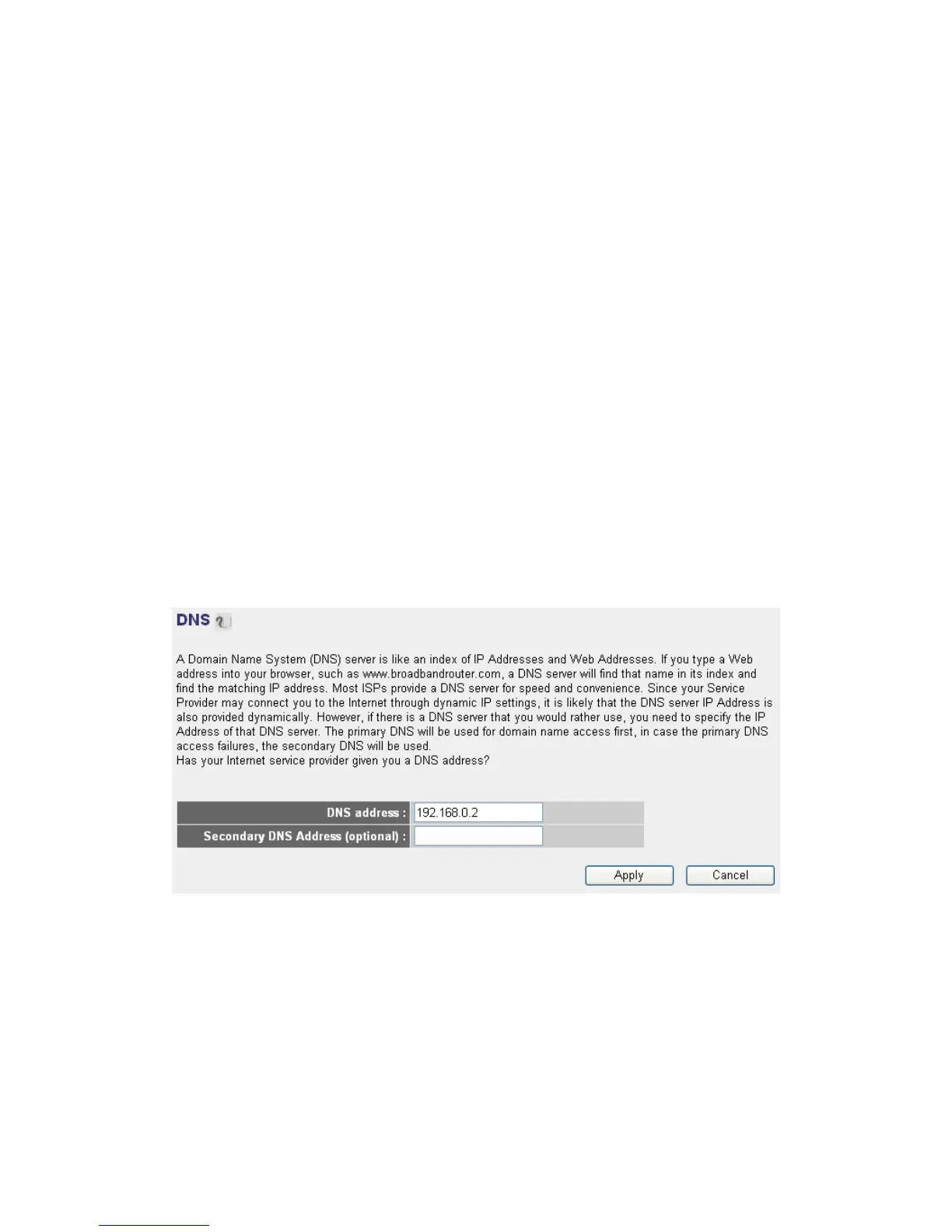
2-5-7. Setup procedure for “DNS”
If you select “Dynamic IP” or “PPPoE” as Internet connection method, at
least one DNS server’ IP address should be assigned automatically. However,
if you have preferred DNS server, or your service provider didn’t assign the
IP address of DNS server because of any reason, you can input the IP
address of DNS server here.
DNS Address: Please input the IP address of DNS server provided by
your service provider.
Secondary DNS Address: Please input the IP address of another DNS
server provided by your service provider, this is optional.
NOTE: Only IP address can be entered here; DO NOT use the hostname of
DNS server! (i.e. only numeric characters and dots are accepted)



 To Next Page