38
web browser:
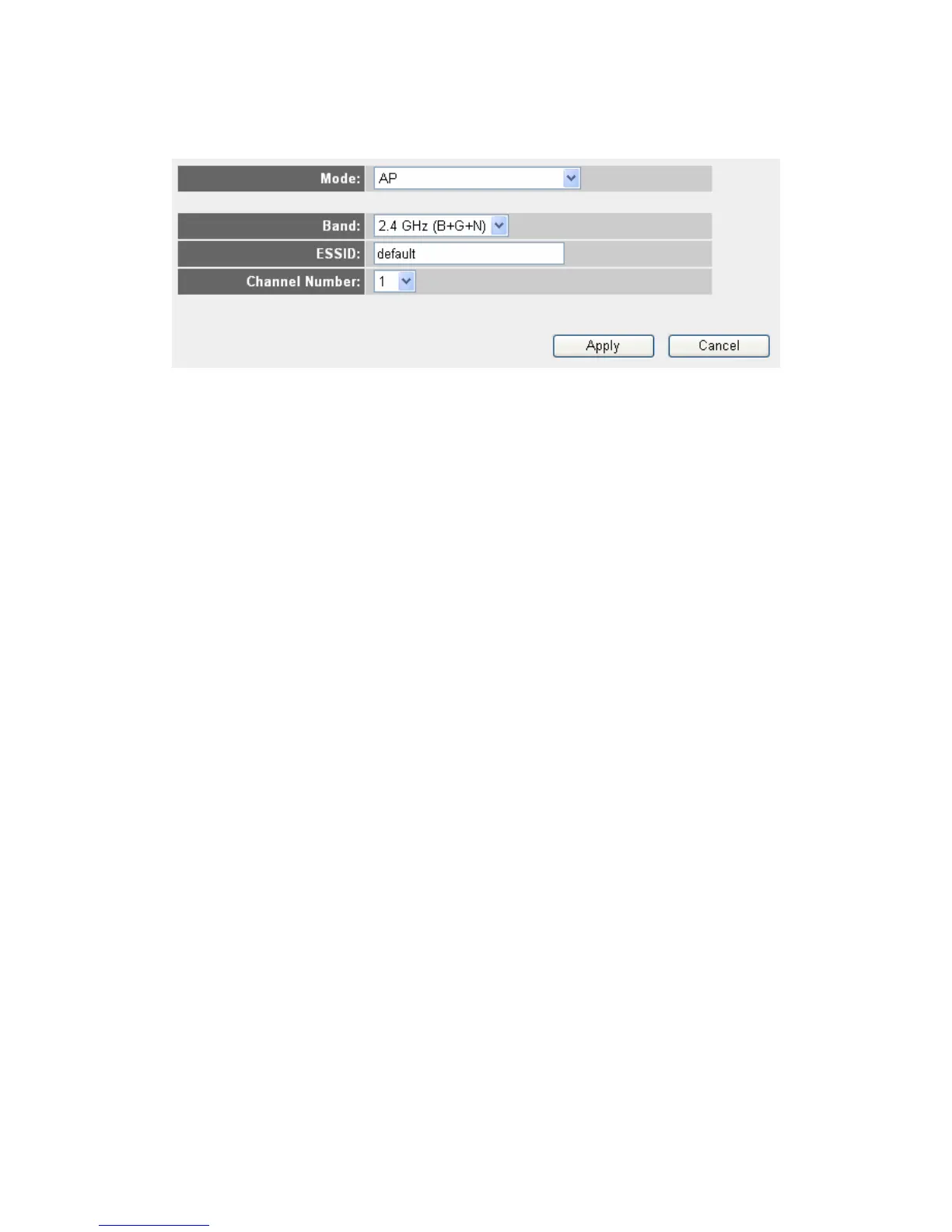
This wireless router can be work in 6 modes:
AP: Standard wireless AP (access point).
Station-Infrastructure: Configure the router to Ethernet device such us
TV, Game player, HDD&DVD to enable the Ethernet device be a wireless
station.
AP Bridge-Point to Point: Connect this router with another wireless
router, to expand the scope of network.
AP Bridge-Point to Multi-Point: Connect this router with up to four other
wireless routers, to expand the scope of network.
AP Bridge-WDS: Connect this router with up to four WDS-capable
wireless routers, to expand the scope of network.
Universal Repeater: The router can act as Station and AP at the same
time. It can use Station function to connect to a Root AP and use AP
function to service all wireless stations within its coverage.
NOTE: For “AP Bridge-Point to Point” and “AP Bridge-Point to Multi-Point”
mode, wireless router is operated in wireless bridge dedicated mode –
wireless router is only used to expand the scope of network, and no wireless
clients will be accepted. If you want to use your wireless router to expand
the scope of network, and also accept wireless clients, please select “AP
Bridge-WDS” or “Universal Repeater” mode.
2-7-1-1. Setup procedure for “AP”
Please select the radio band you want to use from “Band” dropdown menu,
and the following message will be displayed:



 To Next Page