45
2-7-2.Advanced Wireless Settings
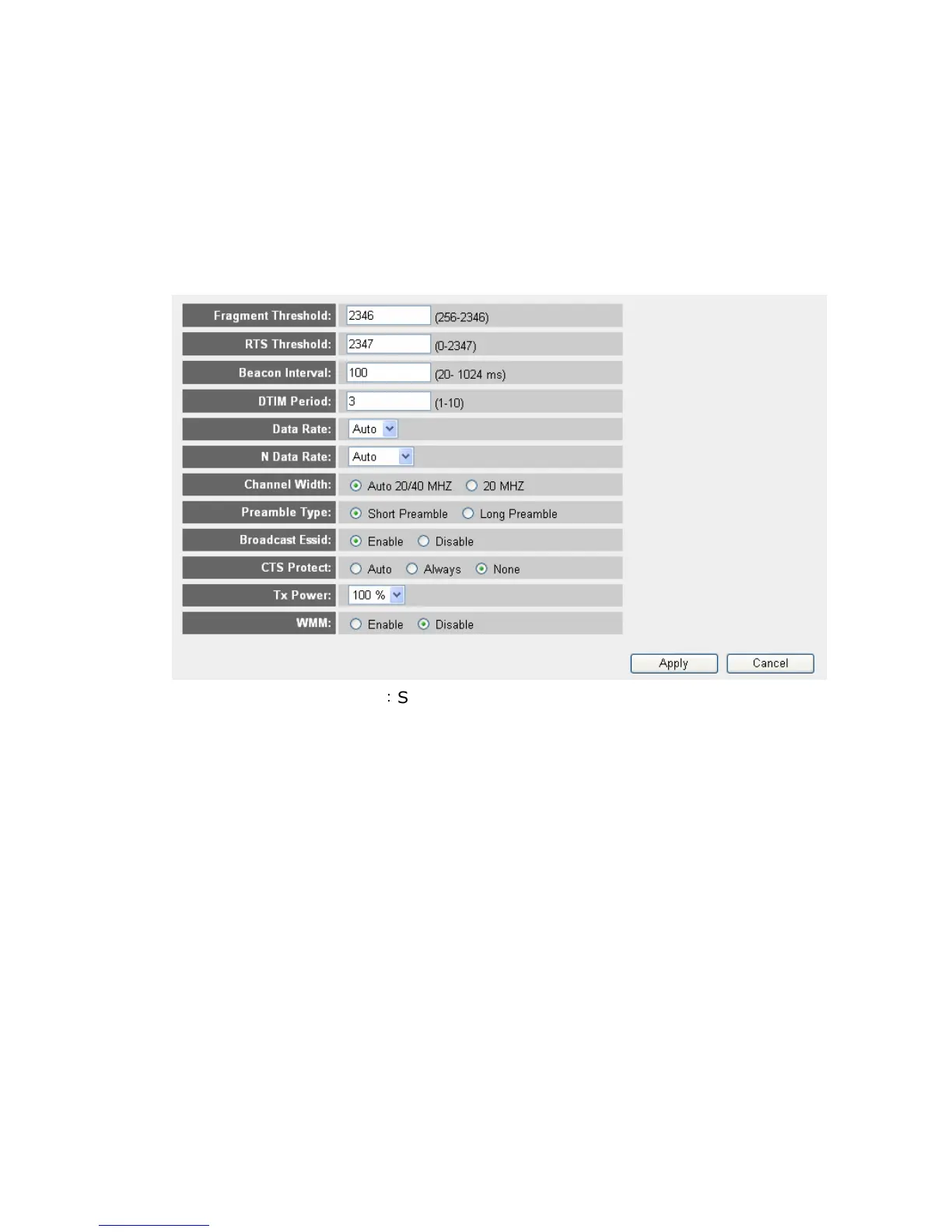
This router provides some advanced control of wireless parameters, if you
want to configure these settings, please click “Wireless” menu on the left of
web management interface, then click “Advanced Settings”, and the
following message will be displayed on your web browser:
Fragment Threshold
:
Set the Fragment threshold of wireless radio.
Do not modify default value if you don’t know what it is, default value is
2346.
RTS Threshold: Set the RTS threshold of wireless radio. Do not modify
default value if you don’t know what it is, default value is 2347.
Beacon Interval: Set the beacon interval of wireless radio. Do not
modify default value if you don’t know what it is, default value is 100.
DTIM Period: Set the DTIM period of wireless radio. Do not modify
default value if you don’t know what it is, default value is 3.
Data Rate: Set the wireless data transfer rate to a certain value. Since
most of wireless devices will negotiate with each other and pick a proper
data transfer rate automatically, it’s not necessary to change this value
unless you know what will happen after modification.
N Data Rate: Same as above, but only for 802.11n clients.
Channel Width: Set channel width of wireless radio. Do not modify
default value if you don’t know what it is, default setting is “Auto 20/40



 To Next Page