EasyManua.ls Logo

Zonex GEN III VVT Series - User Manual

Default Icon
52 pages
Print Icon
To Next Page IconTo Next Page
Loading...
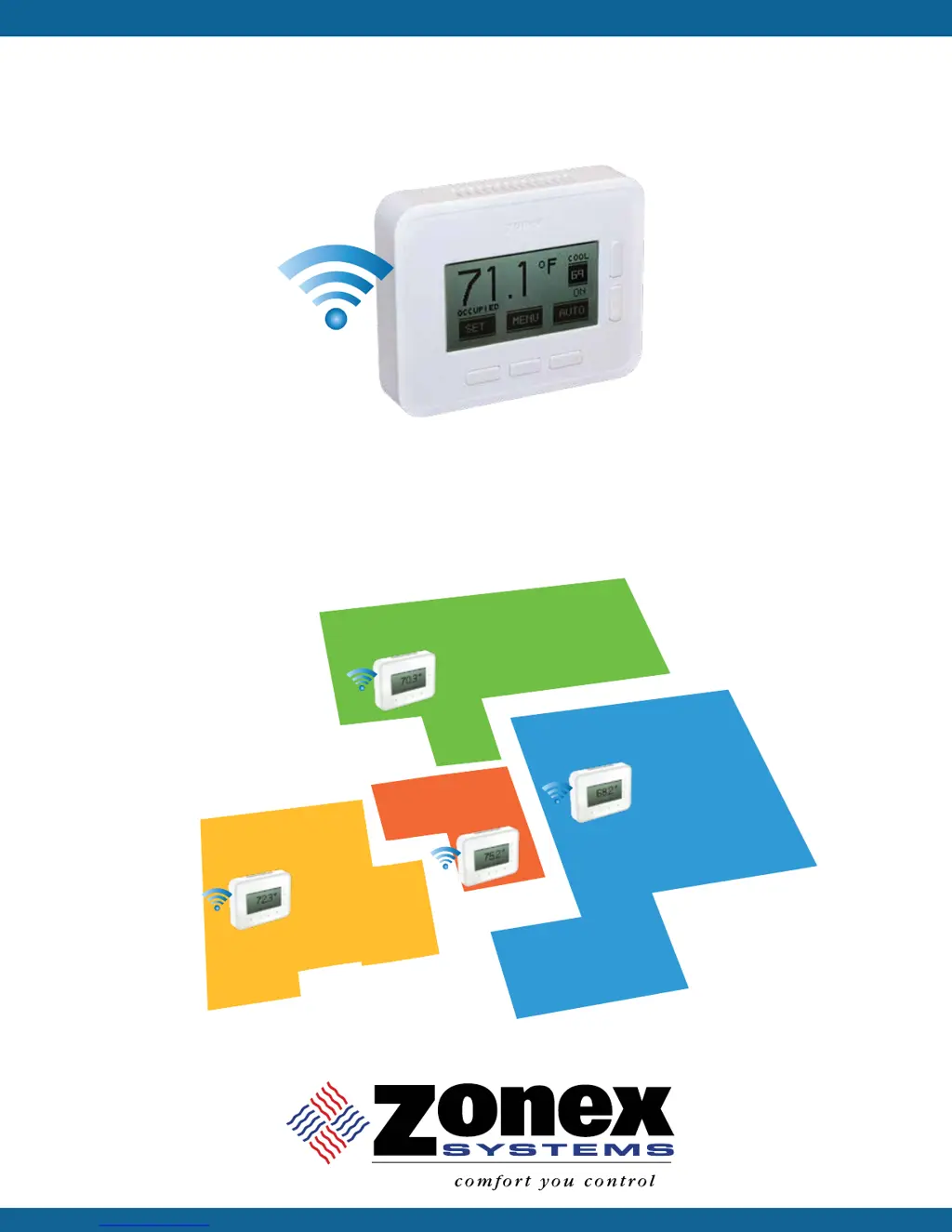
GEN III - VVT
A MODULATING SYSTEM
INSTALLATION AND APPLICATIONS MANUAL
VOTE BASED AUTO CHANGEOVER VAV
with WIRELESS PROGRAMMABLE THERMOSTATS
68°
70°
75°
72°

Questions and Answers

  • D
    danielleflynnAug 20, 2025
    How to unlock my Zonex Thermostat to change the set point?
    • T
      tara10Aug 20, 2025
      If the set point cannot be changed on your Zonex Thermostat, it may be locked. Check if the Padlock Icon is displayed. If so, the thermostat is locked, limiting set point changes. Press the SET button and wait for the COOL or HEAT icon to flash, then use the UP or DOWN buttons to adjust the set points. If this doesn't work, replace the batteries.
  • M
    Michael JordanAug 22, 2025
    What to do if my Zonex GEN III VVT indicates 'RF ERROR'?
    • K
      kennethnunezAug 22, 2025
      If the Zonex Thermostat indicates 'RF ERROR' in the system diagnostic screen, it means there is no communication between the thermostat and the communicating damper board. First, try moving the thermostat closer to the assigned damper. Then, confirm that the damper control board has power and that the blue communication light is flashing. If not, re-sync the thermostat and damper control board. Finally, check or replace the batteries in the thermostat.
  • B
    Brandy HarperAug 25, 2025
    Why is the screen blank on my Zonex Thermostat?
    • B
      Barbara WatkinsAug 25, 2025
      If the Zonex Thermostat screen is blank, it could be in sleep mode. Press any button to activate the display. Note that the Zone Setup might be set for energy-saving mode, which blanks the screen during normal operations to save power. Also, check the battery power icon for a low battery. Make sure the batteries are installed properly and replace them if necessary. As a last resort, replace the thermostat.
  • S
    Stephanie TaylorAug 26, 2025
    How to fix a Zonex GEN III VVT that is not communicating?
    • B
      Brenda ChapmanAug 26, 2025
      If your Zonex Thermostat is not communicating, it might be due to a STAT/Damper ID mismatch. To resolve this, first confirm that the STAT ID and Damper ID match. If they don't, re-sync the STAT and Damper. If the problem persists, replace the batteries and re-sync the STAT and Damper.
  • K
    Kimberly BurkeAug 28, 2025
    What to do if my Zonex GEN III VVT is not making a cool call?
    • P
      petersonmiguelAug 28, 2025
      If your Zonex Thermostat is not making a cool call, it could be due to incorrect cool set points. Ensure that the cooling set point is lower than the room temperature. Also, check if the “ON” icon is flashing, which means it's waiting for changeover. If the “ON” icon is solid, a cool call is active, so confirm the Cool Call (Y1) at the GEN III controller; the Y1 light should be energized. Finally, check the HVAC unit.
  • H
    heather68Aug 30, 2025
    What to do if my Zonex GEN III VVT is not making a heat call?
    • J
      Jeff SanfordAug 30, 2025
      If your Zonex Thermostat is not making a heat call, it's likely due to incorrect heat set points. Ensure the heating set point is higher than the room temperature. If the “ON” icon is flashing, the system is waiting for changeover. If the “ON” icon is solid, a heat call is active. Check the damper position and confirm the Heat Call (W1 or Y1, W1) at the GEN III controller. The W1 light should be energized for GAS/Electric units, or Y1, O/B for Heat Pump units. As a final step, check the HVAC unit.
  • S
    Stephen KelleyAug 31, 2025
    Why does my Zonex GEN III VVT display 'OVERRIDE'?
    • P
      Paul RiveraSep 1, 2025
      If the Zonex Thermostat displays 'OVERRIDE', it means the unit is in Unoccupied Mode. Press the Auto button once to return to Unoccupied Mode. Also, confirm the schedule and modify it as needed.
  • B
    brownjessicaSep 2, 2025
    Why does my Zonex Thermostat display the wrong time and day?
    • R
      Robin TaylorSep 2, 2025
      If the Zonex Thermostat displays the wrong time and day, you should confirm that the time and day are correct on the Monitor Thermostat and reset if necessary.
  • T
    Todd GardnerSep 4, 2025
    Why are there no flashing communication lights on my Zonex GEN III VVT Thermostat?
    • K
      Kyle BrownSep 4, 2025
      If there are no flashing communication lights, check the 24-volt power from the transformer and ensure the power switch is in the ON position.
  • R
    Raymond MeyerSep 6, 2025
    Why is there no heat call (W1, Y1 (O/B)) on my Zonex GEN III VVT?
    • C
      Corey ShawSep 6, 2025
      If there is no heat call (W1, Y1 (O/B)), it could be due to: * Thermostat(s) not calling for heat. * A majority of thermostats calling for cooling. * System off on High limit capacity control. To troubleshoot, place a call for heat at any thermostat. Check the number of thermostats calling for heat versus calls for cooling. Review the System Diagnostic on any thermostat to review discharge air. Wait 4 minutes for the heat call to recover.

Summary

System Overview

GEN III - VVT System Overview

Overview of the commercial modulating zone control system for VAV applications.

Installation Instructions

Wiring the GEN III Controller

Connecting the GEN III controller outputs to the HVAC unit.

Commissioning and Start-Up

Sync Dampers and Wireless Thermostats

Pairing zone dampers with their respective wireless thermostats.

Sync Monitor Thermostat with GEN III Controller

Designating and syncing the primary thermostat for system control.

Unit Type, Clock, and Limits Configuration

Setting system parameters like unit type, clock, and temperature limits.

Fan Operation and Call Confirmation

Configuring fan mode and verifying cool/heat calls and damper operation.

Troubleshooting

Wireless Thermostat Issues

Solutions for common wireless thermostat problems like no communication or blank screen.

GEN III Controller and Fan Issues

Troubleshooting GEN III controller lights, calls, and fan operation.

Damper and Auxiliary Heat Problems

Resolving issues with damper operations and auxiliary heat/reheat.

Final System Review

Zonex GEN III VVT Series Specifications

General IconGeneral
Power Source24VAC
Operating Temperature32°F to 122°F (0°C to 50°C)
Display TypeLCD
Humidity Range5% to 95% non-condensing
ProgrammableYes
SeriesGEN III VVT Series

Related product manuals