111
5.
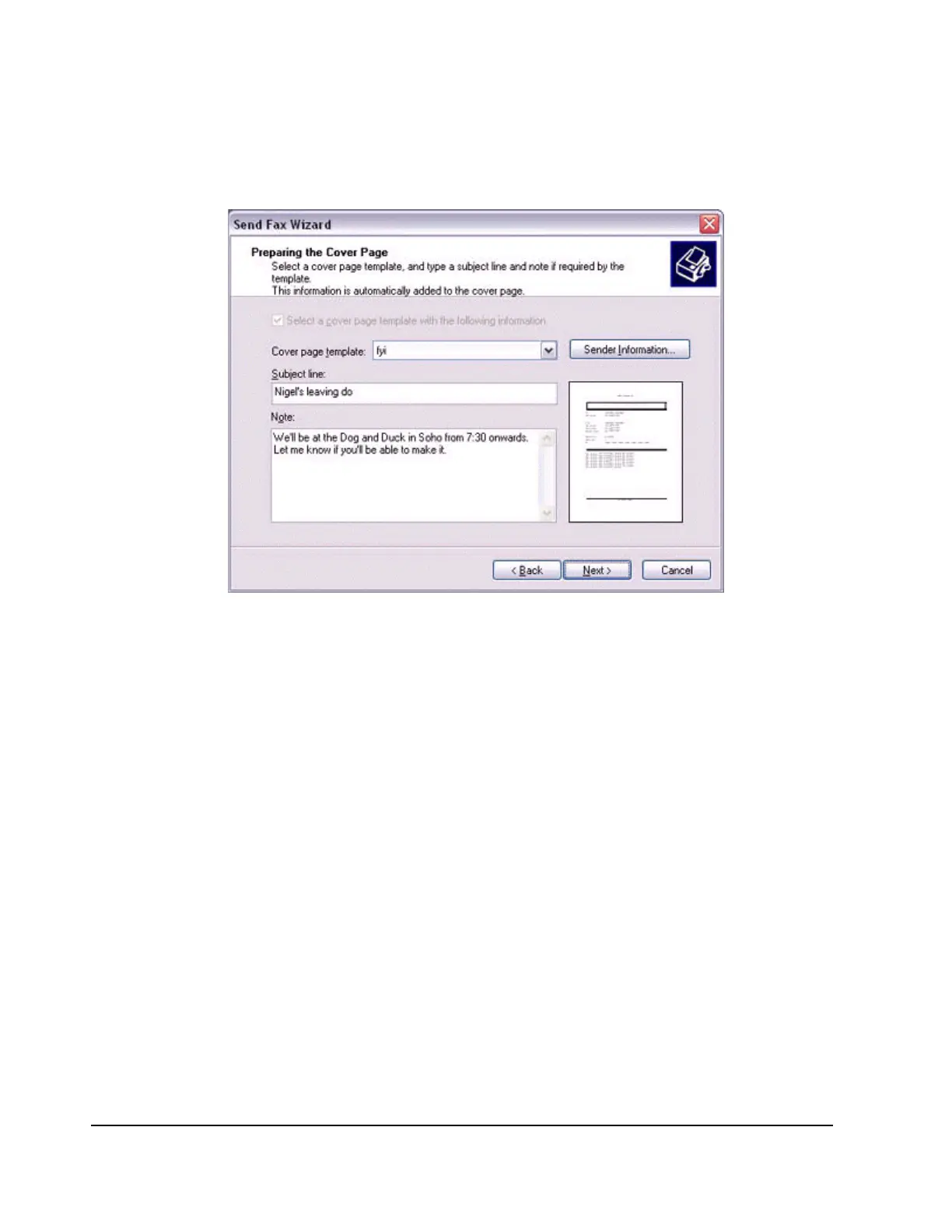
Specify the cover page template, subject line, and note (body text), and then
click on the [Next] button.
The [Send Fax Wizard (Schedule)] window will appear.
6.
If you wish to send the fax immediately, select "Now", and then click on the
[Next] button.



 To Next Page